
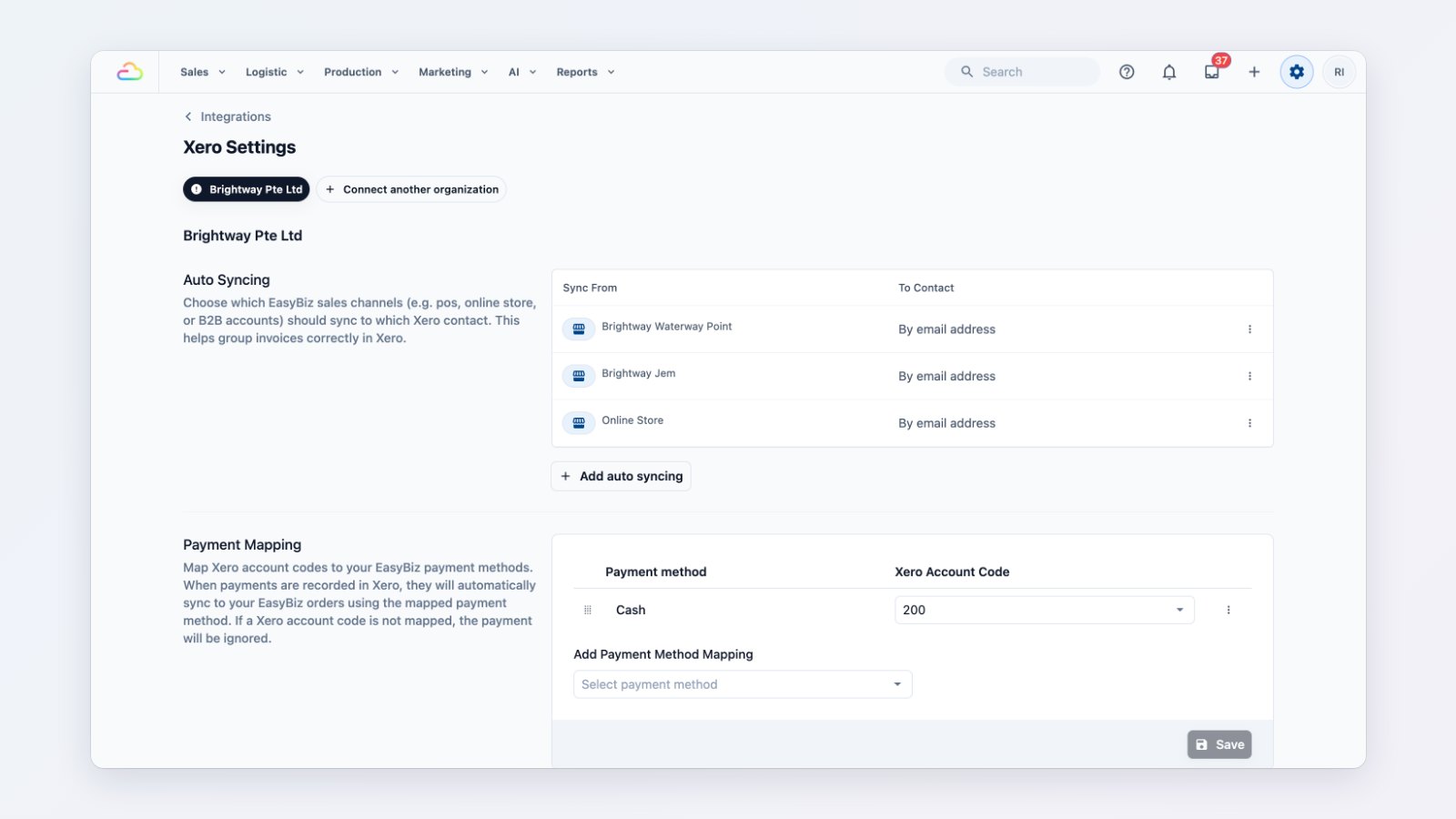
Re-typing every day's sales into your accounting software is slow, and it's where mistakes creep in. You can now connect Xero to EasyBiz so your sales arrive in Xero by themselves, already coded the way your accountant wants.
Map once to your chart of accounts
Connect your Xero organisation, then decide where everything goes:
- Contacts: walk-in customers, named customers and B2B agents map to the right Xero contacts.
- Account codes: each kind of line item, such as services, retail products, surcharges and discounts, posts to its own account.
- Payment methods: cash, PayNow, card and the rest each go to the right bank or clearing account.
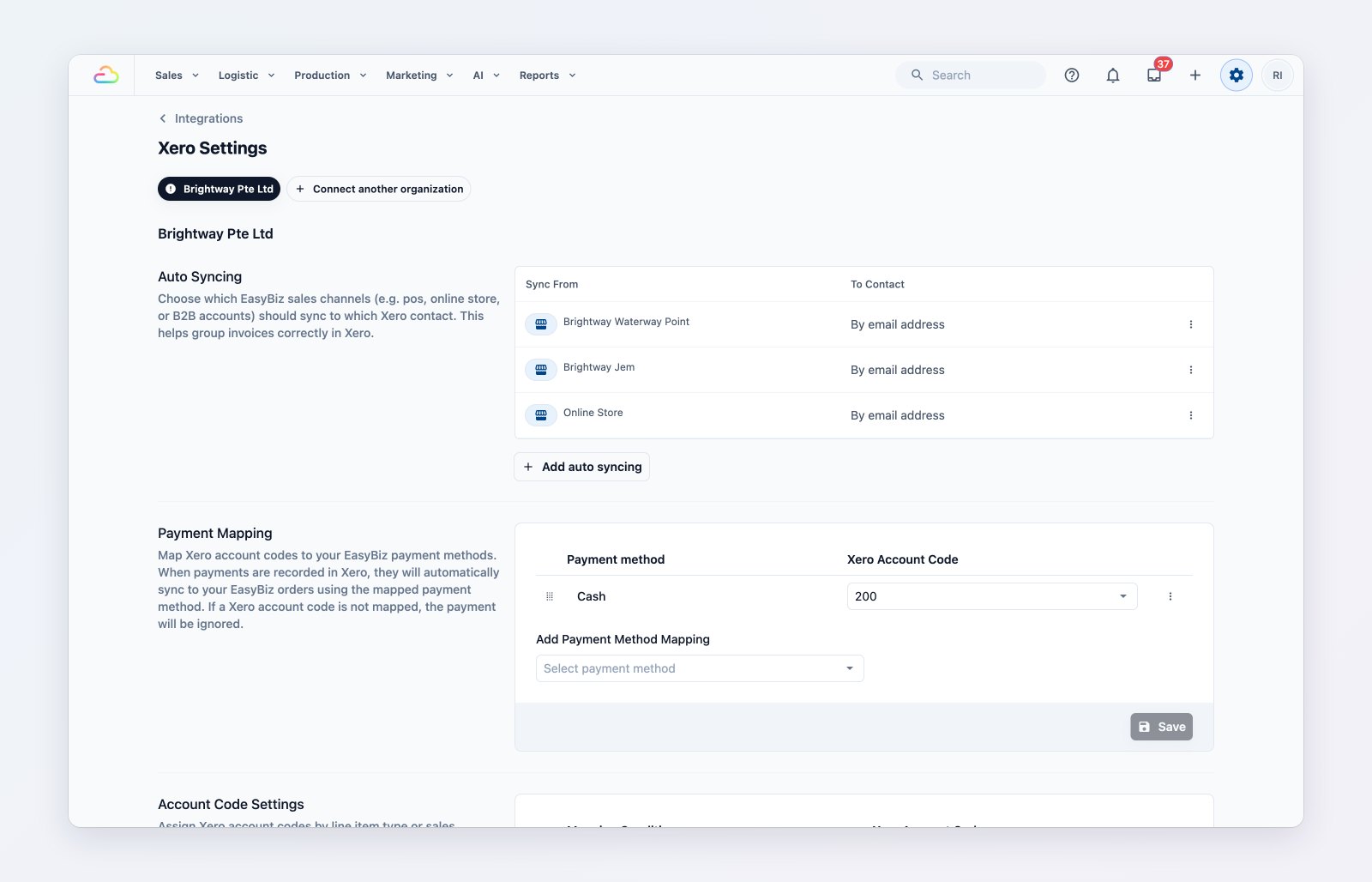
Choose the Xero account for each kind of line item and payment method.
Sync that runs itself
Turn on auto sync and EasyBiz sends orders, payments and credit notes to Xero as they happen. For business customers on monthly billing, sync the consolidated invoice instead of every single order.
Stay in control
Push a date range by hand when you need to, cancel a sync that is running, and check the history to see what was sent and whether it succeeded.
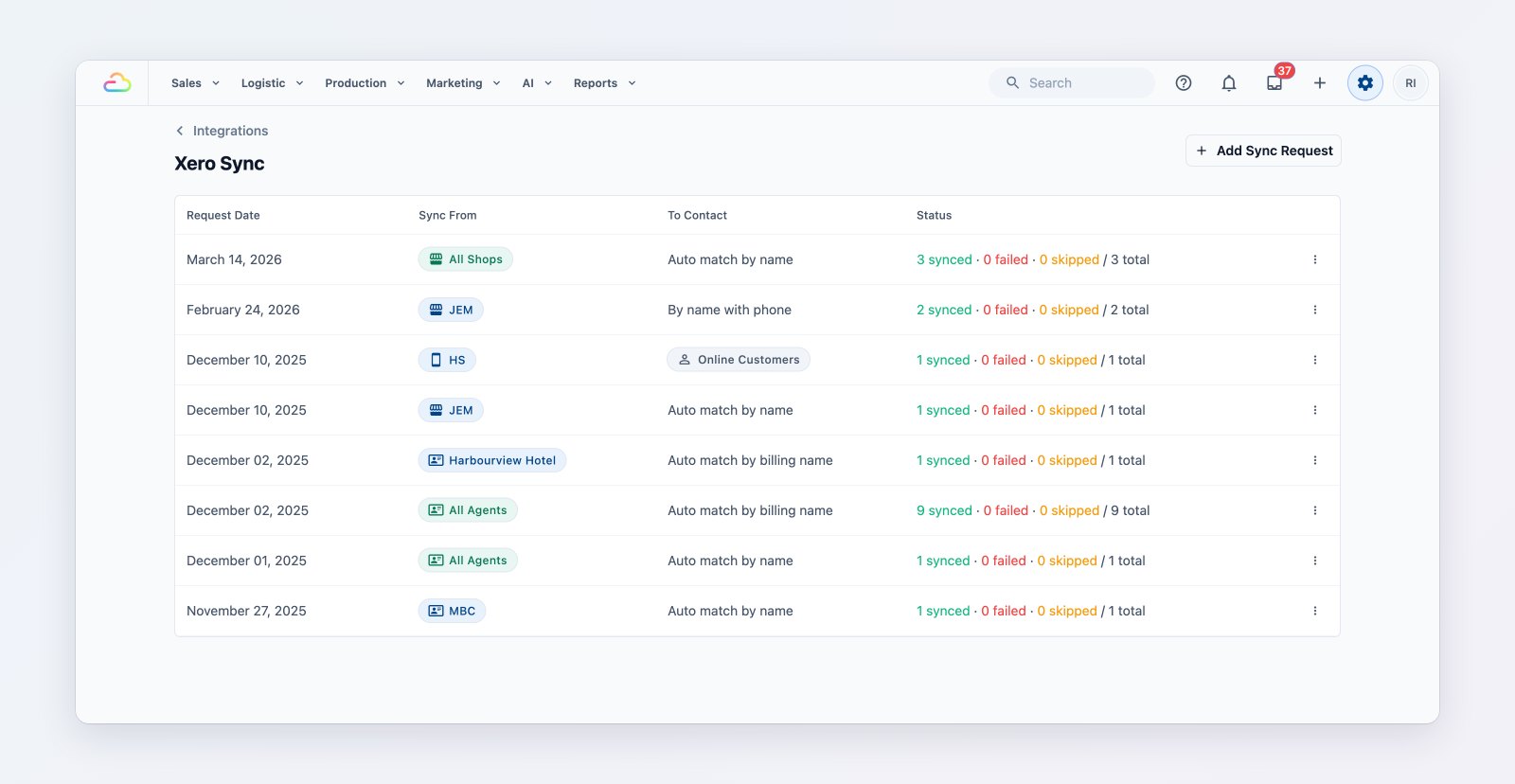
Every sync is listed with what was sent and whether it succeeded.
Where to find it
Go to Settings → Integrations → Xero. See Xero integration overview, Configuring account codes and Automating your sales with auto sync.