
Business type / Laundry
Keep every laundry order clear from intake to return
Counter, online, and B2B agent orders, customer chats, production status, delivery, and loyalty all run on one order record, not five separate tools. Start with the counter and add the rest as the business grows.
How it works
How the work flows, end to end
Each step below is one product. A larger operation runs all of them on one order record; a smaller one starts with the first few and adds the rest later.
Counter orders
Take an order the way your shop actually charges
Wash by the kilo, ironing by the piece, a bedsheet set by the set. Set your services and their prices once, then take an order in a few taps at the counter — photograph anything worth recording, and print the labels and receipt on your own layout.
- Set each service and its options once, with the unit price on the option
- Add a line in a few taps, then edit quantity, weight or note in place
- Photograph an item at drop-off and keep the photos on the order
- The collection date fills itself in from the services on the order
- Print receipts and garment labels from your own templates, to your own printers
- Find a returning customer by phone, name or past order
- Take card and QR payments at the till through Stripe or HitPay
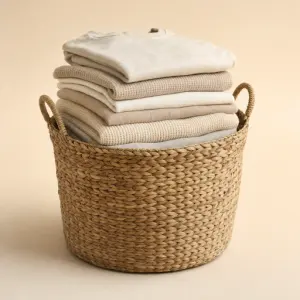 Wash & fold $8.50 /kg
  Dry cleaning from $7.00 /pc
  Ironing only $1.90 /pc
  Duvets & bulky items from $28.00
 Online orders
Book a pickup online in under a minute
Your own storefront takes the whole booking: the customer picks the services they want and a pickup window you can actually service, and the order lands on your list ready to collect. No messages back and forth to pin down what and when.
- A site built around your own brand and services, on your own domain
- Works the same on a phone or a desktop
- Set your own booking steps, so the flow asks only what your shop needs
- Only the slots you can service are offered, so nothing is over-booked
- Confirmation and receipt reach the customer on your own template
- Customers pay online through Stripe or HitPay once the order is priced
- Customers check their own order history and live status instead of messaging
- Points and store credit work online too, at no extra cost
B2B
Take hotel and corporate work on their own terms
Every account has its own contract price, its own paperwork and its own billing cycle. Set those terms once per account, let a standing Tuesday pickup raise its own jobs, and close the month per account instead of rebuilding it in a spreadsheet.
- Per-account price list, order flow, minimum order and tax treatment
- Standing pickup and delivery schedules that generate their own jobs
- Per-account receipt and label templates
- Monthly invoicing on your own invoice template, with an itemised breakdown table
- Close a period per account: select the orders, adjust, preview, then issue
- Revenue, uninvoiced, invoiced and collected, across every account
- Orders and invoices sync automatically to Xero or QuickBooks Online
- Give an account a login to raise and track its own orders
Customer conversations
Answer from one WhatsApp inbox, not five phones
One inbox holds every customer conversation with that customer's whole history beside it, so whoever is on shift can answer without asking a colleague what happened last time.
- One shared WhatsApp inbox with ownership and read state across the team
- Every order, message, payment and job for a customer in one timeline
- Saved replies with that customer's own details already filled in
- AI drafts and translates a reply for your staff to review before sending
- Response time and volume reporting, by person and by channel
Production
Know what is processing, ready, or packed
Every item label carries its own QR code, so the floor moves work forward by scanning — no list, no search, no typing. The board shows every job in the stage it is actually in, because updating it costs one scan.
- Scan an item's QR label to move it to the next stage — one scan, no typing
- Scan to attach a photo too, straight onto the right job
- Your own pipeline stages on a live board, with due dates and photos
- Rules turn the services sold into the tasks the floor has to complete
- Photo and custom fields captured per task, not only per job
- Each worker gets their own queue, updates status, and hands off
Pickup and delivery
Run pickup and delivery as a scheduled operation
Draw the areas you serve, publish slots that hold real capacity, and let the day's runs assign themselves — with proof of collection and delivery captured on the driver's phone.
- Map-drawn service zones, each with its own minimum order
- Named time slots with per-day capacity, so a booking is a reservation
- Rules assign jobs by service, weekday, time window and area
- A driver app with your own completion steps: photo, signature, scan
- Live tracking and geofenced arrival alerts for the customer
- Automatic completion notifications with your documents attached
Repeat business
See who is coming back, and who stopped
A laundry lives on regulars. Each contact record carries what that customer is worth and what they buy, retention reporting shows where returns are slipping, and follow-ups go out on schedule rather than when someone remembers.
- Lifetime spend, average order value, order count and top services per contact
- New-versus-returning split and repeat-purchase interval by service category
- Scheduled follow-ups and reminders that fire without someone remembering
- Sales reporting broken down by service, option, channel and location
Product mix
Build the product mix around this workflow.
Start with the products that cover the core workflow, then add optional capabilities only when your operation needs them.
Point-of-sale for service and retail counters
Branded storefront, ordering, and customer loyalty
Agents, corporate accounts, and monthly billing
Conversations, deal pipeline, and customer history
Order stages, jobs, and work-order management
Assigned mobile jobs for drivers and on-site workers
Pricing
Start at the counter. Add online, B2B, production, and delivery as you grow.
Nobody buys all of it on day one. The pricing page publishes current two-outlet and growing-chain laundry examples, so you can begin with the step your shop needs most and connect the next one when the volume justifies it.
FAQ
Common questions from Laundry operators
Can my counter staff use this even if they are not technical?
Yes. The main counter workflow is built around taking orders, finding customers, recording notes, and checking order status. Staff can still use the normal screen-based interface without using AI.
Can EasyBiz Cloud support laundry labels?
Yes, EasyBiz Cloud can support label workflows as part of the POS and order setup. The exact printer and label setup should be confirmed before installation.
Can I set different prices for wash, dry cleaning, special care, or delivery?
Yes. EasyBiz Cloud products are built around configurable products, services, and order records, so your laundry services and prices can be set up based on how your shop charges.
Can customers receive order updates?
Yes. EasyBiz Cloud keeps order and delivery status in the system, and customer updates can be sent through the channels used in your setup.
Do I need online ordering from day one?
No. You can start with Point of Sale for counter orders first, then add the Online Store when you are ready to accept customer orders online.
I run one small shop. Is all of this too much for me?
No. This page describes a full laundry operation, including shops that run their own factory and B2B agents. Most single-shop operators start with the counter, and often the shared inbox for customer chats. Everything else stays available on the same order record for when you need it, so nothing has to be replaced later.
Start with EasyBiz Cloud
Start with the workflow that needs attention now.
Try the products you need first, then add connected workflows as your business grows.