
Your customer list is the cheapest marketing you have. WhatsApp campaigns let you reach the customers who matter, in the app they actually read, without exporting lists into another tool.
Pick the message and the people
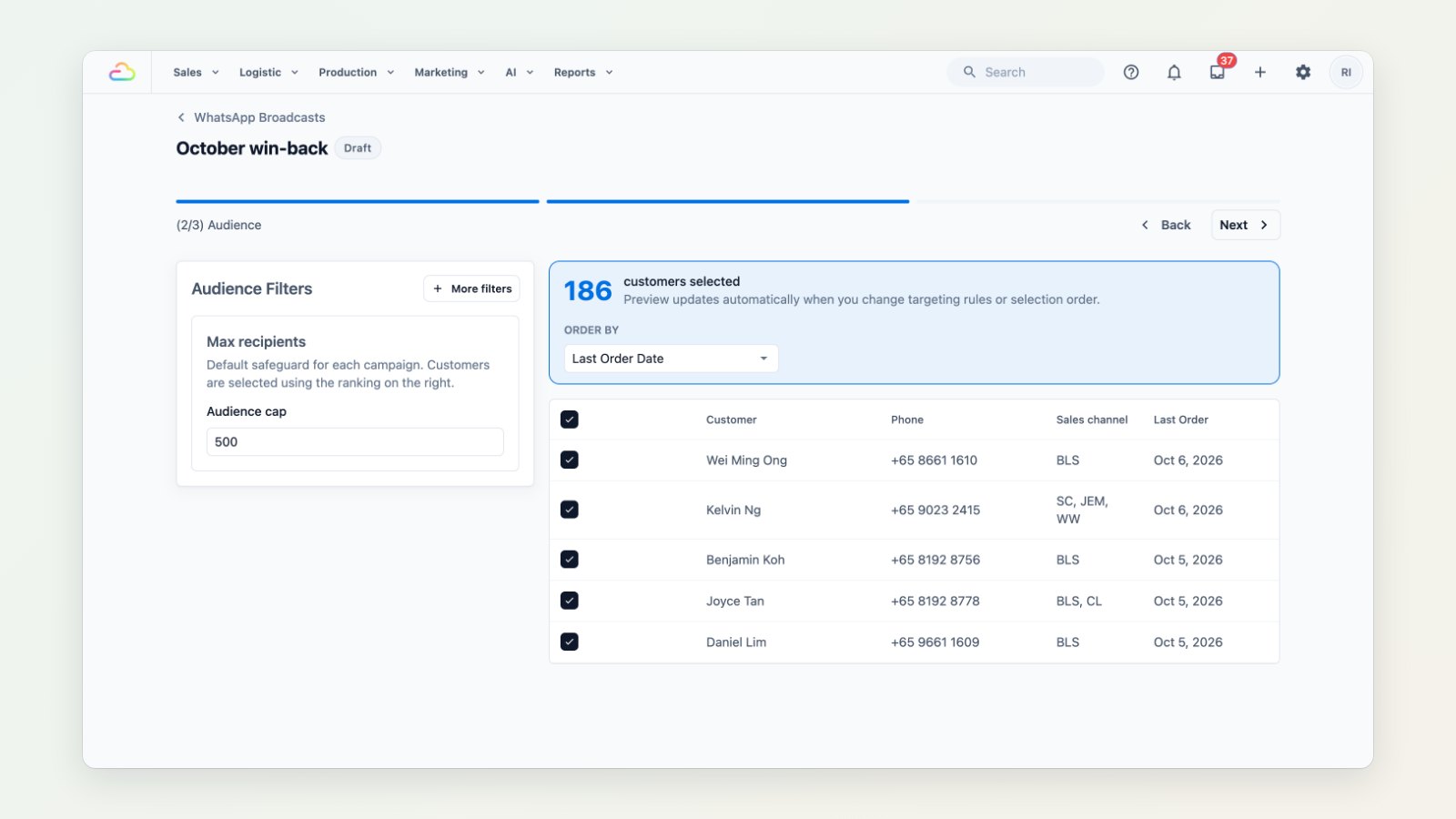
Choose one of your approved WhatsApp templates and build the audience from your own data: customers whose last order was more than three months ago, customers who signed up this year, or customers of one shop. EasyBiz shows how many people match and a preview of the message before anything is sent. Remove anyone you don't want to include.
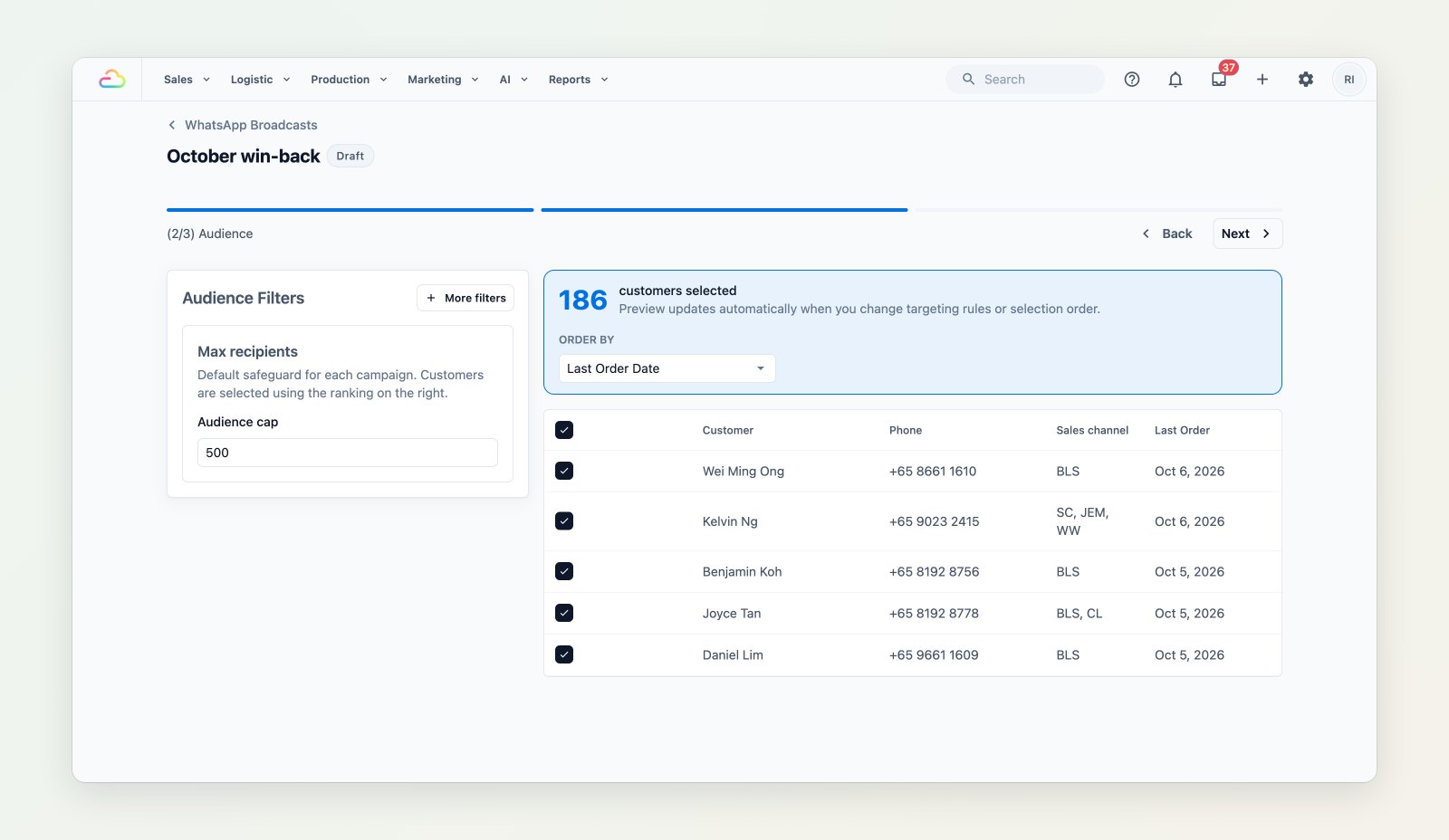
Each campaign shows its message, its audience and what happened to every message.
Send now or later
Send straight away, or schedule the campaign for the time your customers are most likely to read it.
See what happened
After sending, each recipient's status is listed, so you can see who received the message and follow up with those who replied.
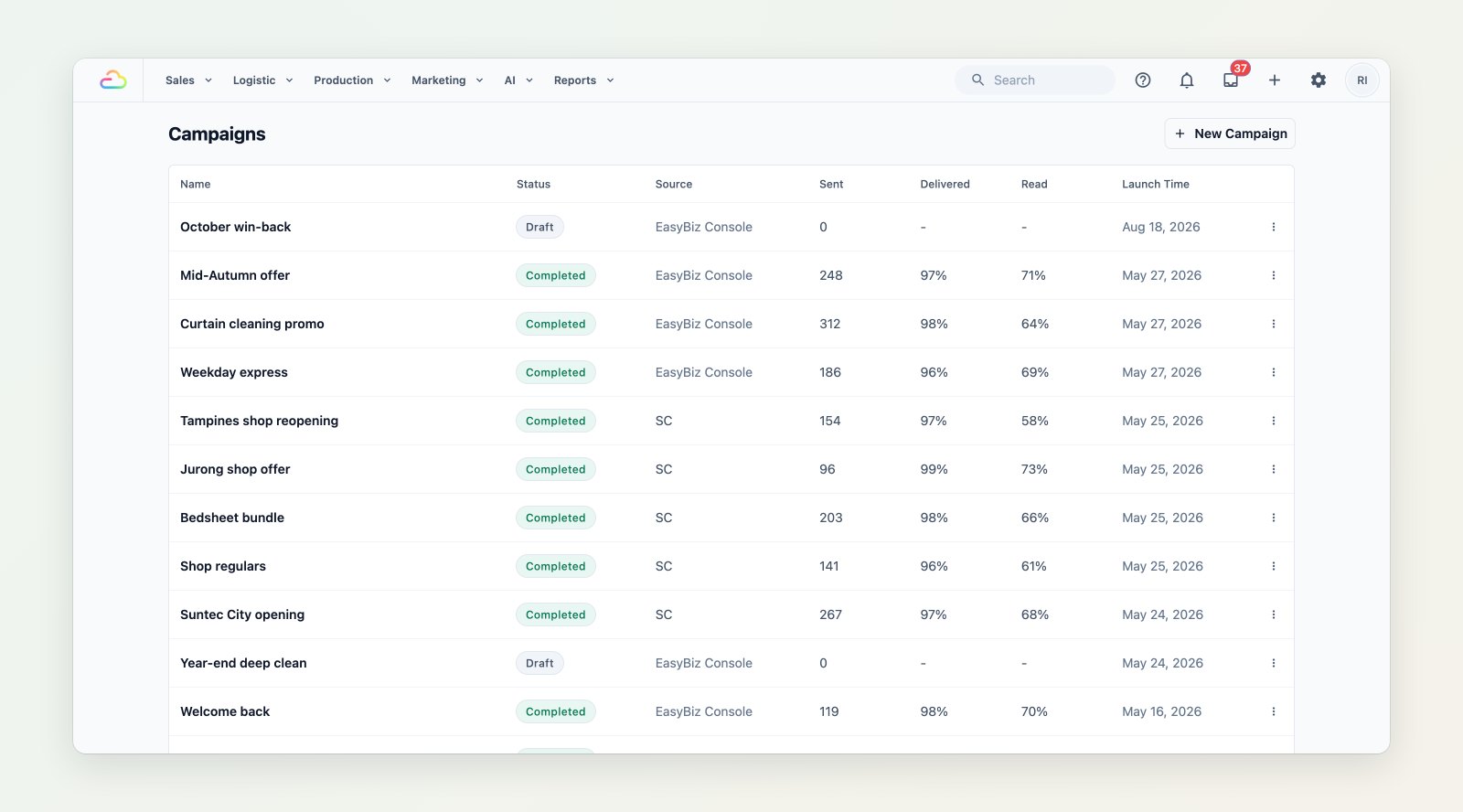
All your campaigns, sent and scheduled, in one list.
Where to find it
Go to Marketing → Campaigns and choose New Campaign. See Introduction to WhatsApp campaigns and Choosing your campaign audience.