
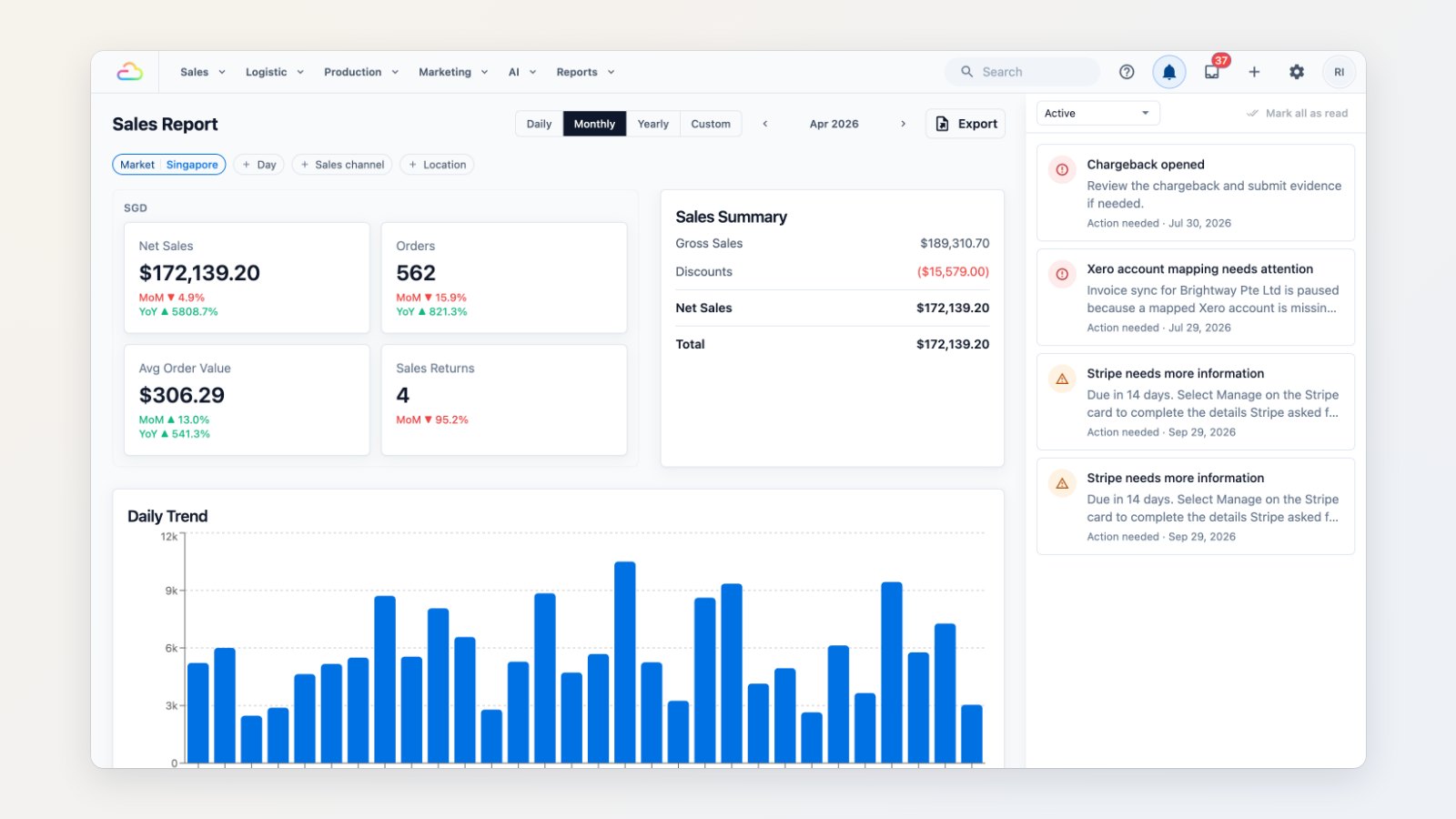
Once you've filed your GST return, last month's numbers shouldn't move. And when something stops working in the background, you want to hear about it the same day, not at month end. This update covers both.
Close sales periods
For each company, close past sales periods, either automatically, for example the previous month closes on the 15th, or by choosing a close date yourself. After a period is closed, a late void or edit doesn't rewrite it. The correction is posted to the current period instead, so the figures you filed stay the figures in EasyBiz. If you really need to, reopen a period temporarily.
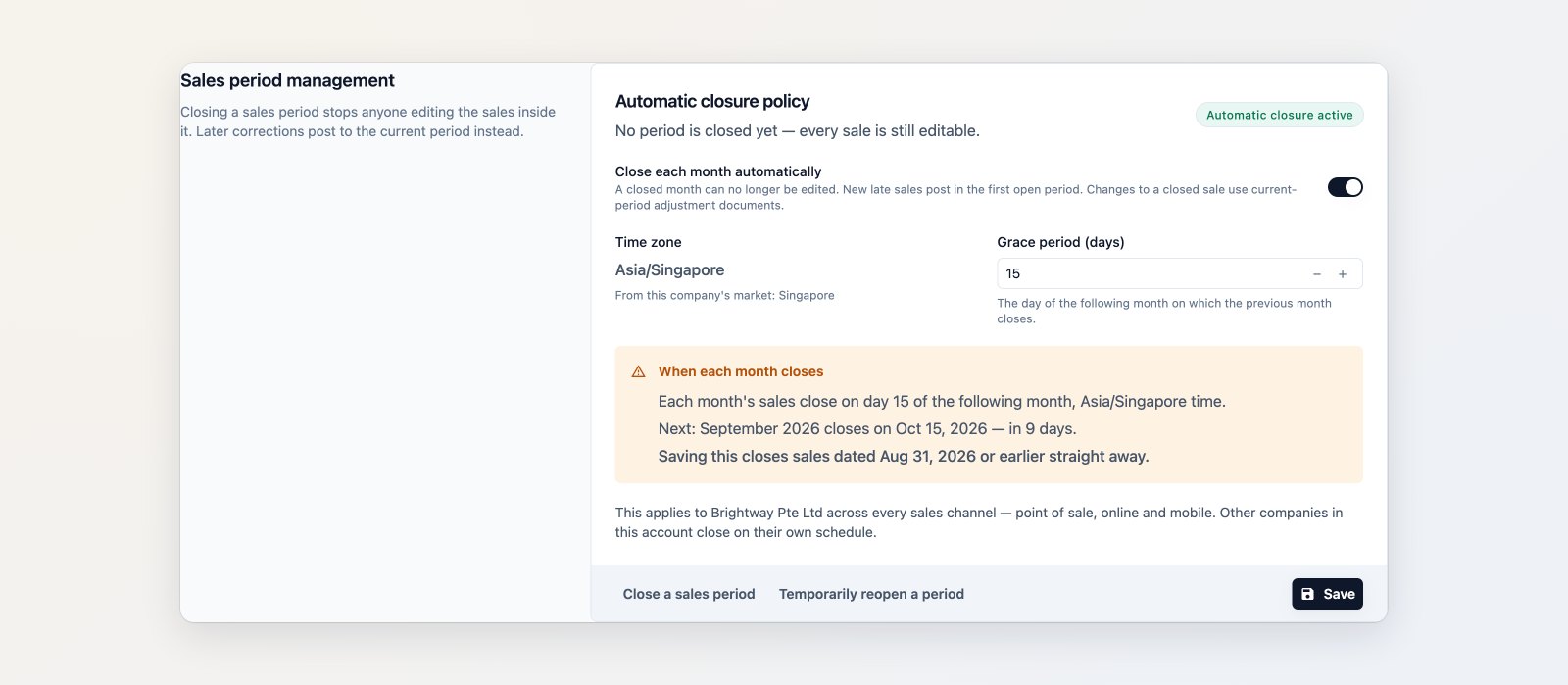
Close each month automatically after a grace period, or choose a close date yourself.
One place for things that need attention
The bell in the Console's top bar opens the Alert Center. It collects what needs action: an accounting connection that needs reconnecting, a mapping that has stopped invoices from syncing, a card payment dispute, billing notices and announcements. Each alert says what happened and what to do.
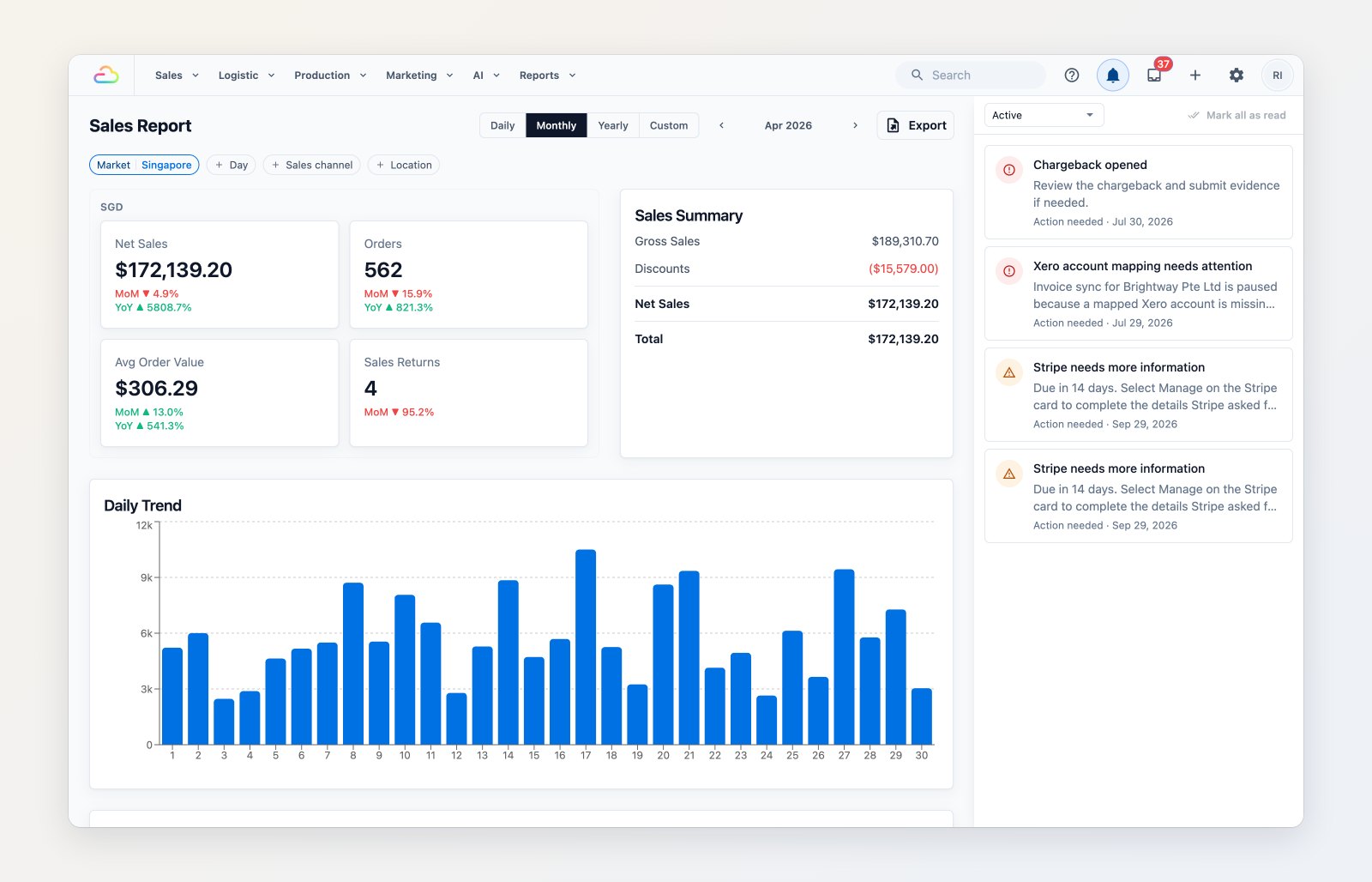
Alerts that need action, with what happened and what to do next.
Xero mappings you can't get wrong
Xero account mappings are now picked from your Xero organisation's active accounts instead of typed in. If an account is later archived in Xero, sync pauses and an alert tells you what to fix, instead of invoices quietly failing.
Where to find it
Find Sales period management in Settings → Company, on your company's page. Open the Alert Center from the bell in the top bar. See Managing sales periods.