
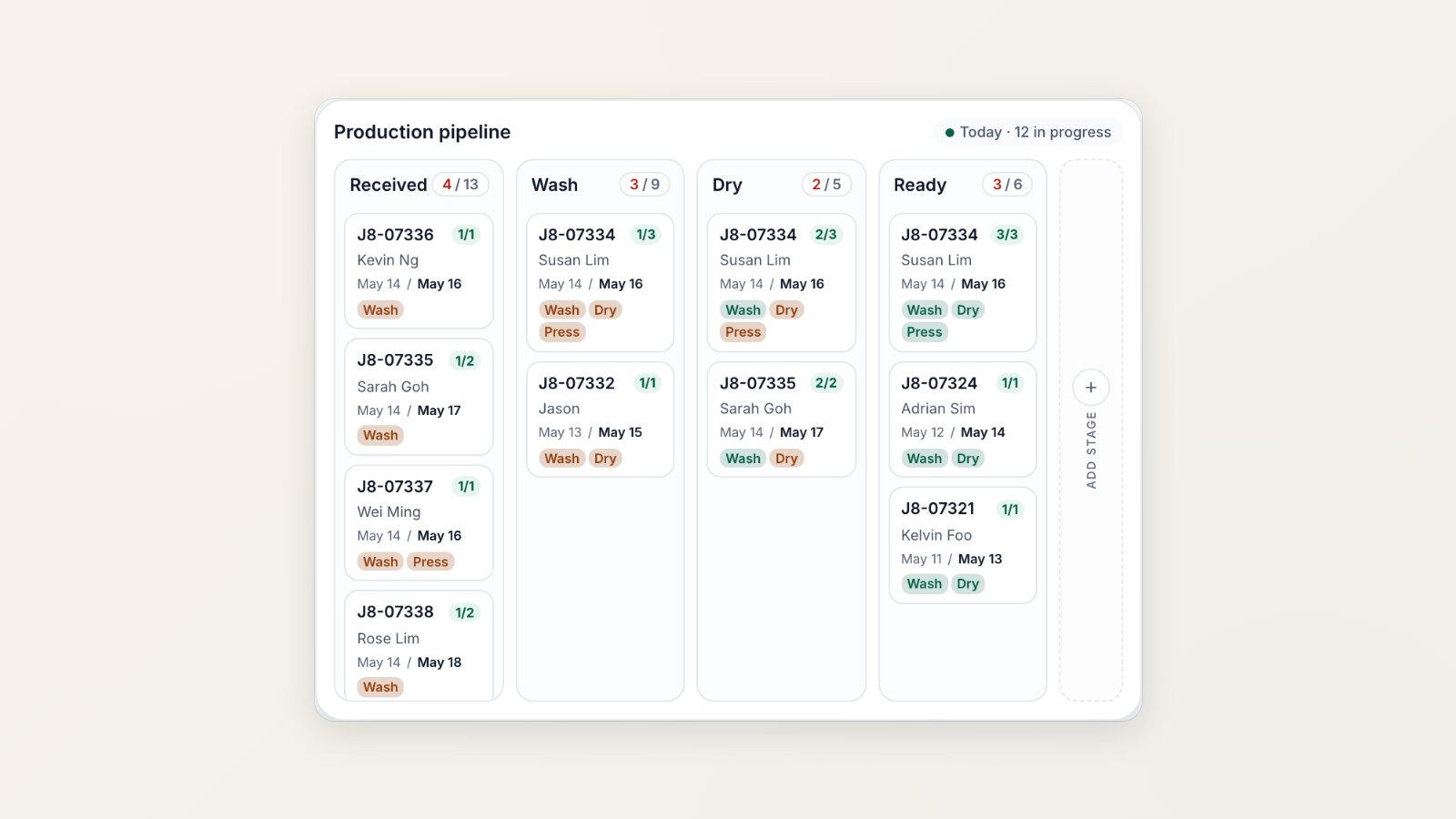
When a central workshop or laundry factory serves several shops, the hard question is not "what did we sell today" but "where is everything right now". The production pipeline answers it.
Orders become work orders
Each order is split into work orders by rules you set, for example one work order per service type. A shirt for dry cleaning and a bag for repair can then travel through the workshop separately, each with its own number such as J8-07334-1 and J8-07334-2.
One board for the whole floor
Work orders sit in columns for each production stage, such as received, wash, dry and ready, with a count on each column. A stage that keeps growing is your bottleneck, and you can see it before customers start calling.
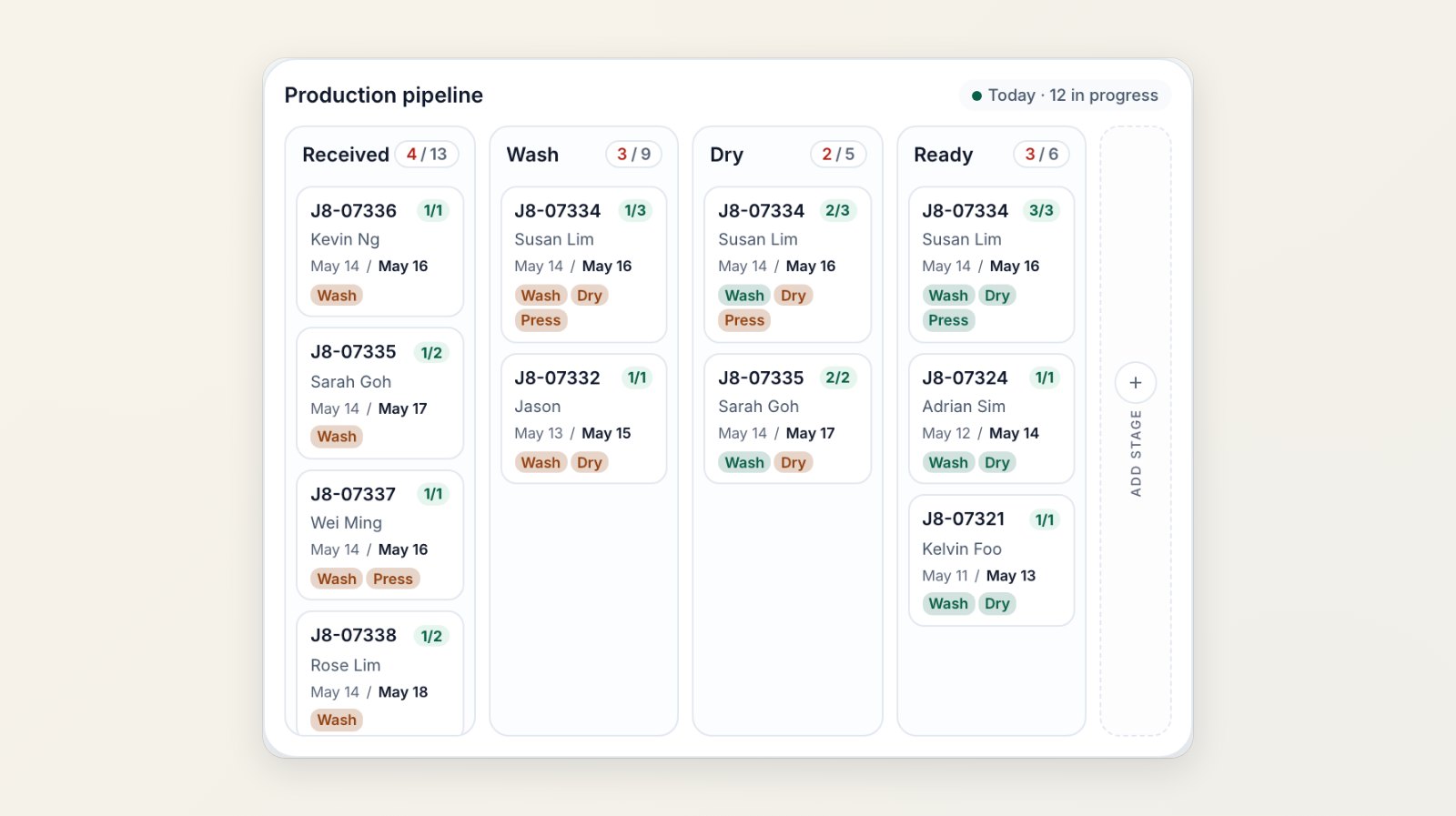
Each column is a stage on your floor. Each card shows the order, the customer, the dates and the tasks.
Production centres, shifts and ready-by dates
Set up the production centres that do the work and which sales channels send work to each one. Add your team's work shifts and exceptions, and the standard time each task takes. EasyBiz uses them to estimate when each work order will be ready.
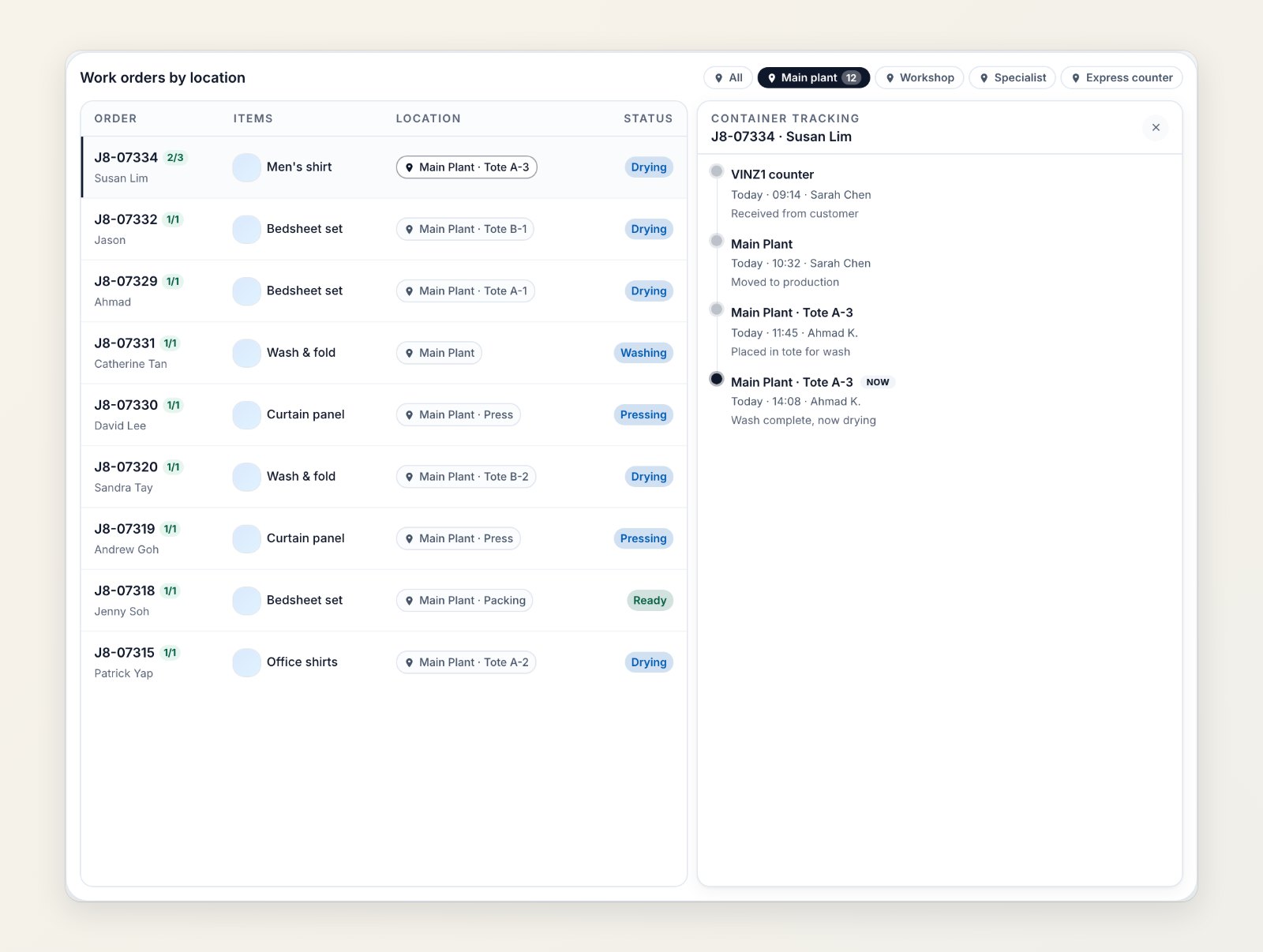
See which centre and which tote each work order is in, and where it has been.
Where to find it
Go to Production → Pipeline. Set up centres in Settings → Production Centers and shifts in Production → Team & Capacity. See Configuring work orders and Managing production centers.