
Business customers such as hotels, gyms, clinics and offices bring steady volume, but they don't pay like walk-in customers. They have contract prices, they send work every week, and they want one invoice at the end of the month. You can now run them properly in EasyBiz.
An account for each business customer
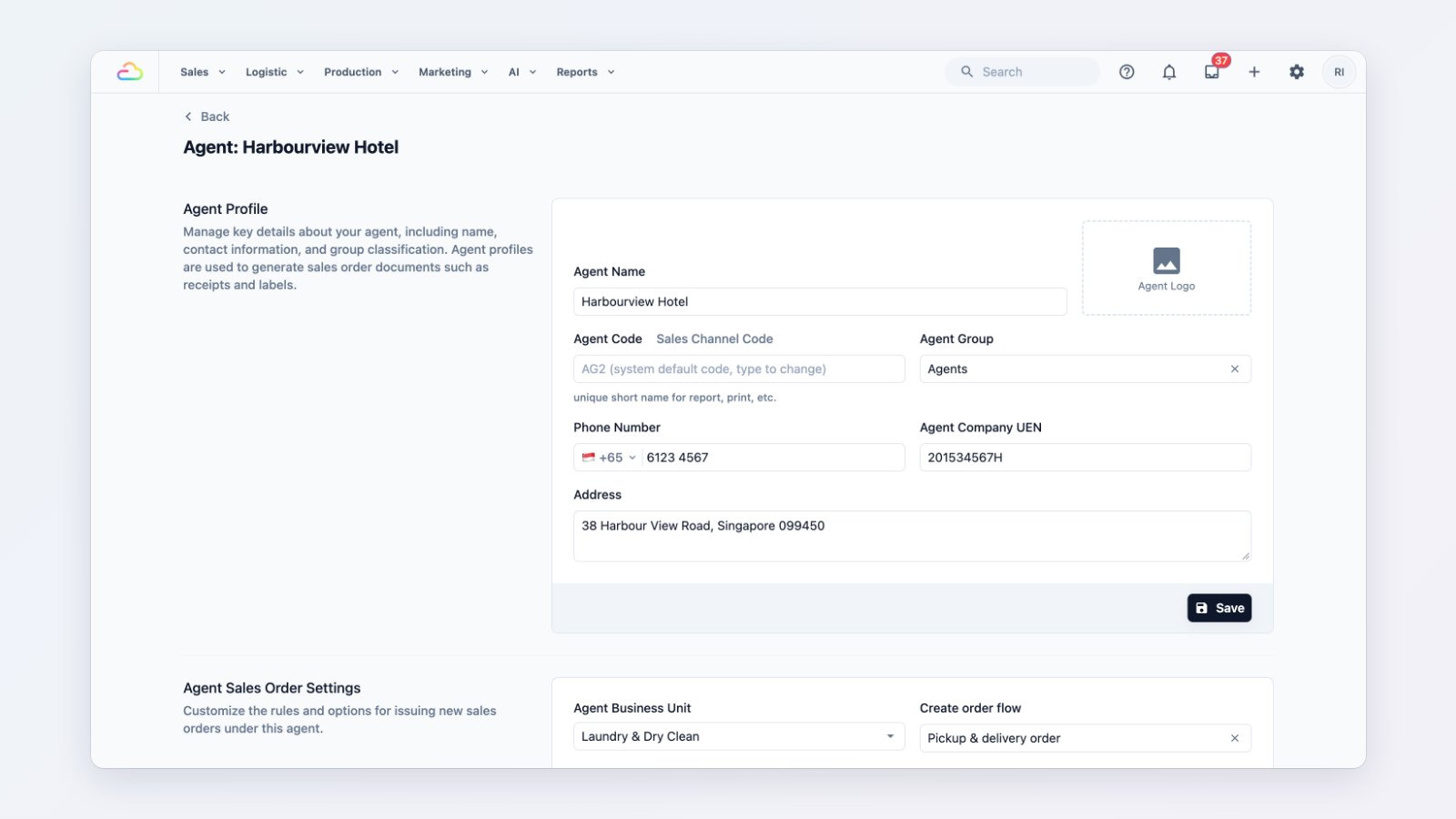
Add each business customer as an agent. Each agent gets:
- Its own price list. Keep contract prices separate from your counter prices. Price lists now come in three kinds: consumer, agent and supplier.
- Its own order settings. Choose the business unit, how new orders are taken and which documents print.
- A billing model. Bill per order, or collect a month of orders on one invoice.
- An optional login. Let the customer's own staff place orders without calling you.
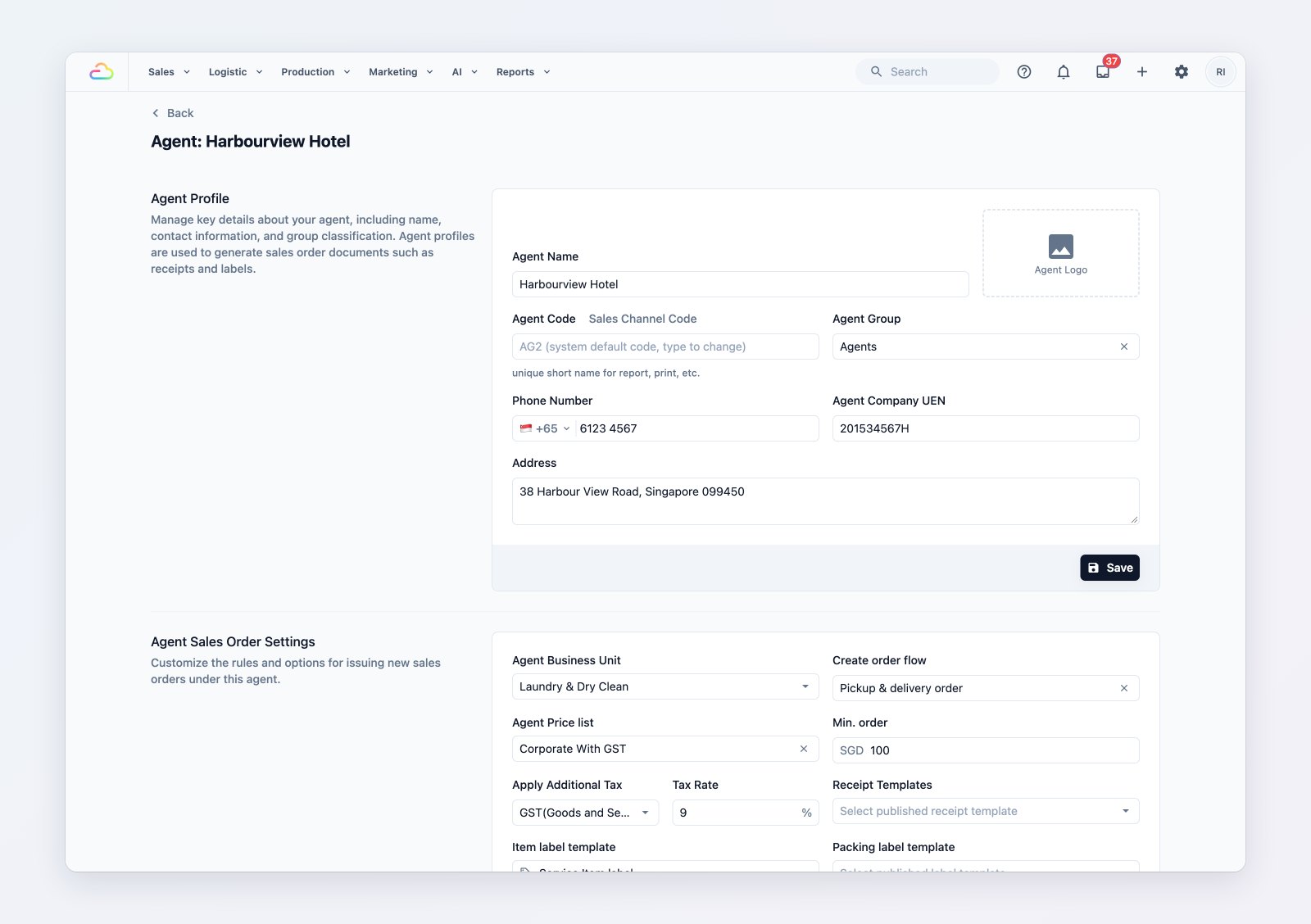
Each business customer has its own prices, order settings and billing model.
One invoice at the end of the month
Open Invoicing to see each agent's unbilled orders for the month and issue one consolidated invoice on your own invoice template. Add an adjustment for a missing item or a goodwill credit, void an invoice issued in error, and record the payment when it arrives.
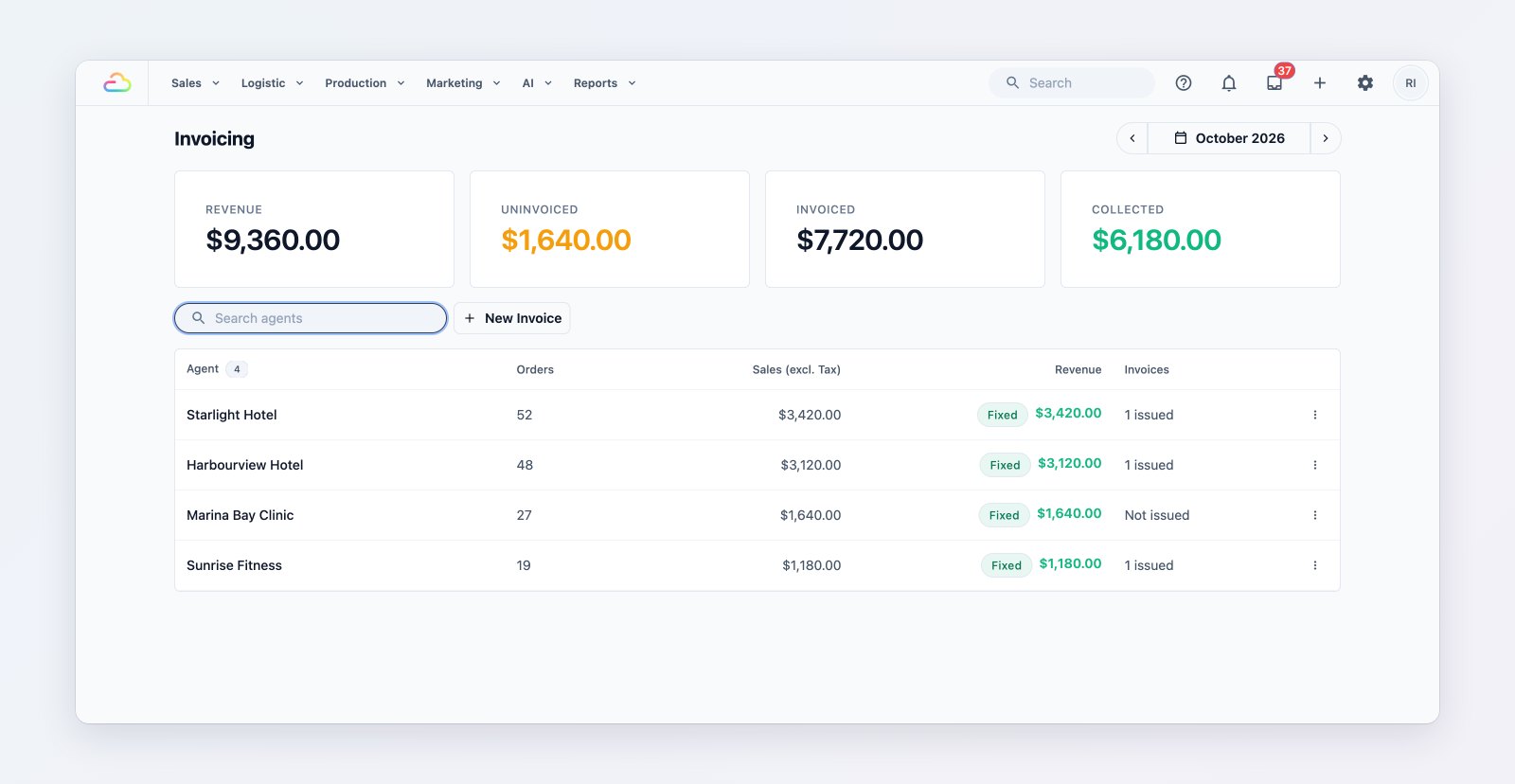
Consolidated invoices for every business customer, with what is still unpaid.
Keep their regular work flowing
Group agents, for example all your hotels, to filter and report on them together. Give an agent recurring orders, such as a weekly linen pickup, and keep a list of the agent's own end customers for orders placed on their behalf.
Where to find it
Go to Sales → B2B Agents to add agents and Sales → Invoicing to bill them. See Introduction to B2B, Add an agent and Bill your agents.