
Prepaid credit and loyalty keep customers coming back to you instead of the shop down the road. You can now set up all three in the Console and use them everywhere you sell.
Store credit packages
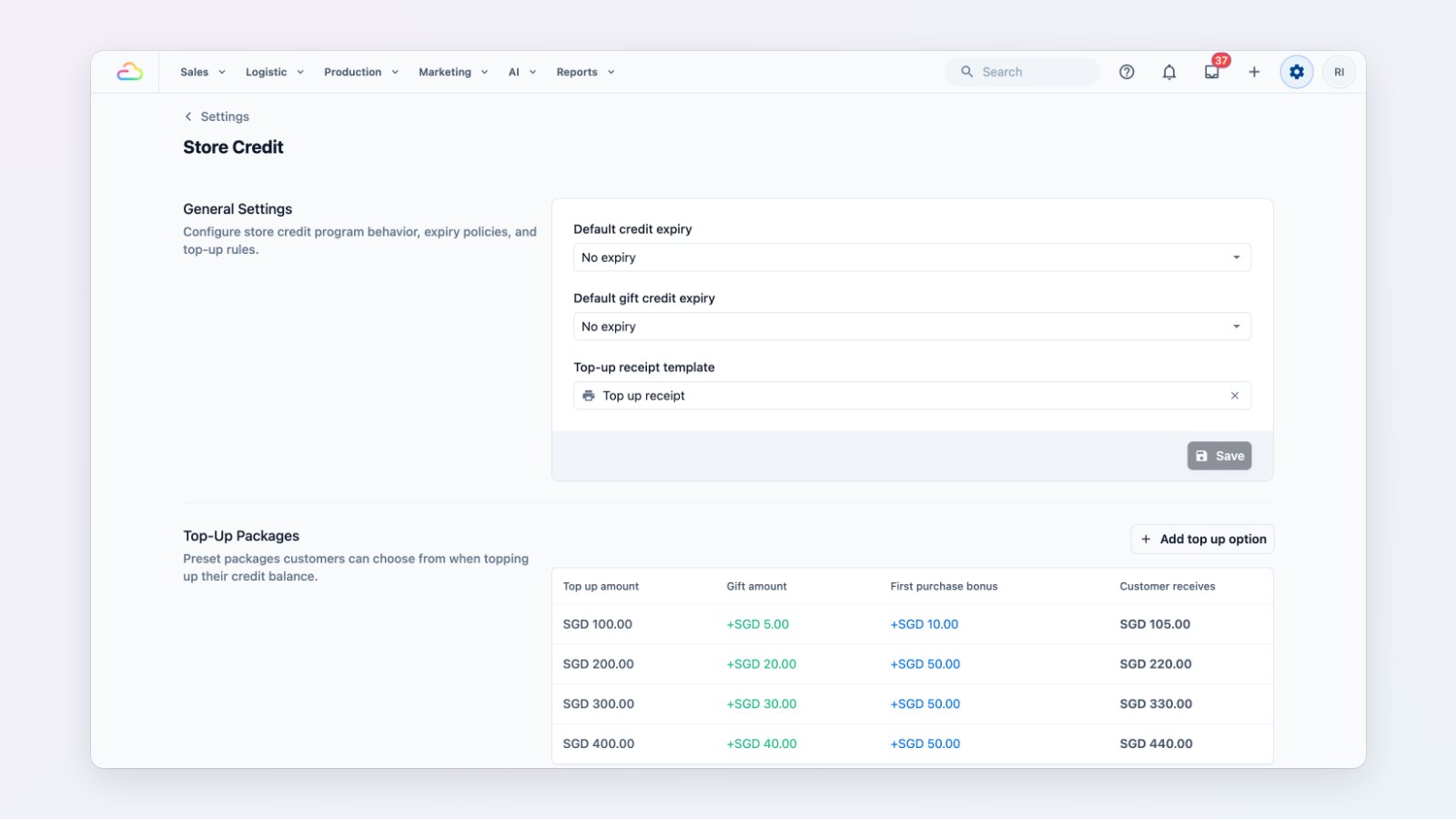
Offer top-up packages such as pay $200, get $220, and add an extra bonus for a customer's first top-up to win them over. Set when credit expires, and choose the receipt that's printed for a top-up.
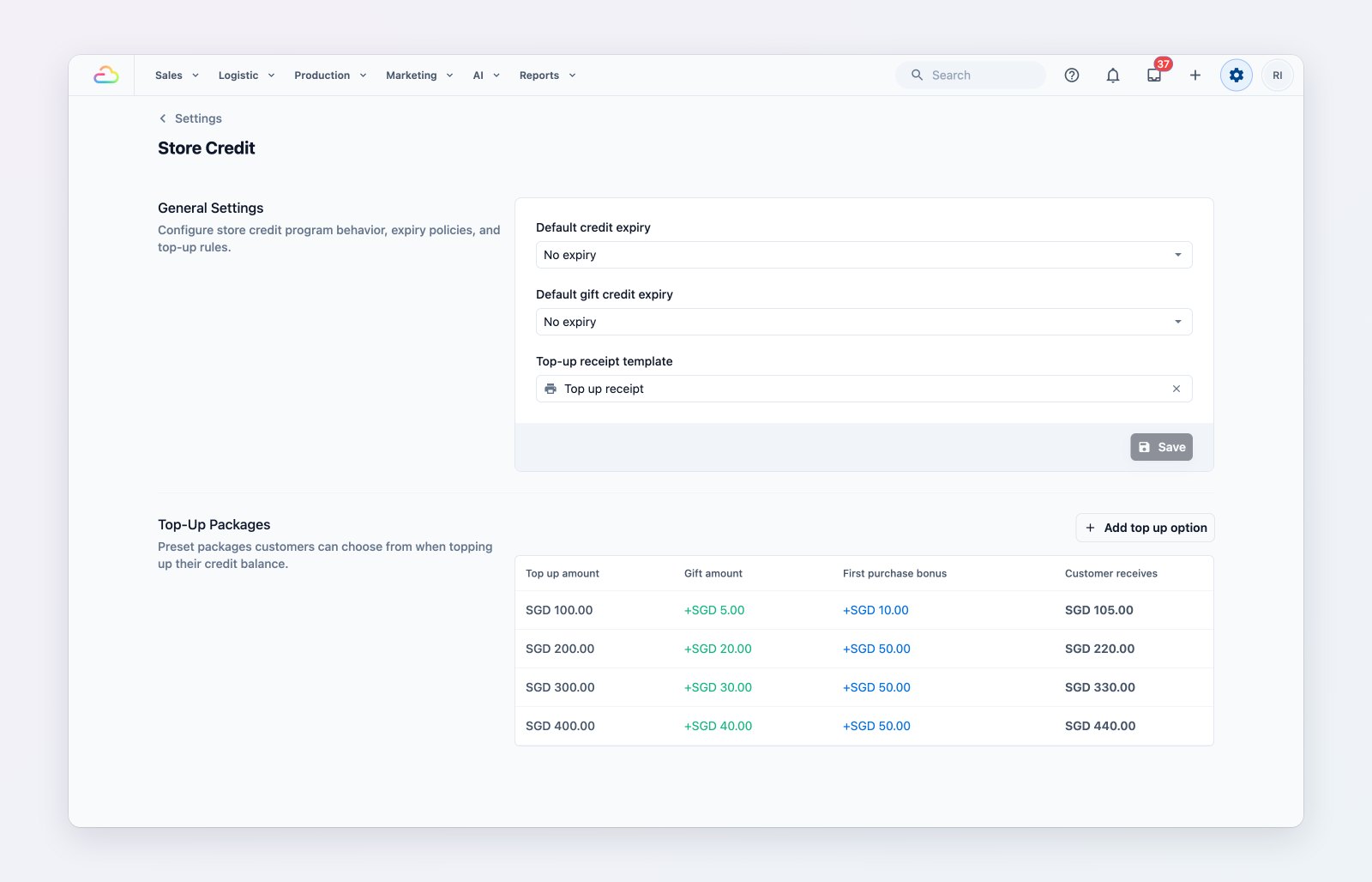
Top-up packages with a gift amount and a first-top-up bonus.
Points and rewards
Decide how many points customers earn for what they spend, with different rates per business unit if you need them, and when points expire. Build a rewards list, such as a free basic wash, for customers to redeem.
Membership plans
Sell membership plans with benefits such as a percentage off every order or cash back into the customer's wallet, for a set period or permanently.
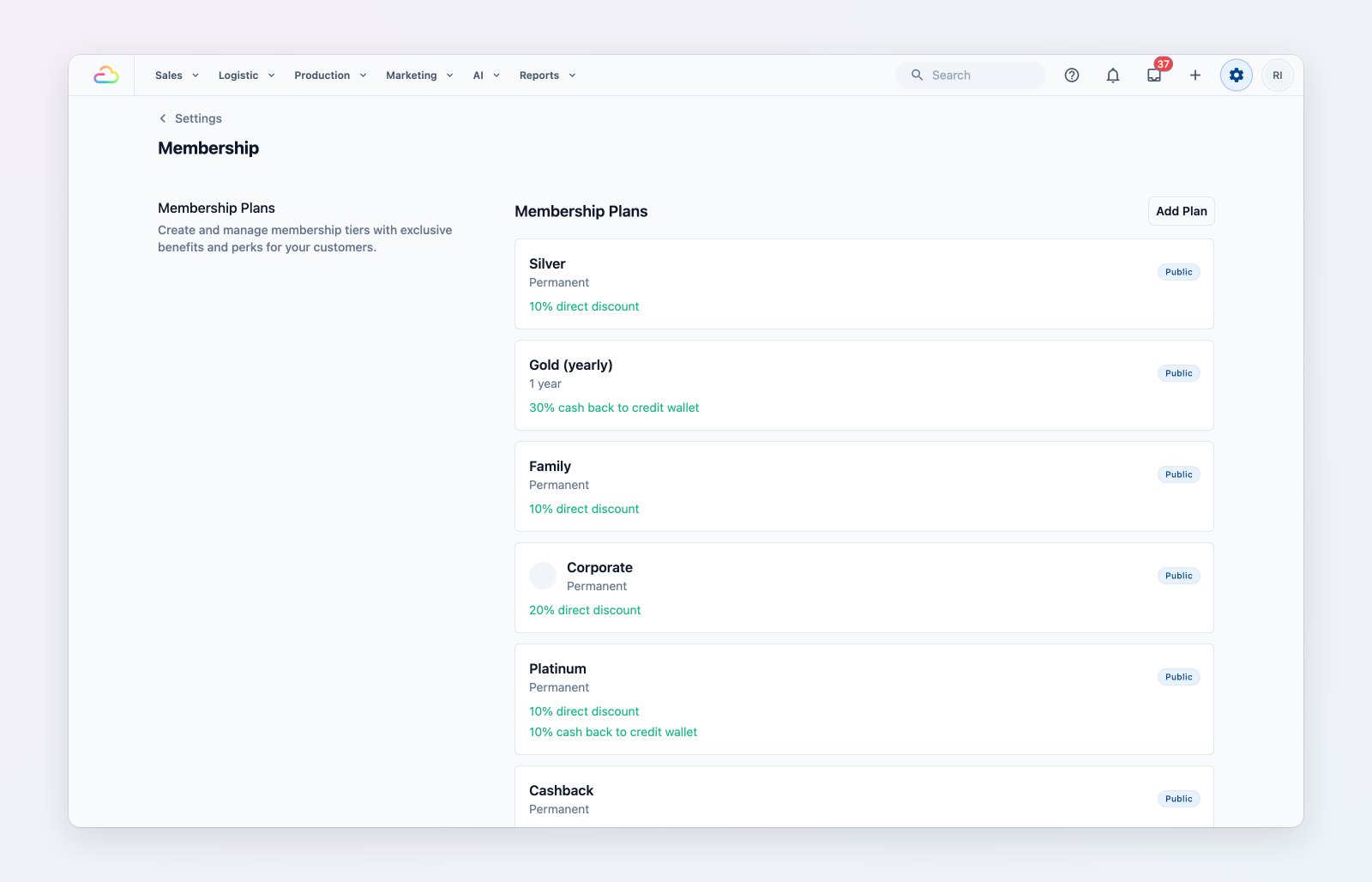
Membership plans and the benefits each one gives.
Used at checkout
Customers use store credit and redeem points when they pay, at your POS counters and in the Console. Every customer's balance shows on their contact page.
Where to find it
Go to Settings → Store Credit, Loyalty Points and Membership. See Introduction to loyalty and rewards, Setting up your store credit program and Setting up your loyalty points program.