
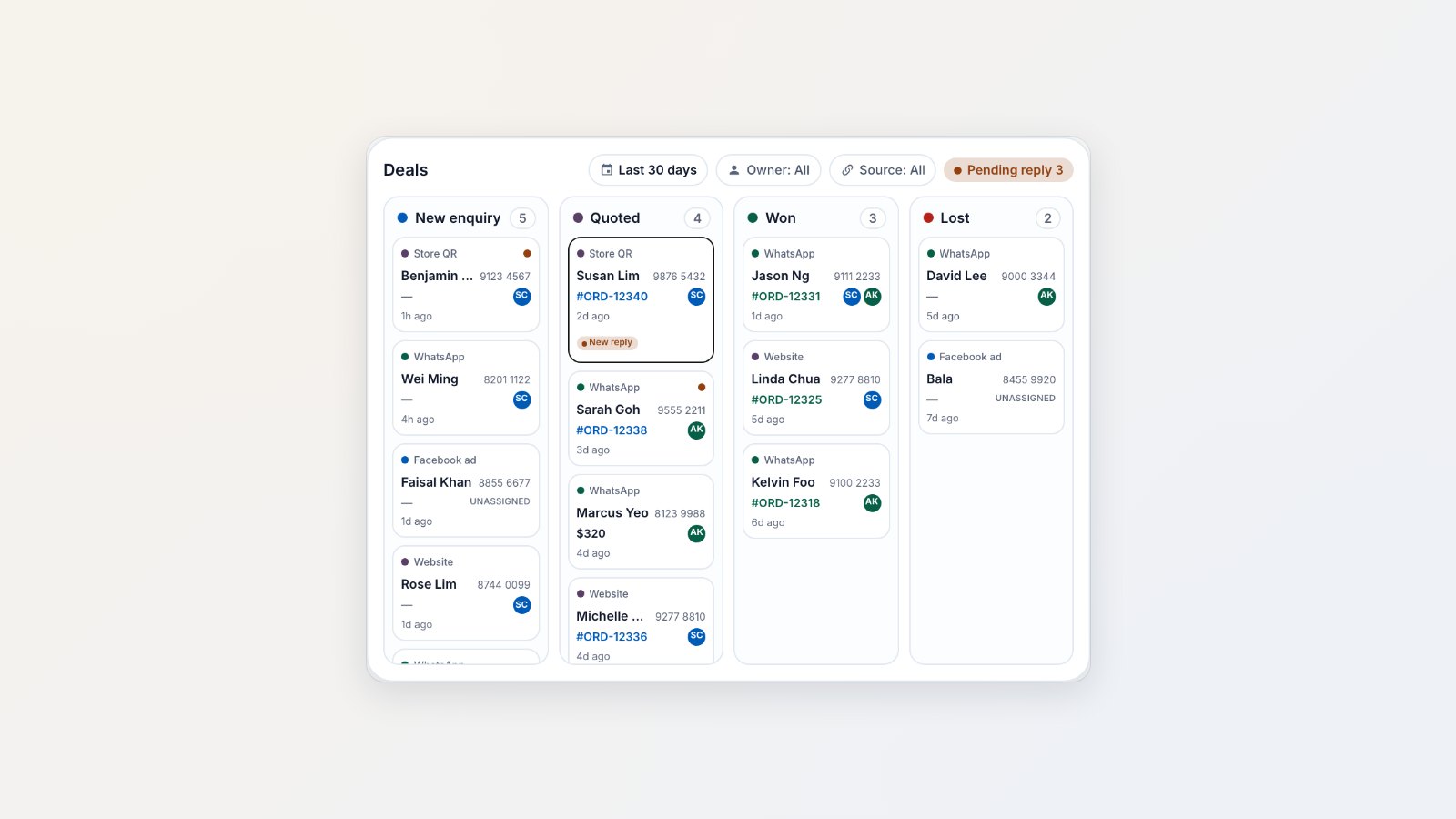
For aircon, cleaning and repair businesses, most work starts with a WhatsApp question, and many of those questions quietly go nowhere. Deals make every enquiry visible until it's won or lost.
Every enquiry becomes a deal
When someone new messages you on WhatsApp, or places an order, a deal is created on the board. Set up the stages that match how you sell, such as New enquiry, Quoted, Won and Lost, and give each stage an owner.
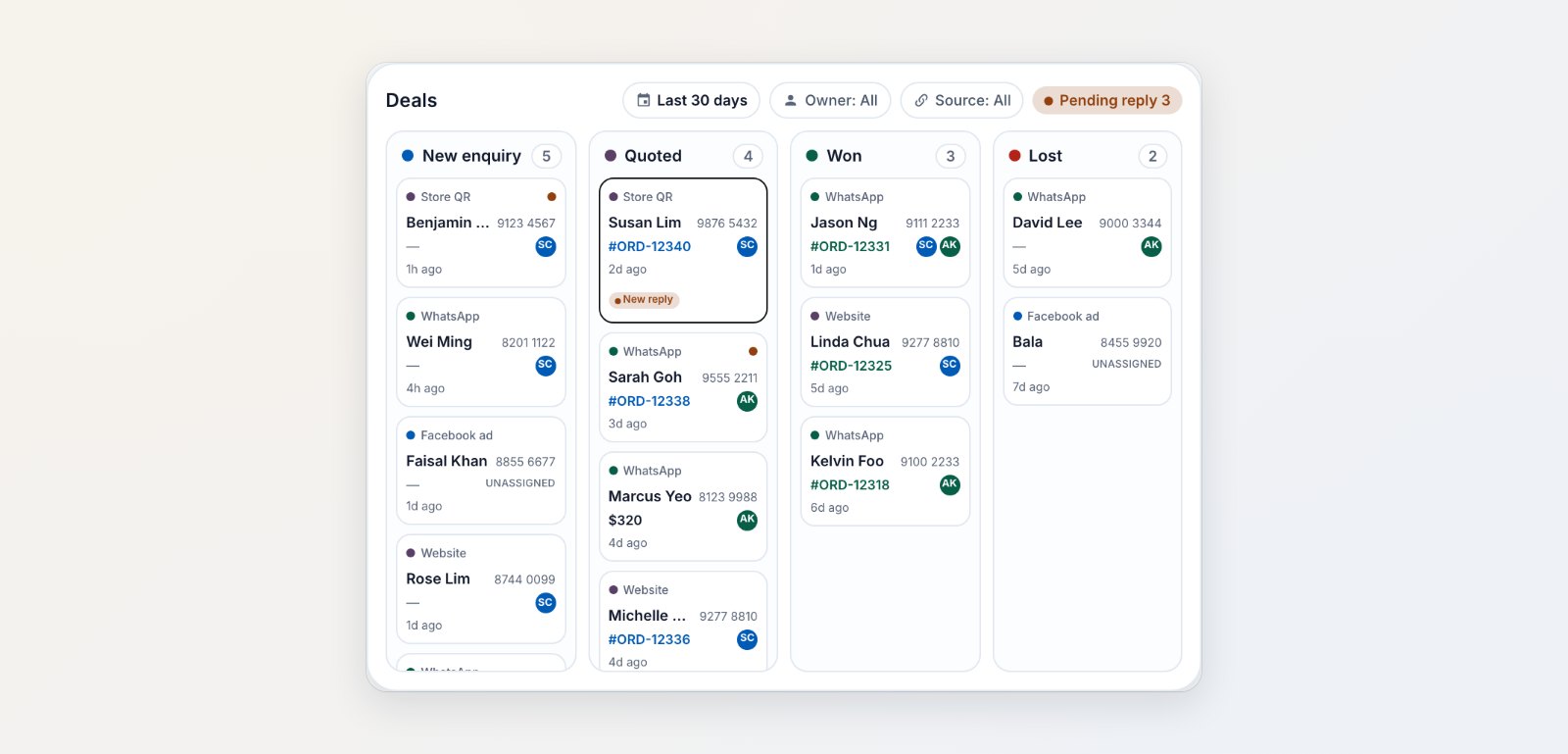
Every enquiry on one board, with where it came from and who owns it.
Deals that move by themselves
Deals move to the next stage when something real happens: the order is confirmed, a payment comes in or a pickup is done. Nobody has to drag cards around. If a customer goes quiet for the number of days you choose, the deal goes to Lost, so your board shows what's really open.
Know which marketing works
Create a Lead Source for each place you advertise: the QR sticker at your counter, a flyer, your Google profile, a Facebook ad. Each gets its own WhatsApp link and a QR code to print. Enquiries that arrive through it are tagged with that source.
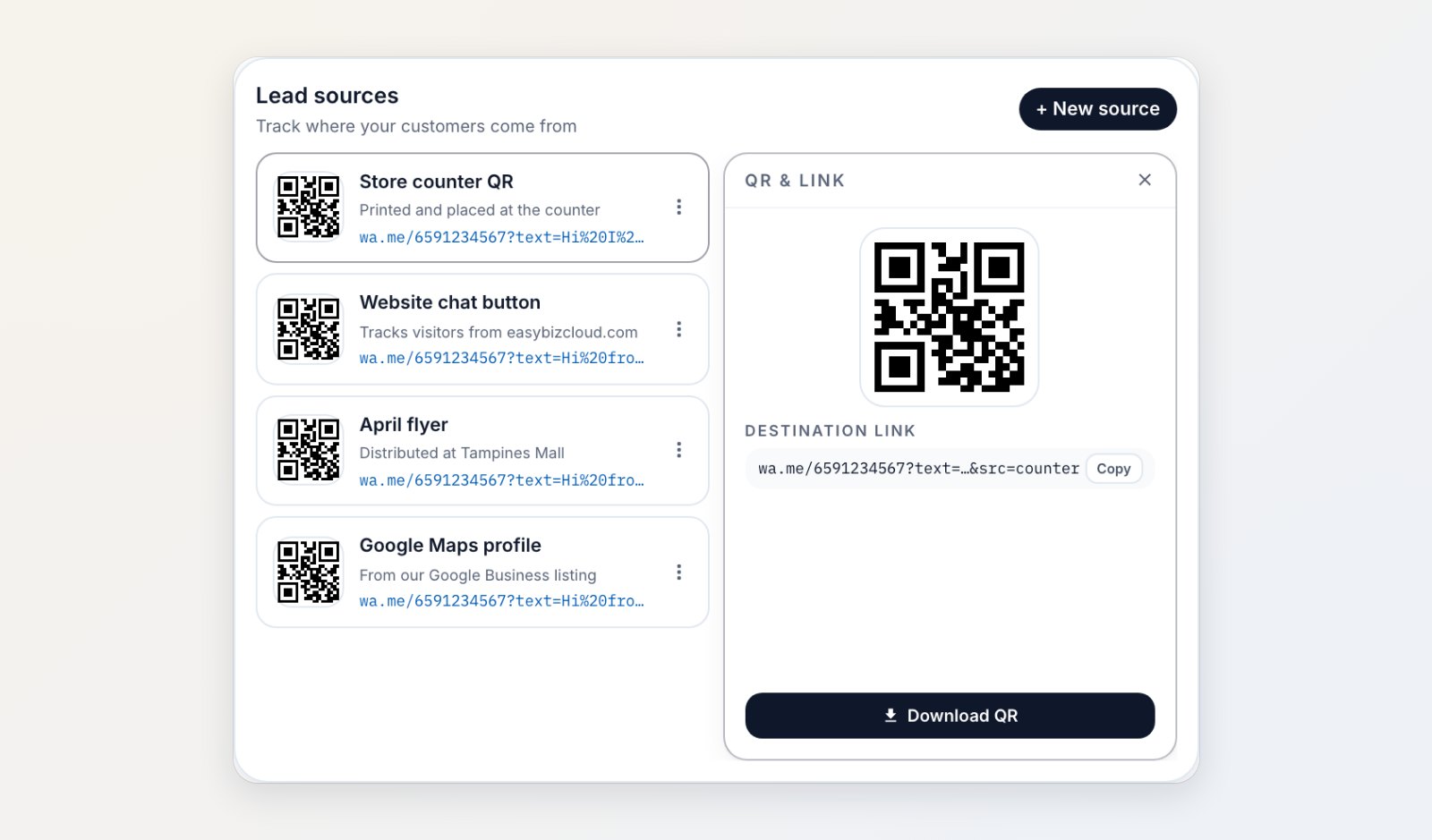
Each source gets its own WhatsApp link and QR code.
The Deals report
See how many enquiries came in, how many you won, how fast your team first replied during working hours, and which sources bring business that converts.
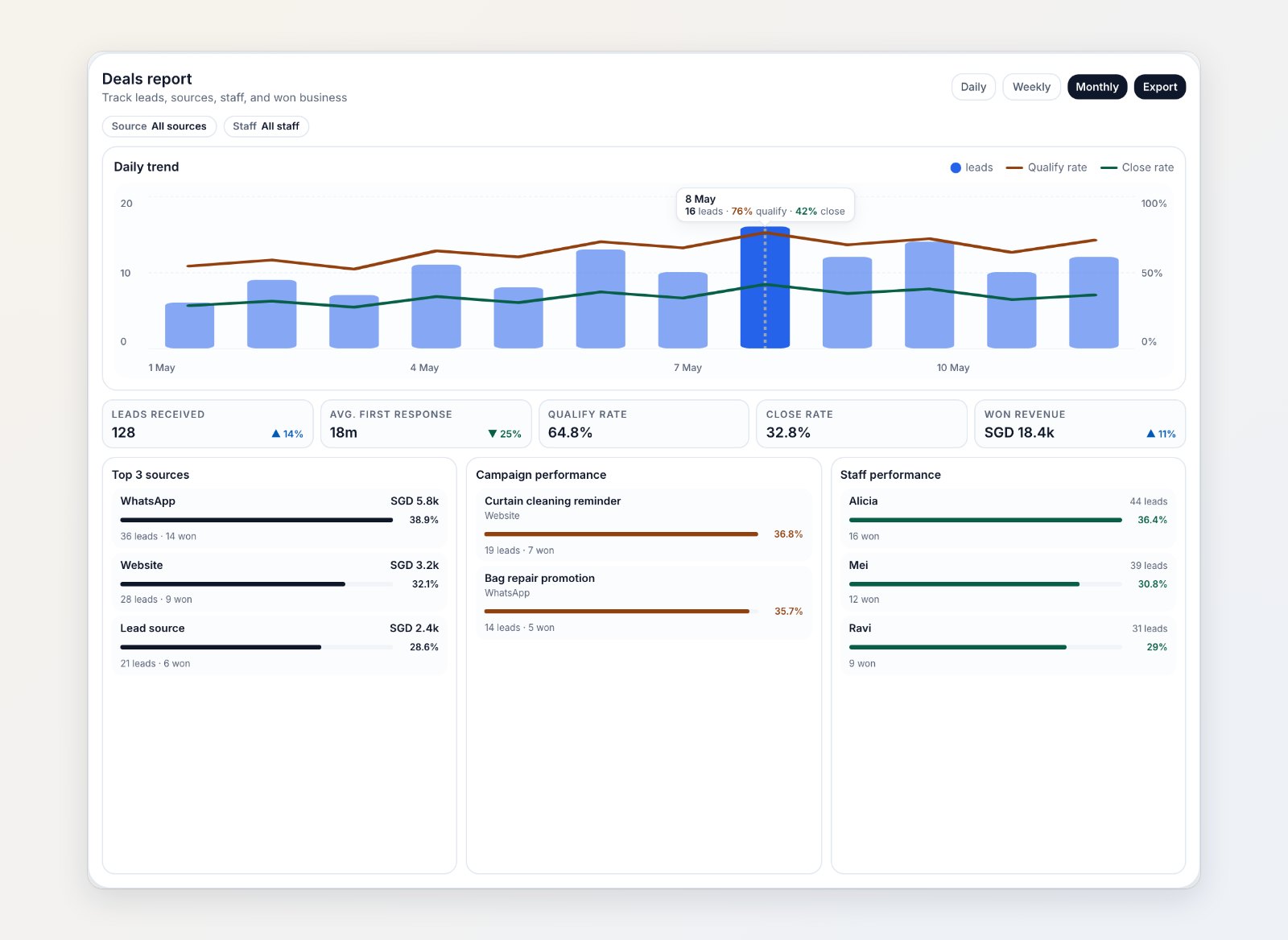
Leads, conversion and response times, by source and by staff member.
Where to find it
Open Sales → Deals and Reports → Deals. Set up stages in Settings → Deal Pipeline and sources in Settings → Lead Sources. See Introduction to deals and WhatsApp link and QR tracking.