
Every business has its own rules for when it can collect, deliver or visit. You can now set those rules once, and every booking follows them, whether customers book online or your staff book for them.
Booking options for each way you serve
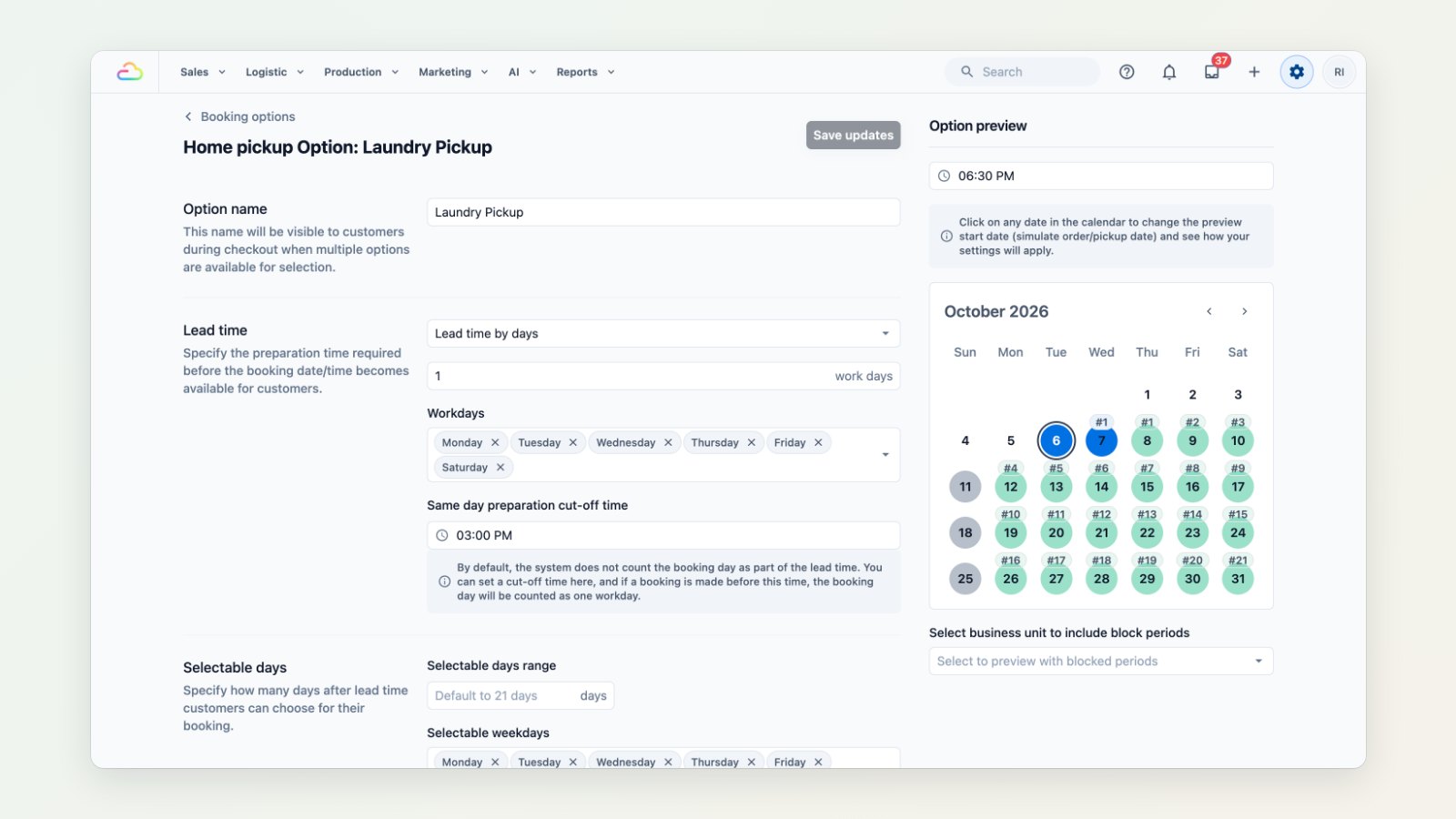
Create options for home pickup, home delivery, on-site service and store pickup. For each one, set:
- Lead time: how much preparation you need, in hours or working days, and the cut-off time for same-day bookings.
- Selectable days: how far ahead customers can book and which weekdays are open.
- Limits: which sales channels and business units can use it, and how late a customer can reschedule.
The calendar beside the form shows the dates a customer would be offered today, so you can check a rule before you save it.
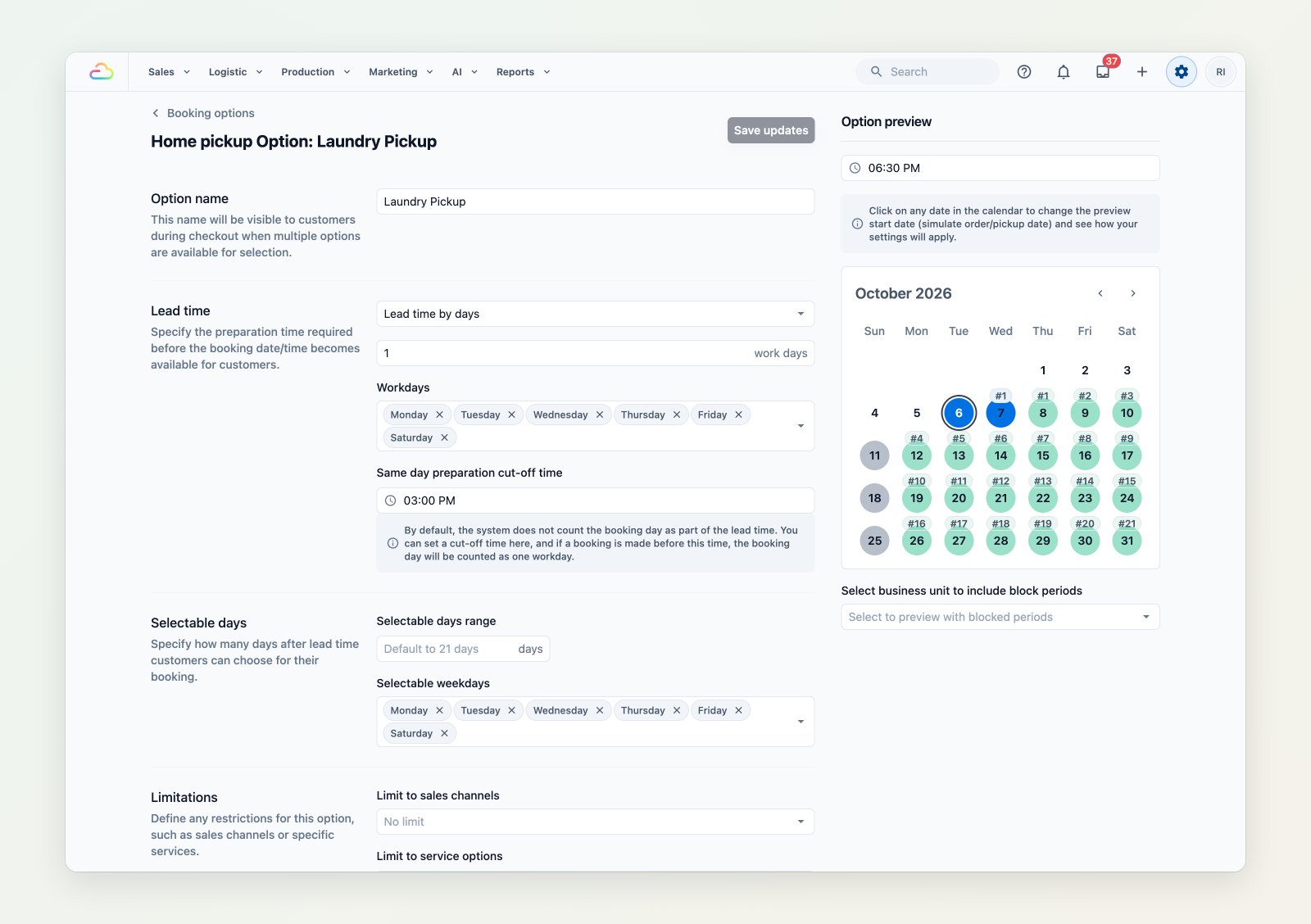
Change a rule and the calendar preview shows which dates customers can pick.
Time slots with limits
Offer time slots such as 8am to 12pm or 10am to 7pm, and cap how many bookings each slot takes on weekdays or per day, so you never promise more pickups than your drivers can do.
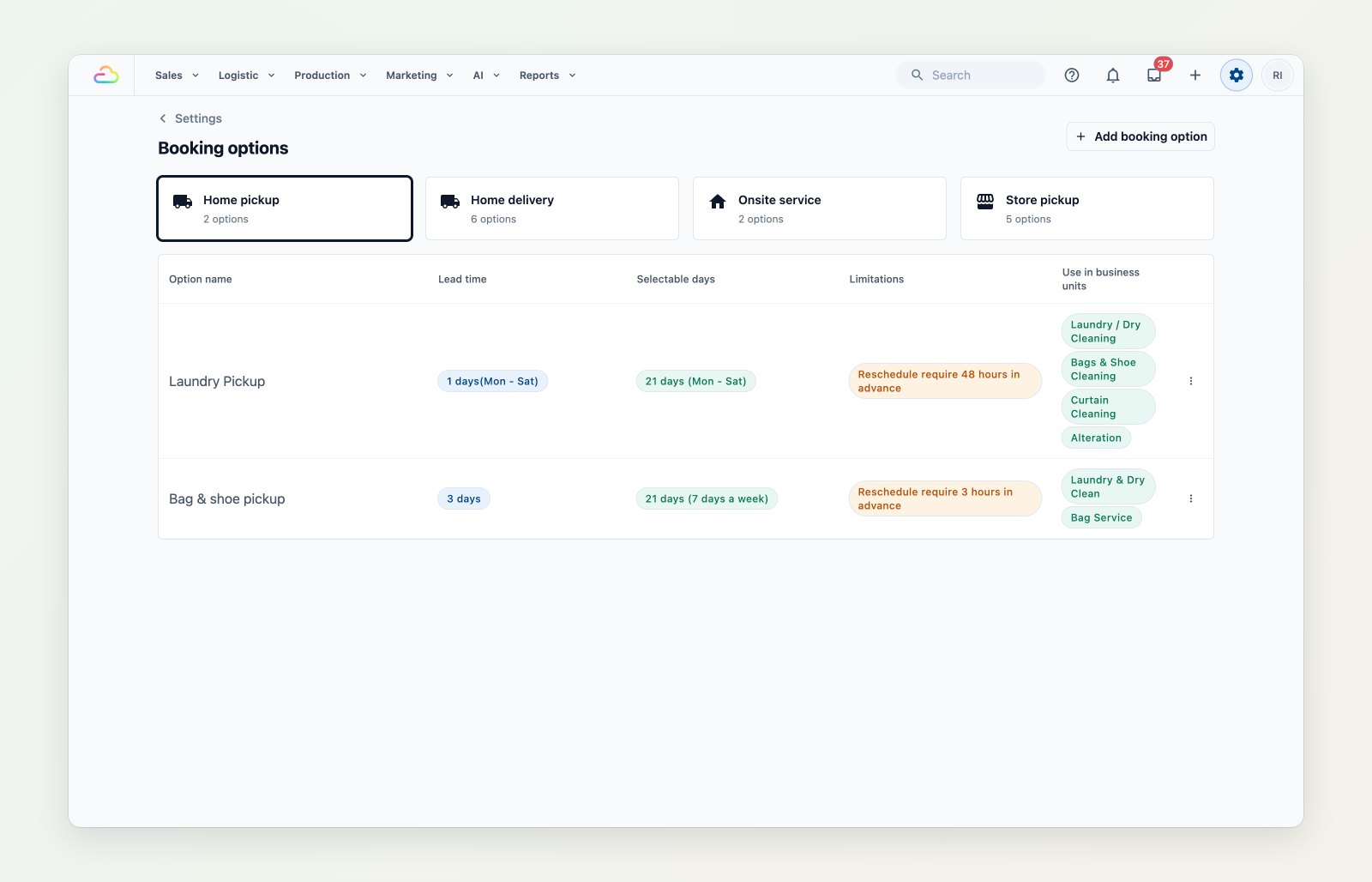
All your booking options, grouped by how you serve customers.
Service areas on a map
Draw the zones you cover, or pick districts and postal codes, and set a minimum order for each zone. Customers outside your areas see your own "not in service area" message instead of a booking they cannot get.
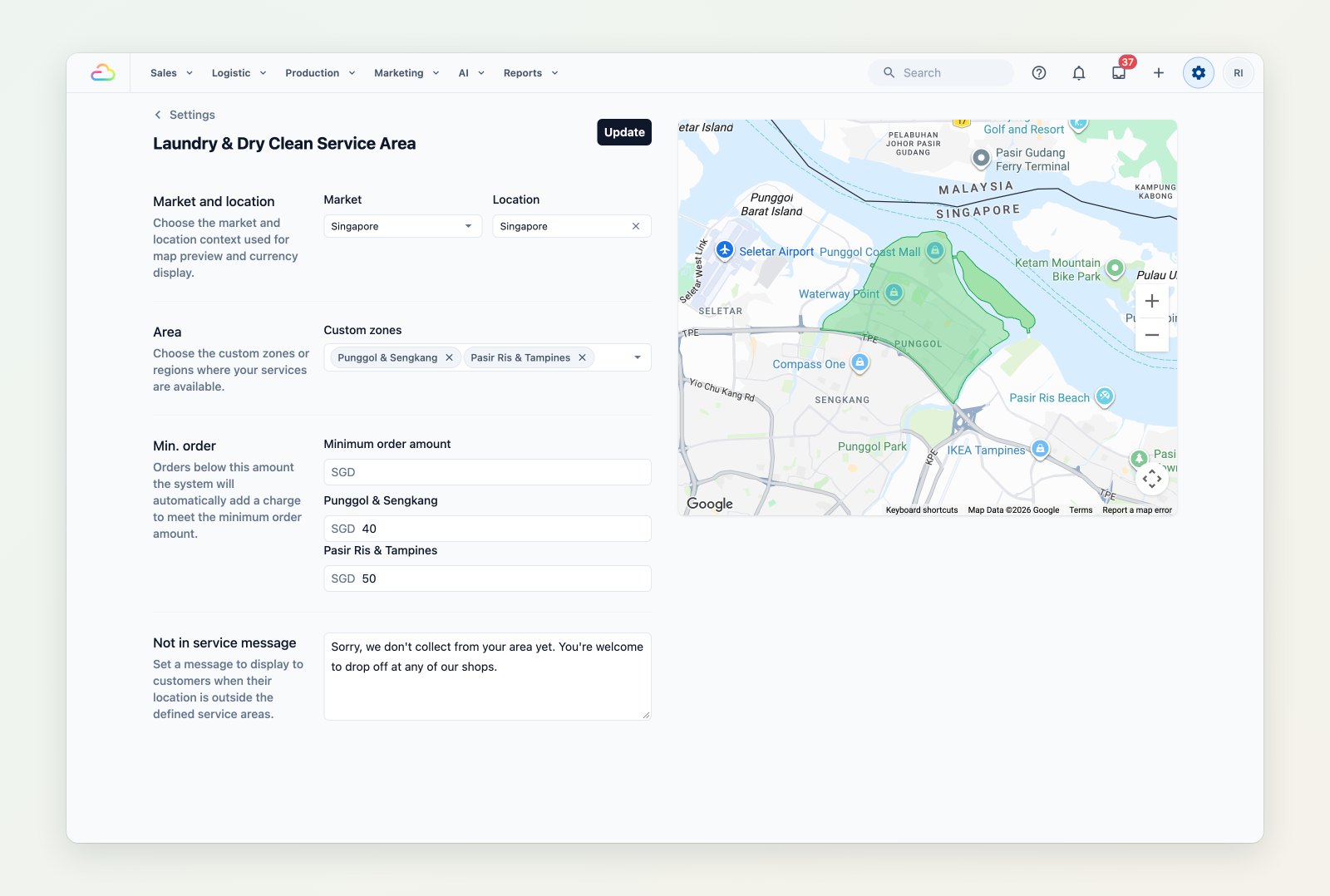
Each zone can have its own minimum order.
Blocked dates and automatic assignment
Block public holidays or busy days so nobody can book them, and set assignment rules so new jobs go to the right driver or team without anyone sorting them by hand.
Where to find it
Go to Settings → Booking options, Time slots, Service areas, Blocking rules and Assignment rules. Start with Set up your online booking system, then Setting up booking options and Setting up service areas.