
Promotions only pay off if you can tell which ones worked. And at a busy counter, orders sometimes land on the wrong customer. This update helps with both.
Coupon codes and redemptions
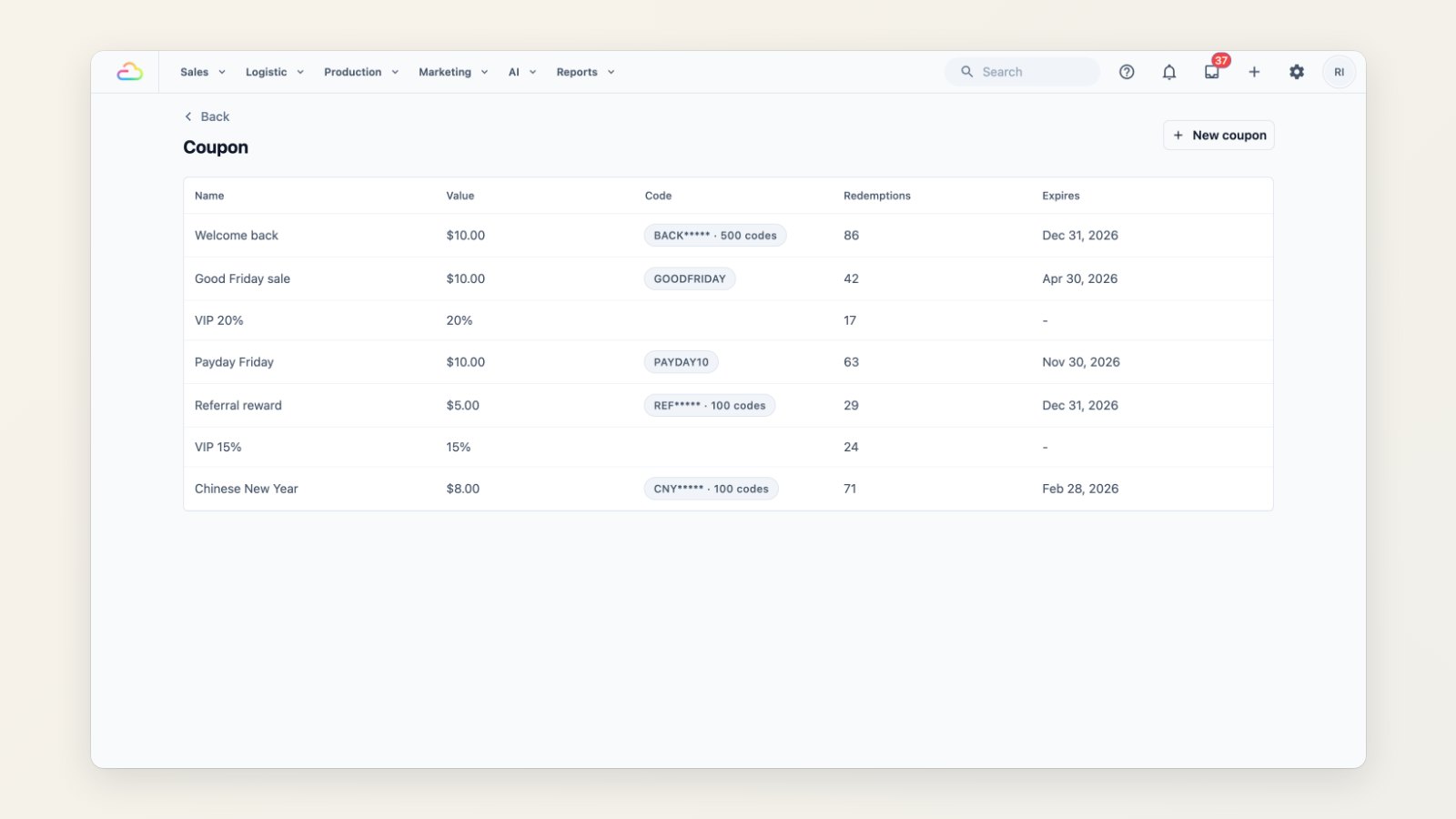
For each coupon, see all its codes and how many times each was used, and a redemption history showing when it was used, by which customer and with which code.
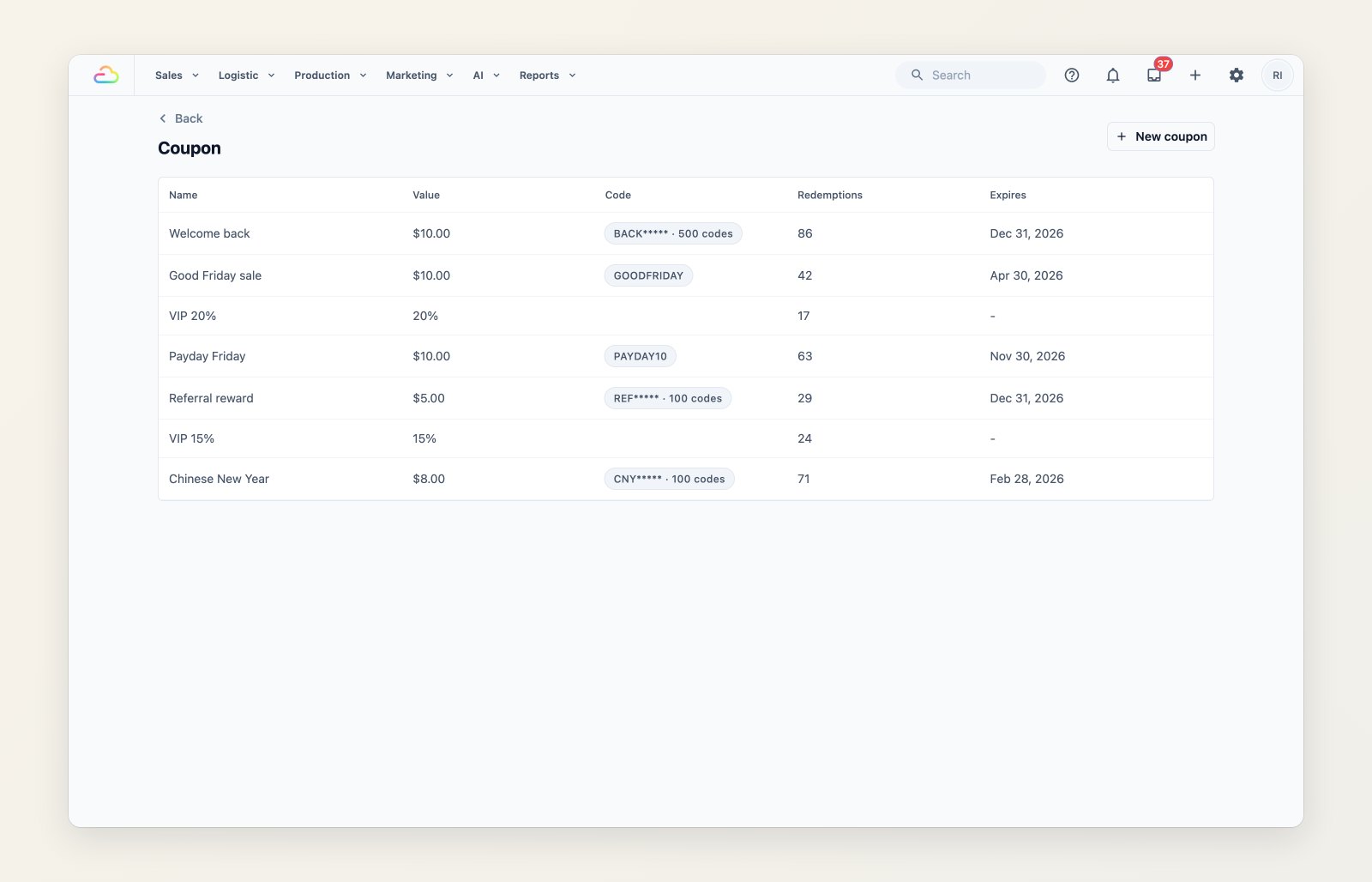
Each coupon with its codes and how often it has been redeemed.
Move an order to the right customer
If an order was created under the wrong contact, move it to the right customer. Its pickup and delivery jobs and addresses move with it, so there's no need to cancel and re-enter the order.

Choose the right customer and the order moves with its jobs and addresses.
Export what you filtered
Exports from the Orders list now include only the orders you've filtered, by sales channel, customer, status, payment status, creator and date range. The file arrives in Downloads.
Where to find it
Open Sales → Coupons to see codes and redemptions. Move Order is at the bottom of an order's page in the Console.