
Configuring Add-Ons

In this article
The Add-ons section allows you to define extra options or service enhancements that can be added to a main service order.
Contents
Contents
What is this add-ons feature for?
This feature is designed to handle specific customer requests that require extra effort or materials—such as starching a shirt, folding instead of hanging, or gift wrapping. Unlike "Accessories" (which are physical goods), Add-ons are usually surcharges applied on top of a service.
How to Create Add-ons
Follow these steps to add a new add-on to your system:

Click on the Add-ons card within the Products & Pricing page.
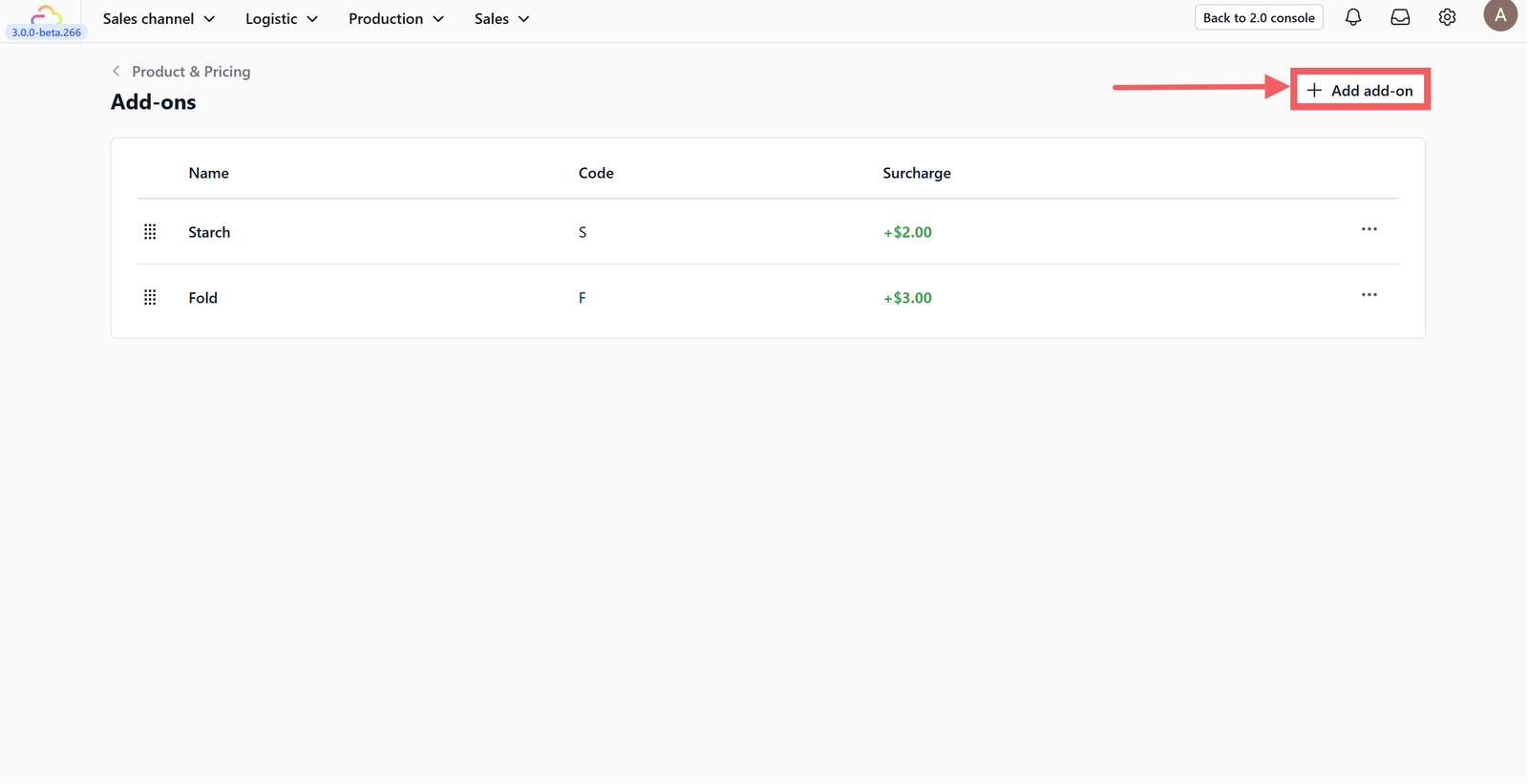
Click on the +Add Add-on button located at the top right of the screen.

Fill in the add-on details based on your business needs:
- Add-on name: Enter the name of the service enhancement (e.g., Gift Wrapping, Starch, Express).
- Add-on code: Fill in a short internal code used for reporting and printing tags (e.g., GW, STARCH).
- Surcharge: Enter the additional amount (price per unit) that will be added to the total cost when this option is selected.
Finally, click Add to save your new add-on.

Once added, your new add-on will appear in the table. You can manage the list using the icons provided:
- Drag Icon: Click and hold the drag icon (six dots) on the left to rearrange the order of your add-ons.
- Action Menu: Click on the three dots (...) to Edit or Delete a specific add-on.
Give feedback
Up next
Setting up your Price ListsLearn how to configure, version, and manage custom pricing tiers for your laundry business—from standard consumer rates to specialized agent pricing.
Read more