
Introduction to Logistics Management
In this article
Run every pickup, delivery, and on-site job from one place, and keep your stock in sync with what your drivers actually pick up.
Contents
Contents
What is Logistics Management
Logistics Management is the part of EasyBiz that handles the work happening outside the four walls of your shop. It pulls together three things into one connected system:
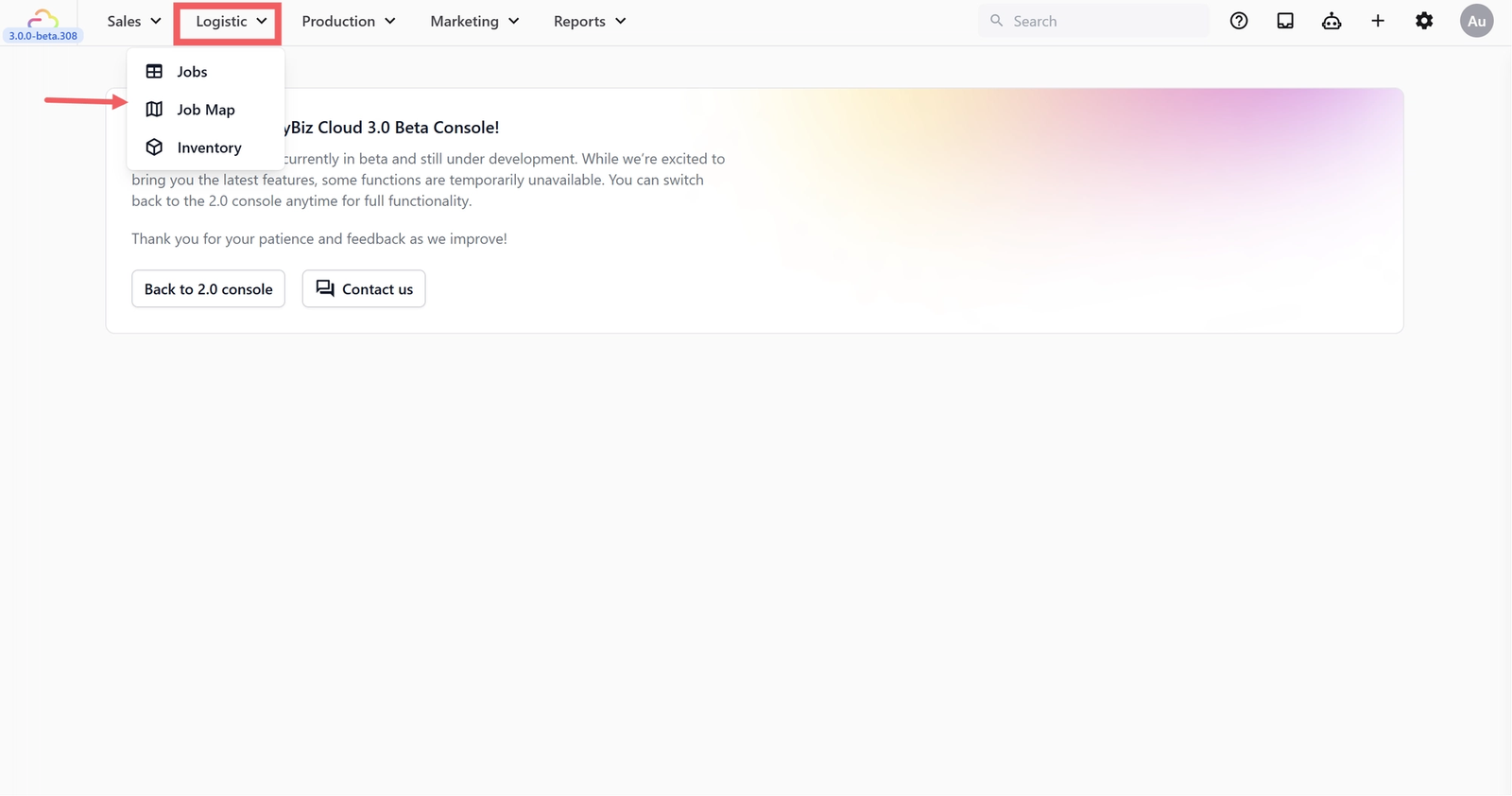
- Jobs are every trip a driver makes. A pickup, a delivery, or an on-site service visit. Each job has an address, a time, a customer, and a worker.
- The Job Map is the calendar and street-map view of those jobs. It is where your dispatcher plans the day, drags jobs around, and watches drivers move.
- Inventory is the count of supplies you keep on hand at each outlet or production center. Detergent, hangers, zips, threads, and anything else you want to track.
These three pieces talk to each other. When a customer order needs collection, a job is created automatically. When a driver finishes a delivery, the job's status updates everywhere you look. When you move stock between outlets, both locations stay in sync.
If your shop only does counter service, you may only need Inventory. If you run pickup and delivery, you will use all three.
Where to Start
If you are setting up Logistics Management for the first time, follow this order:
- [Setting Up the Job Table] -> view, edit, filter, and bulk-update every pickup, delivery, and on-site job from one screen.
- [Setting Up the Job Map] -> switch between map, calendar, and agenda views to plan your day, drag jobs to reschedule, and track where your drivers are.
- [Managing Your Stock] -> record stock coming in from suppliers, take stock out when items are damaged or used, and watch low-stock warnings before you run out.
- [Transferring Stock Between Locations] -> move stock from one outlet or production center to another and confirm what actually arrived.
- [Setting Up Your Driver Account] (Coming Soon) -> give each driver their own login, control what they can see and do, and get them onto the mobile app.
Once those are done, your Logistics Management is ready to run.
Who this is for
Logistics Management is for shop owners who collect or deliver items as part of their service. If your business is counter-only and customers always come to you, you may only need the Inventory side to track your supplies. If you run pickup and delivery routes, you will use every part of Logistics Management.
Give feedback
Up next
Setting Up the Job TableManage every pickup and delivery from one live dashboard—track job status, payments, assignments, and updates in real time, all without leaving the table.
Read more