
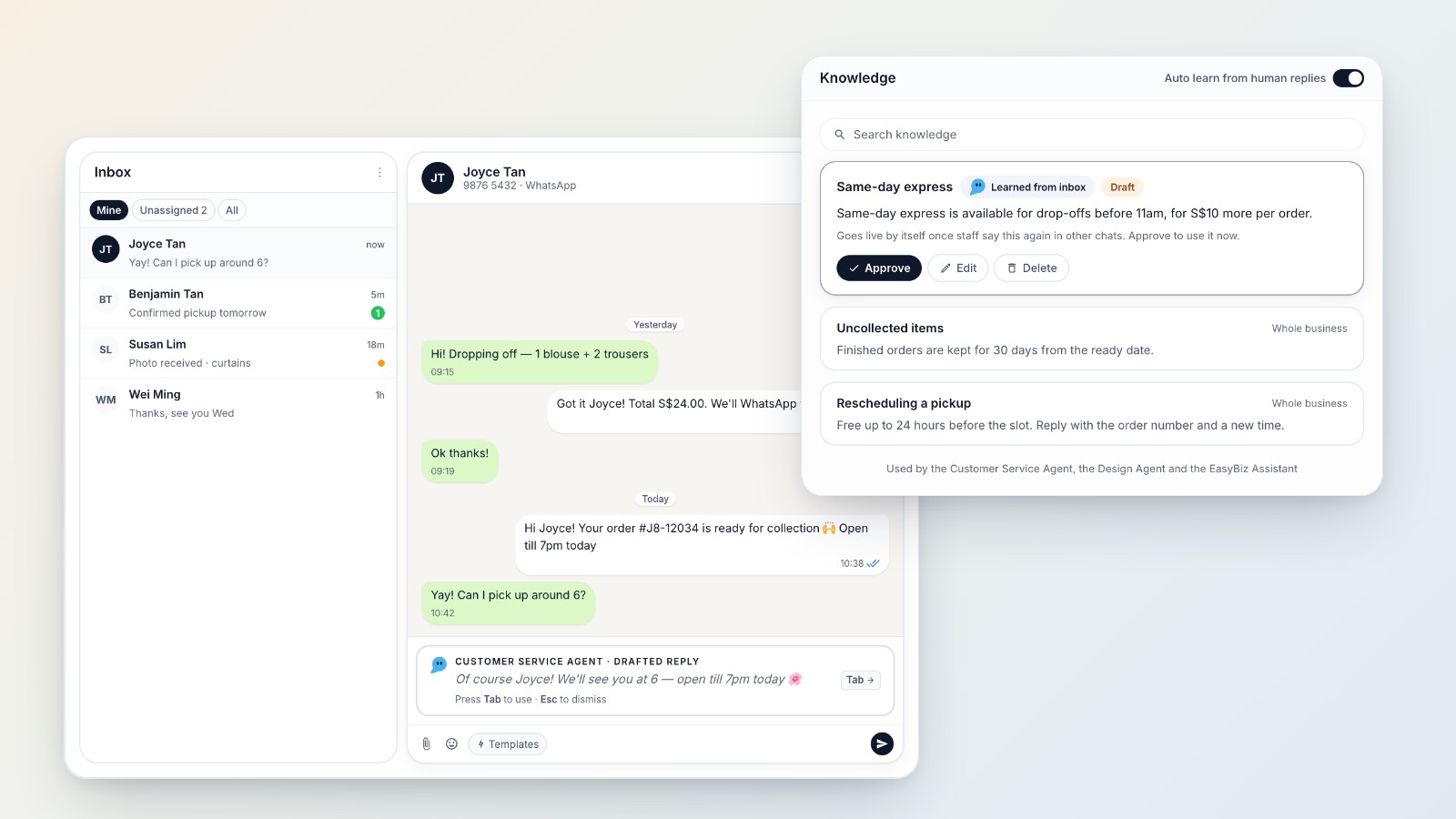
The Customer Service Agent is now in your EasyBiz Console. Every time a customer messages your WhatsApp number, it drafts the reply in your shared inbox, and your team sends it with one key. It also learns from every reply your team sends, so the longer you use the inbox, the better its drafts get. It is free for every EasyBiz customer during the beta.
A reply ready before you start typing
When a customer writes in, the draft is already waiting in the reply box, in the customer's language. Press Tab to use it, Esc to dismiss it, or type your own reply instead. Everyone on your team sees the same draft, and nothing reaches a customer until someone on your team sends it.
It answers from what your business actually knows: your services, prices and opening hours from your EasyBiz settings, your Business Knowledge, and the orders of the customer in the chat. Change a price today and it quotes the new price today. When a fact is missing, it says your team will check rather than guess.
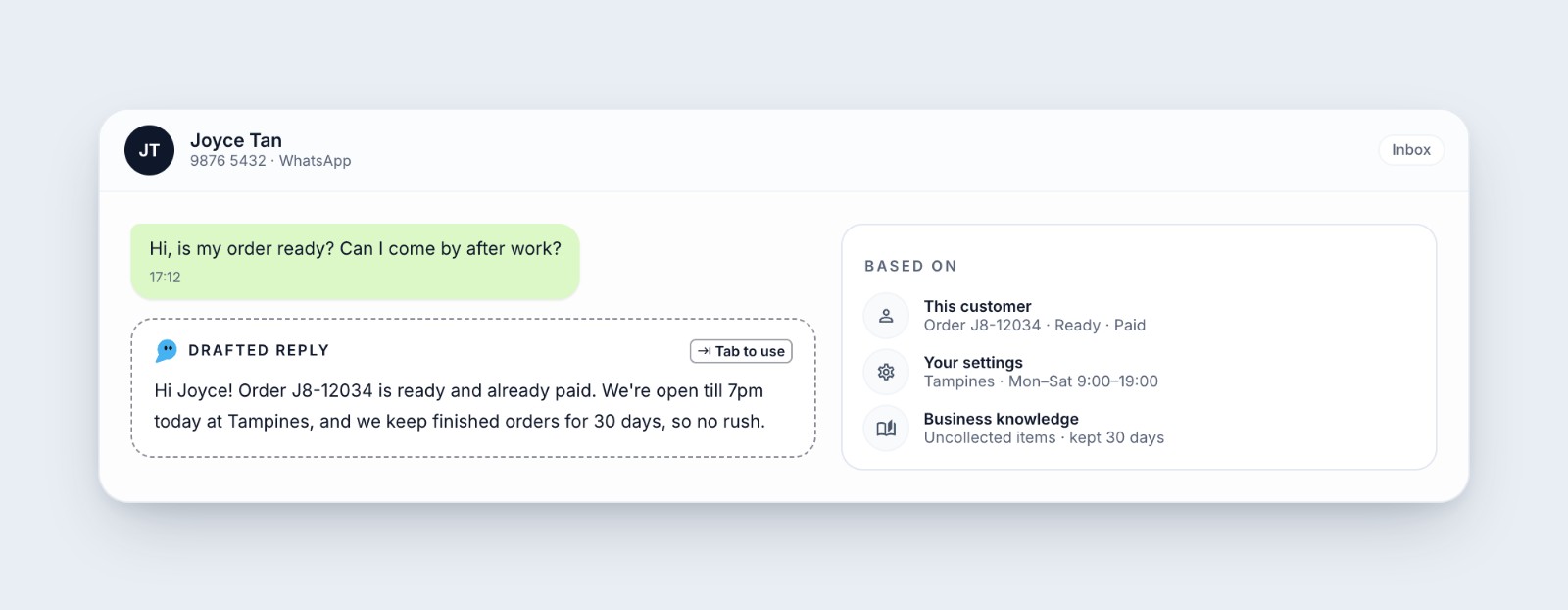
Every draft shows what it was based on: this customer's order, your settings and your Business Knowledge.
Gets better the more your team uses the inbox
You don't need to write a manual before you start. Each night the agent reads the replies your team actually sent and turns what they keep telling customers into Business Knowledge: a turnaround time, a fee, an exception to the usual rule. Each entry arrives marked "Learned from inbox".
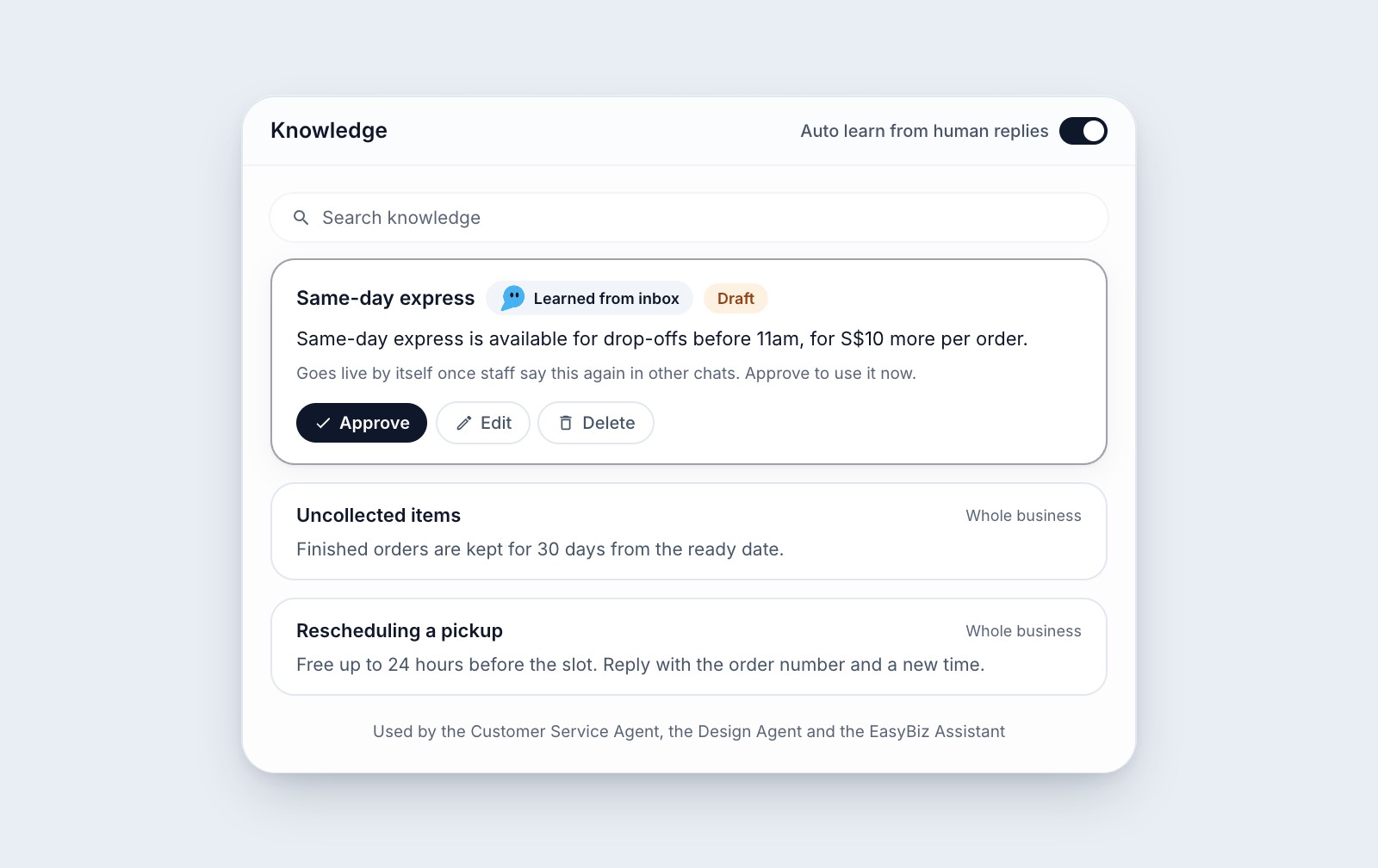
A same-day express rule the agent picked up from your team's replies, ready to approve.
- It confirms before it uses it. A learned entry goes live by itself once your staff say the same thing again in other chats, or straight away when you approve it.
- It keeps up when answers change. When your team starts saying something different, it drafts a replacement for the old entry instead of keeping both.
- You stay in charge. Approve, edit or delete anything it learns, or turn learning off with the Auto learn from human replies switch.
Keep answering customers the way you always do, and its drafts keep getting closer to what your team would say.
Knows when to hand over to a person
Complaints, refund or compensation requests, price negotiation and customers asking for a person get "Needs a person" instead of a draft. You can add your own topics on top.
Your style, tested before customers see it
Pick the tone, length and language, and add a few lines of guidance, such as how to greet customers and how to sign off. Save the questions customers ask most as test questions and run them again after every change. Tests never send anything and are free.
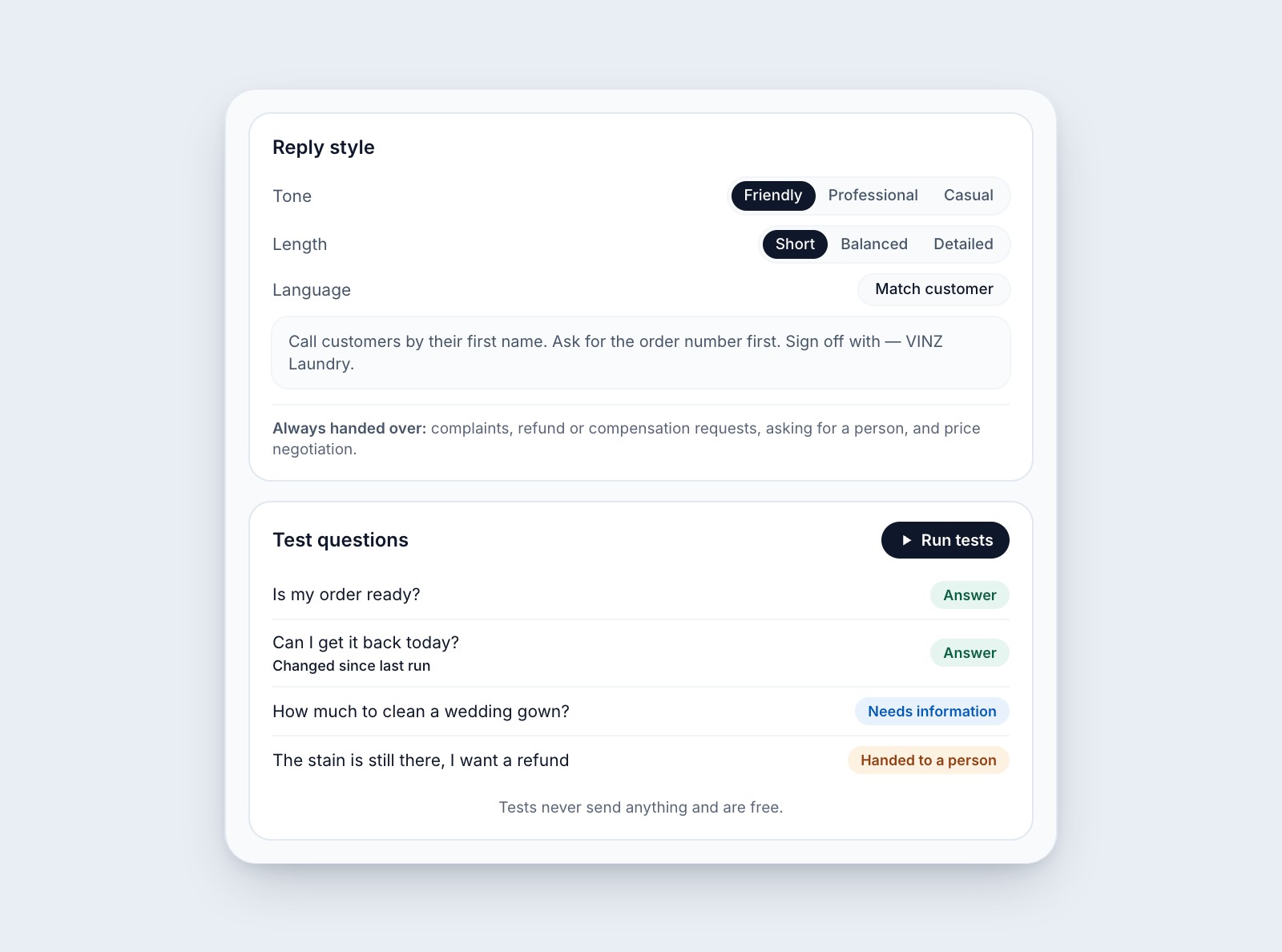
Reply style and test questions, so you know how it answers before you turn it on.
Watch it improve
The agent's Overview shows what your team did with its drafts: sent as it was, edited, or not used, with a chart of the last 30 days. As it learns, more drafts go out as they were written.
Free during the beta
The beta is Suggest mode: the agent drafts and your team sends. It does not reply to customers on its own. It is free for every EasyBiz customer, and nothing you use during the beta will be billed later.
Turn it on
Open Customer Service Agent from the AI menu in your Console and switch on Suggest replies. One switch covers every WhatsApp number in your inbox and answers for your whole business. You need a WhatsApp number connected in Settings → Integrations.