
Company or Brand Profile?
| What you want to change | Where it lives |
|---|---|
| Registered business name, registration number, tax number | Company |
| Registered address printed on the invoice | Company |
| Tax rate, rounding, sales period | Company |
| Brand name customers see | Brand Profile |
| Logo used on receipts, websites and apps | Brand Profile |
| Brand colours | Brand Profile |
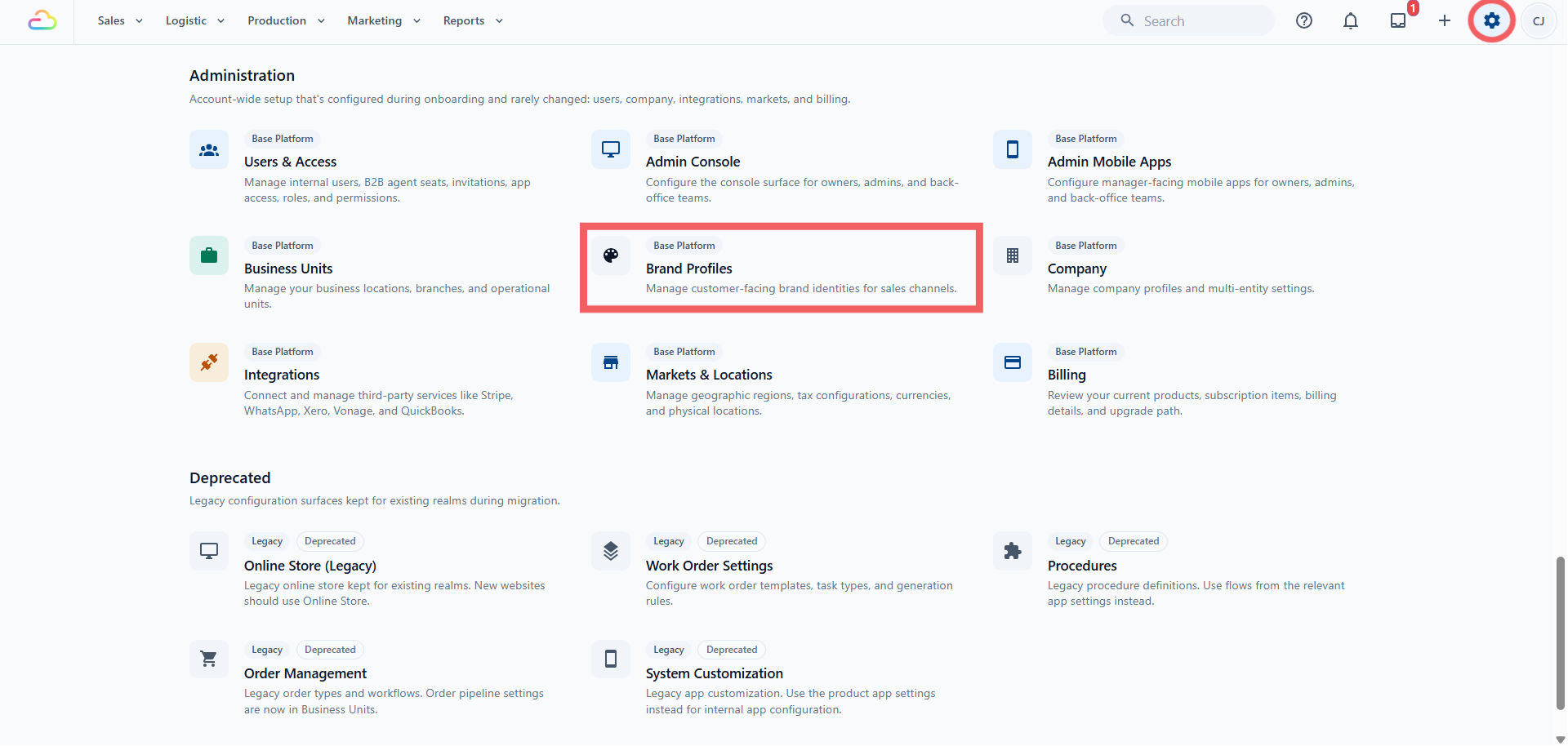
You will find your Brand Profiles under ⚙️ Settings → Brand Profiles, in the Administration section.
When One Brand Profile Is Enough
Most shops need one. Use a single Brand Profile when every shop, your online store and your app all trade under the same name and the same logo.
When You Need Several
Create a second Brand Profile when you sell under a different name or a different look, but still under the same registered business. Common cases:
A premium service line with its own name and logo, invoiced by the same business
A shop you took over that keeps its old name for now
A separate online store aimed at a different type of customer
You do not need a second Company for any of these. A second Company is only for a second legal business or a different country.
Where Your Brand Profile Shows Up
Once you assign a Brand Profile, it is used by:
Your point of sale shops — each shop carries one Brand Profile, so each counter can print its own brand
Your online stores — the store's receipts use the profile you assign to it
Your customer website — the site takes its name, logo and colours from the profile it is linked to
Receipts and printed documents — the monochrome logo is the version used for printing and low-colour output
Installed apps and shortcuts — the app icon is used when a customer adds your ordering page to their phone
FAQs
Does adding a Brand Profile cost more on my bill?
No. Brand Profiles are part of the platform. Your plan is priced on the products you run and the seats your team uses, not on how many brands you present.
If I change the logo on a Brand Profile, do old receipts change?
Anything printed or sent from now on uses the new logo, including a reprint of an old order. Files you already downloaded or emailed keep the old logo.
My Company name and my shop name are different. Which one prints on the invoice?
Both have their place. The registered Company name, registration number and address print for legal and tax purposes. The Brand Profile supplies the name and logo your customer recognises.
Can two shops share one Brand Profile?
Yes, and that is the normal setup. Every shop and online store under the same brand can point at the same profile, so one logo change updates all of them.
Can I remove a Brand Profile once I stop using it?
You archive it rather than delete it, so old documents still make sense. Archiving is refused while anything is still linked to it, so reassign those records first.
Can I set my fonts here?
No. A Brand Profile covers the brand name, logos and colours. Typography for your customer website is handled in the website settings.
Who can create and edit Brand Profiles?
Anyone with the Brand Profile settings permission. General settings access does not automatically include it, so check the person's permissions if the page will not open.
What's Next
Continue to Creating and Assigning a Brand Profile to set one up and connect it to your shops, online stores and website.