
Introduction to Business Process Management

In this article
Business Process Management (BPM) helps you create smarter workflows by connecting your suppliers and work orders in one centralized place. Think of it as having an "invisible manager" that handles repetitive tasks for you automatically.
Contents
Contents
Why use BPM?
Business Process Management (BPM) isn't just about organizing lists; it's about building a reliable engine for your operations. By configuring your workflows in one place, you can automate operations and streamline tasks to fit your unique business needs.
Here is how BPM helps your team:
- Eliminate Guesswork: Define exactly how work orders are structured so your team knows precisely what to do next.
- Consistency is Key: Whether it’s a "Laundry" service or a "Service Center" repair, ensure every item goes through the same quality checks.
- Flexible Control: Create multiple templates to match different workflows across different departments.
Key Concepts
Before you start building, it helps to know the vocabulary used in EasyBiz Cloud.
Templates Think of these as your blueprints. A template groups together all the rules and steps needed for a specific service type (e.g., a "Laundry" template vs. a "Repair" template).
Procedures These are the individual steps your staff must complete. * Example: "Inspect item's condition" , "Photo Record" , or "Quality Control".
Generation Rules This setting tells the system how to create the work order. * Example: You can set it to generate "One work order per service item" to track every single item individually.
Workflows The lifecycle of a job. It defines the path a task takes from "Service Start" to completion.
Access Business Process Management Guide:
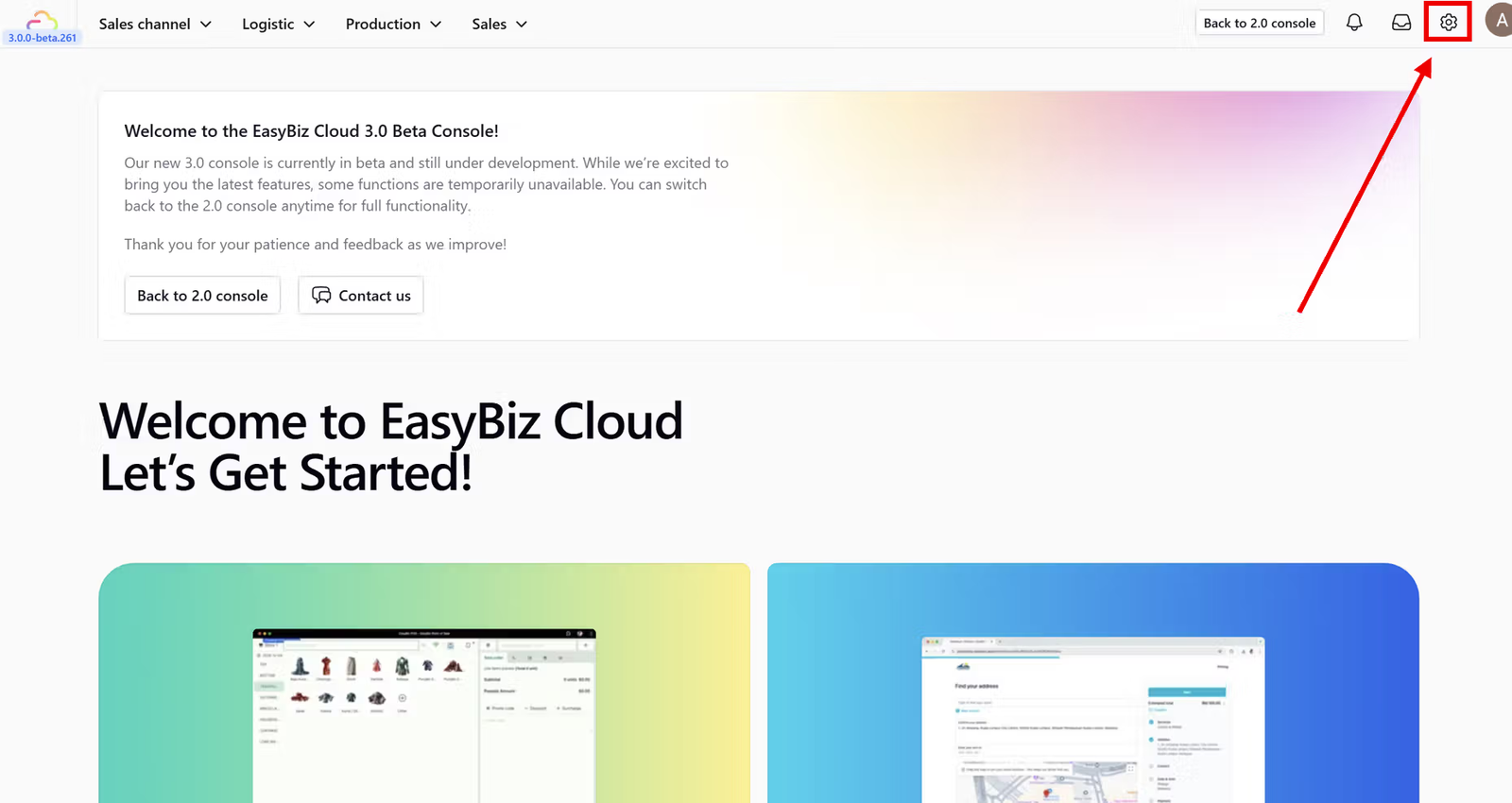
First, navigate to the main menu on your console dashboard and open Settings.
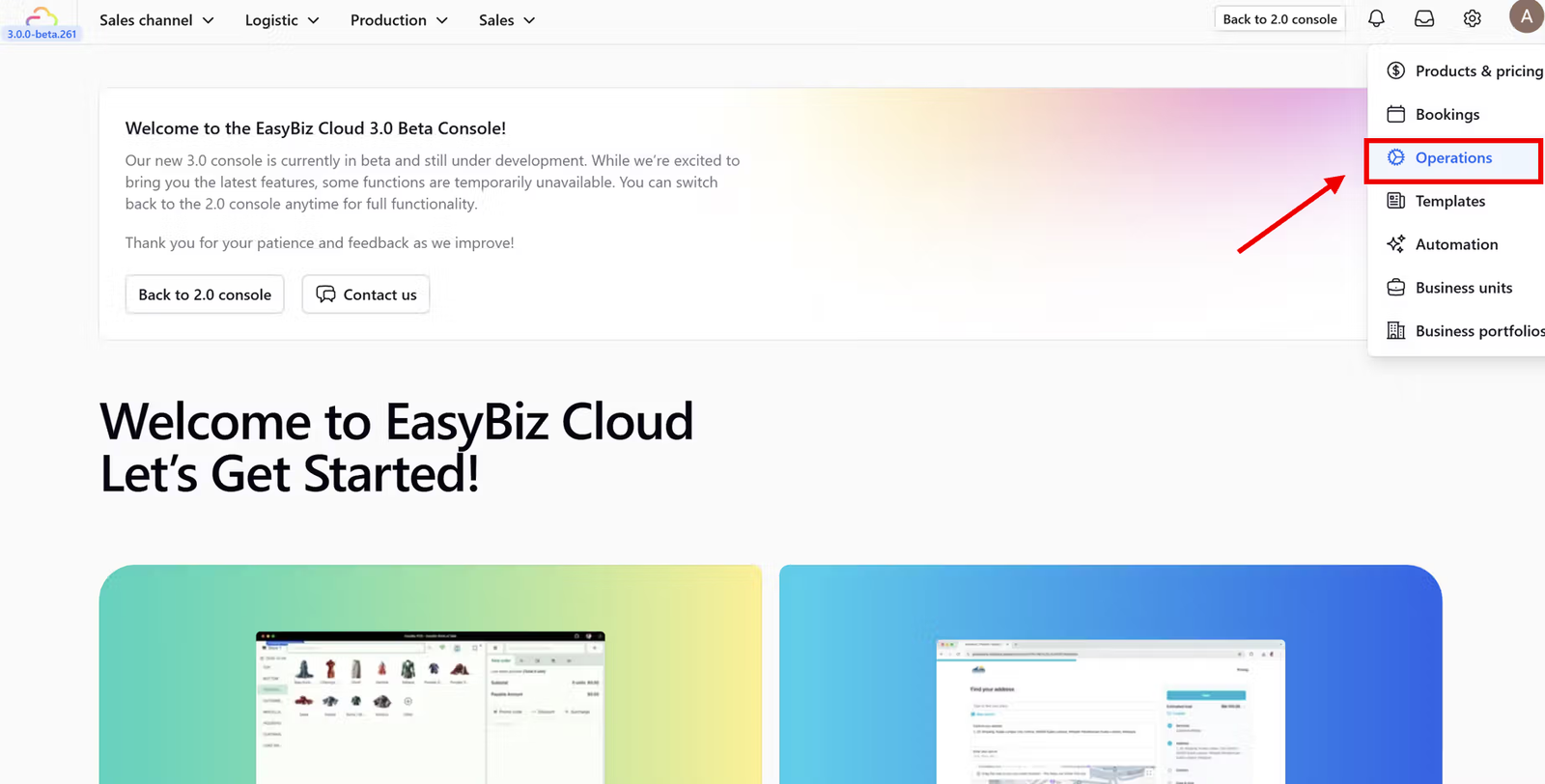
Next, from the side menu options, select the Operations section.
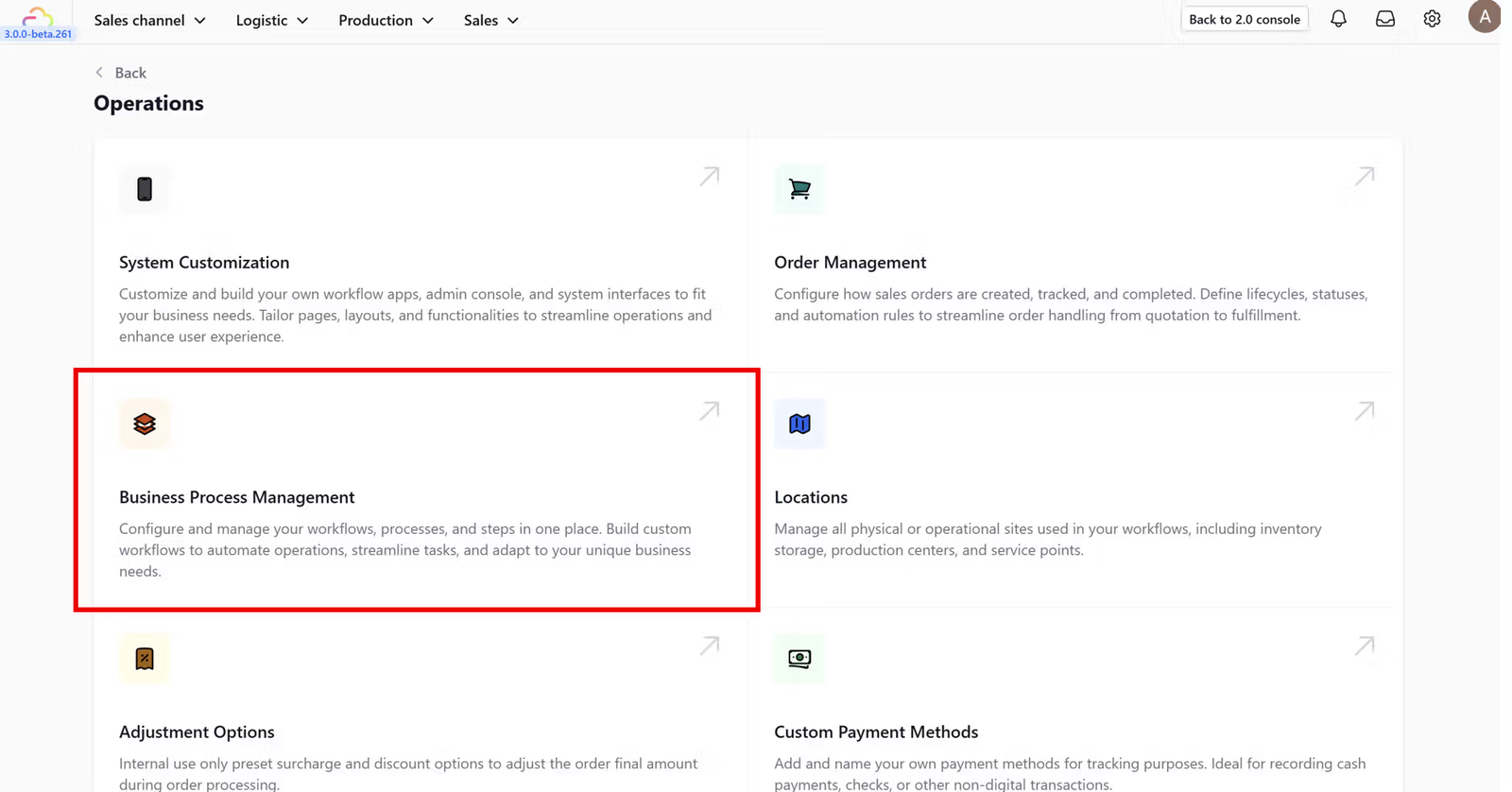
Within the Operations dashboard, find and click on the Business Process Management feature card.
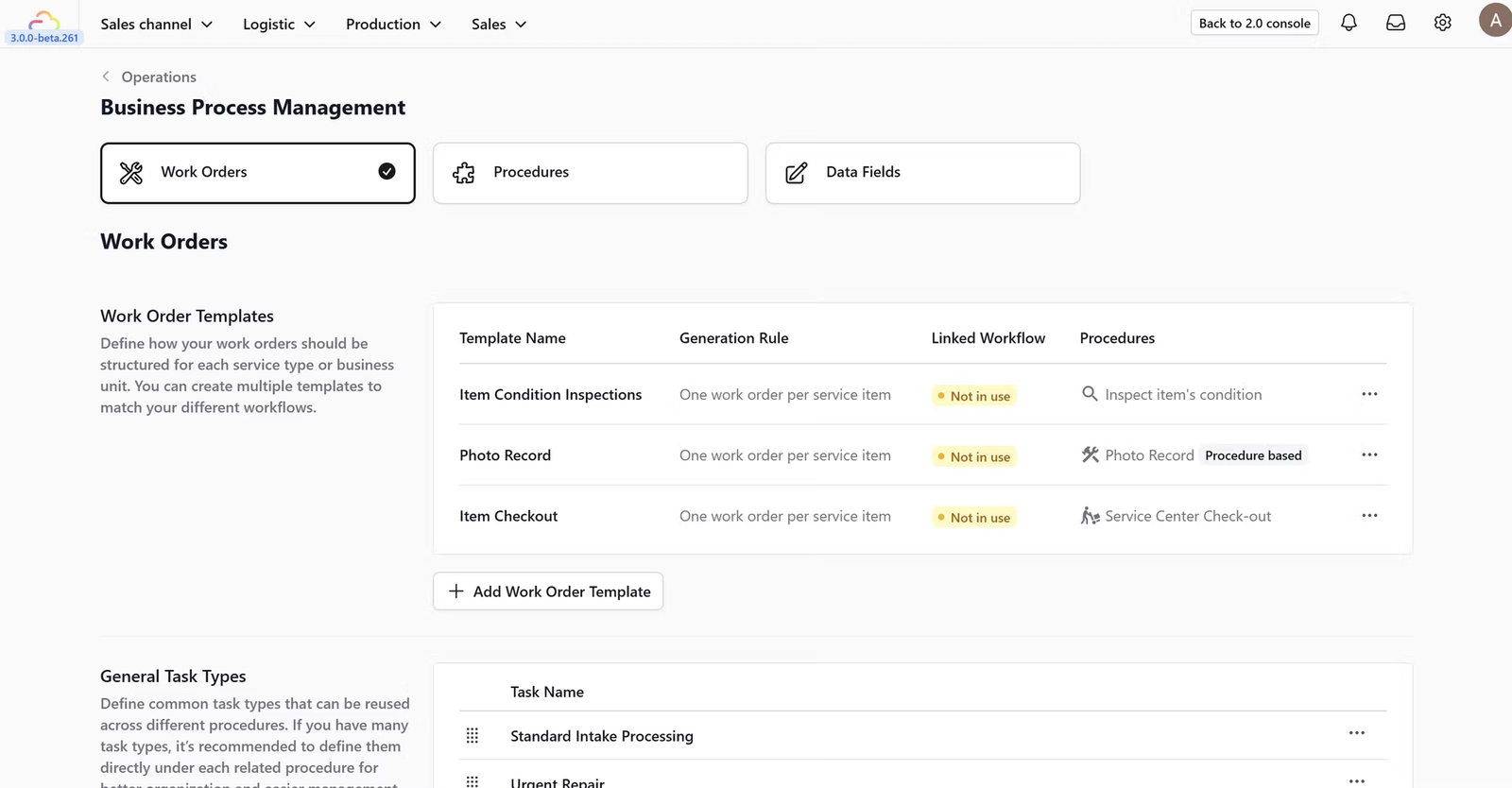
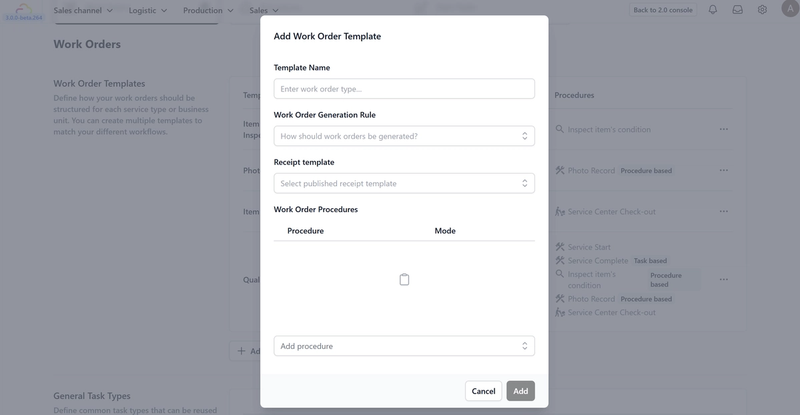
This feature allows you to define how your work orders should be structured for each service type or business unit, enabling you to create multiple templates to match different workflows. (A setup guide on how to use this feature is available on the Work Orders page).
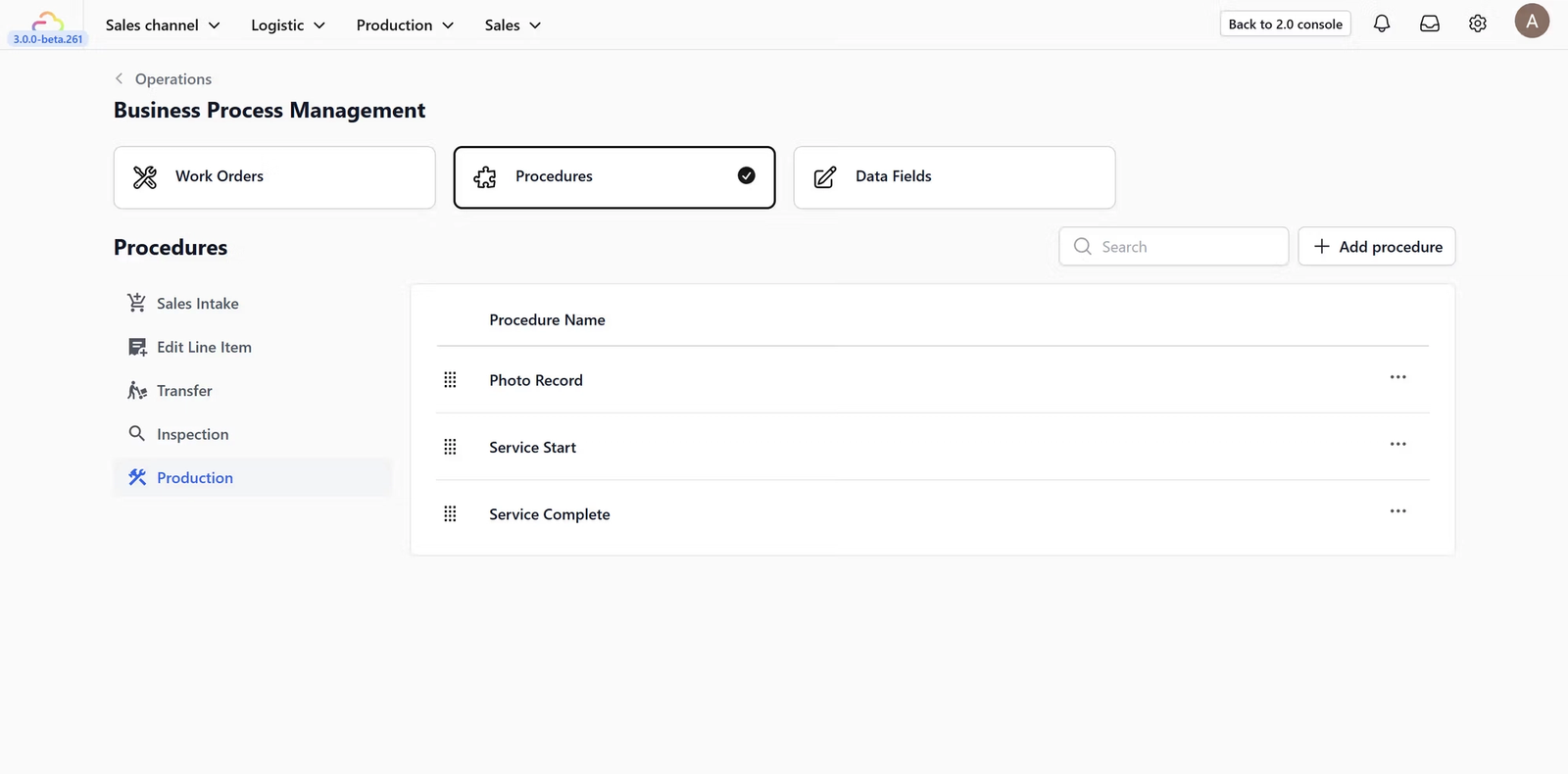
This feature is used to manage standard operating procedures. (A setup guide on how to use this feature is available on the Procedures page).
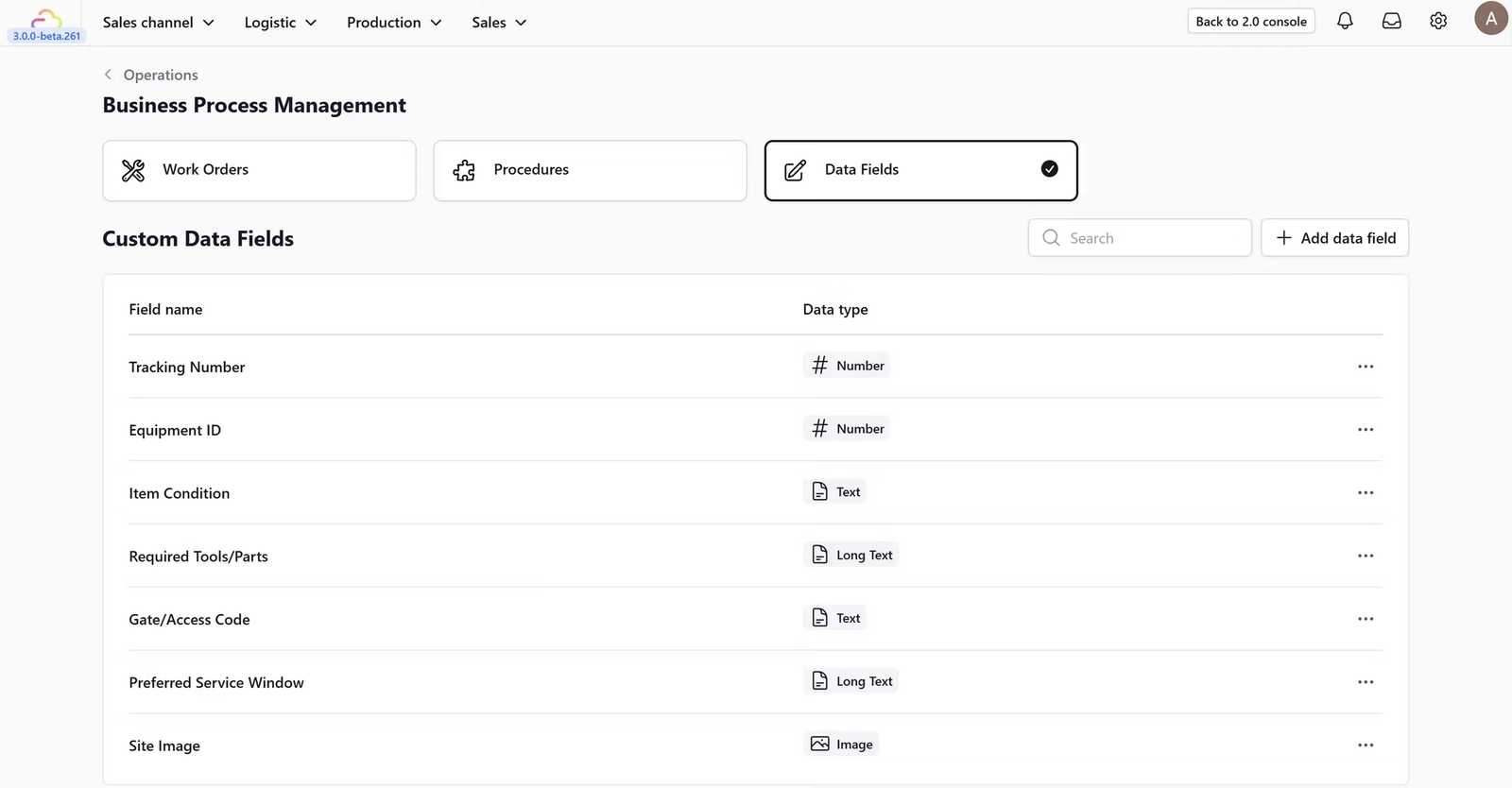
Data Fields: This feature allows you to manage custom data fields that can be used within your workflows. (A setup guide on how to use this feature is available on the Data Fields page).
Give feedback
Up next
Configuring Work OrdersCreate reusable work order templates, auto-generate quality control tasks, and standardize tasks and notes so every job runs smooth, fast, and drama-free.
Read more