
Introduction to Inventory
In this article
EasyBiz Inventory Management provides real-time stock tracking that makes sense for dynamic businesses, regardless of whether items are sitting on a shelf or are currently out for delivery. A primary benefit of this system is maintaining accurate counts through the use of event-based automation.
Contents
Contents
Inventory Management
Inventory management is the heartbeat of your operations. It allows you to track the quantity, value, and movement of every item across your business.
In this system, Inventory is deeply connected to Locations. Why? Because stock cannot exist in a vacuum. Every widget, tool, or spare part must be assigned to a specific Storage site, Production Center, or Service Point.
Why is this useful? Effective inventory management turns chaos into control.
- Real-Time Visibility: Know exactly how much stock you have at "Warehouse A" versus "Store B" instantly.
- Prevent Stockouts: Monitor levels at your Service Points so your team never runs out of critical supplies during a job.
- Track Movement: Follow the lifecycle of an item as it moves from Inventory Storage to active use in Production.
Access Order Management features on EasyBiz:
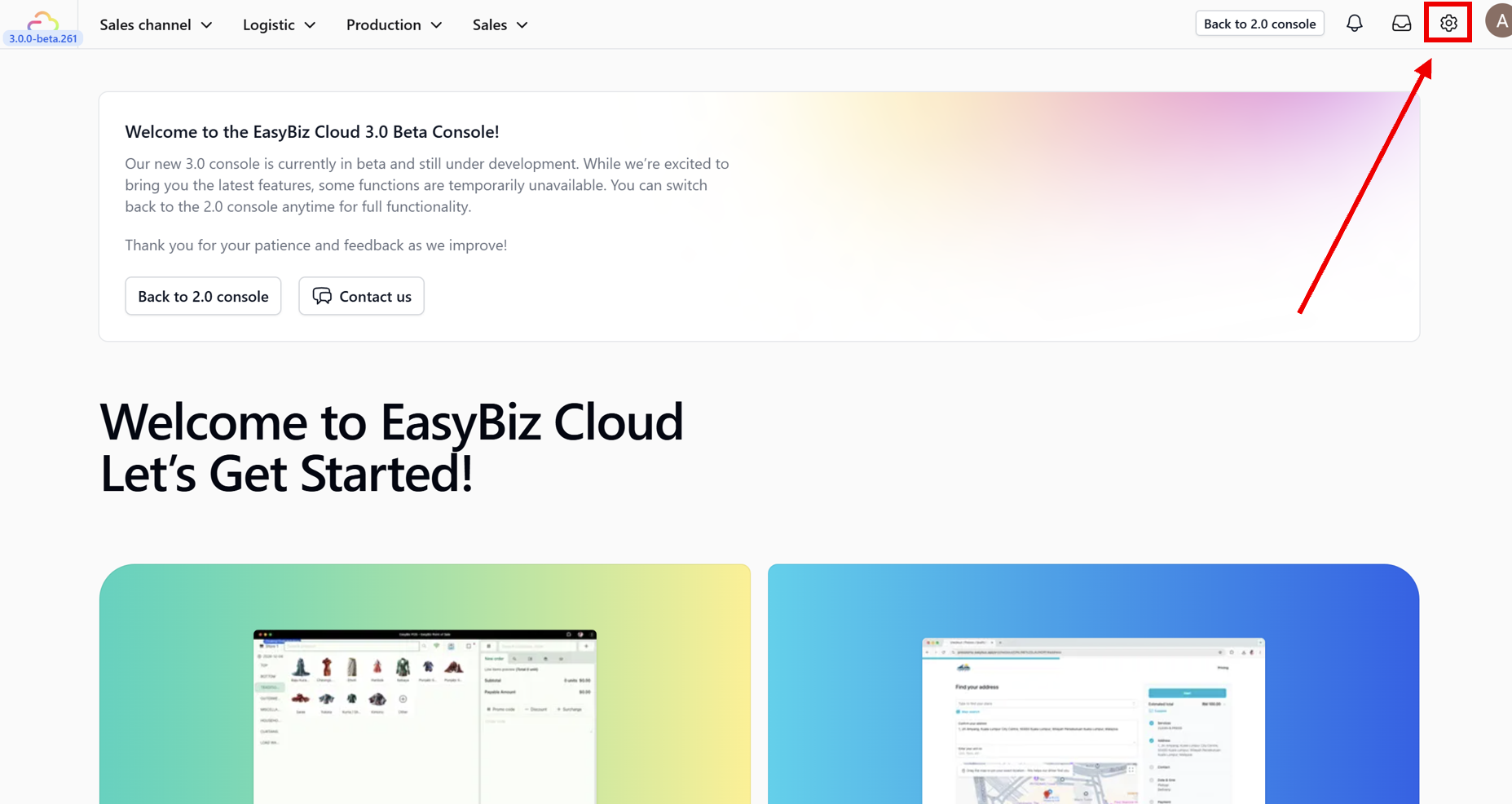
1. First, navigate to the main menu on your console dashboard and open Settings.
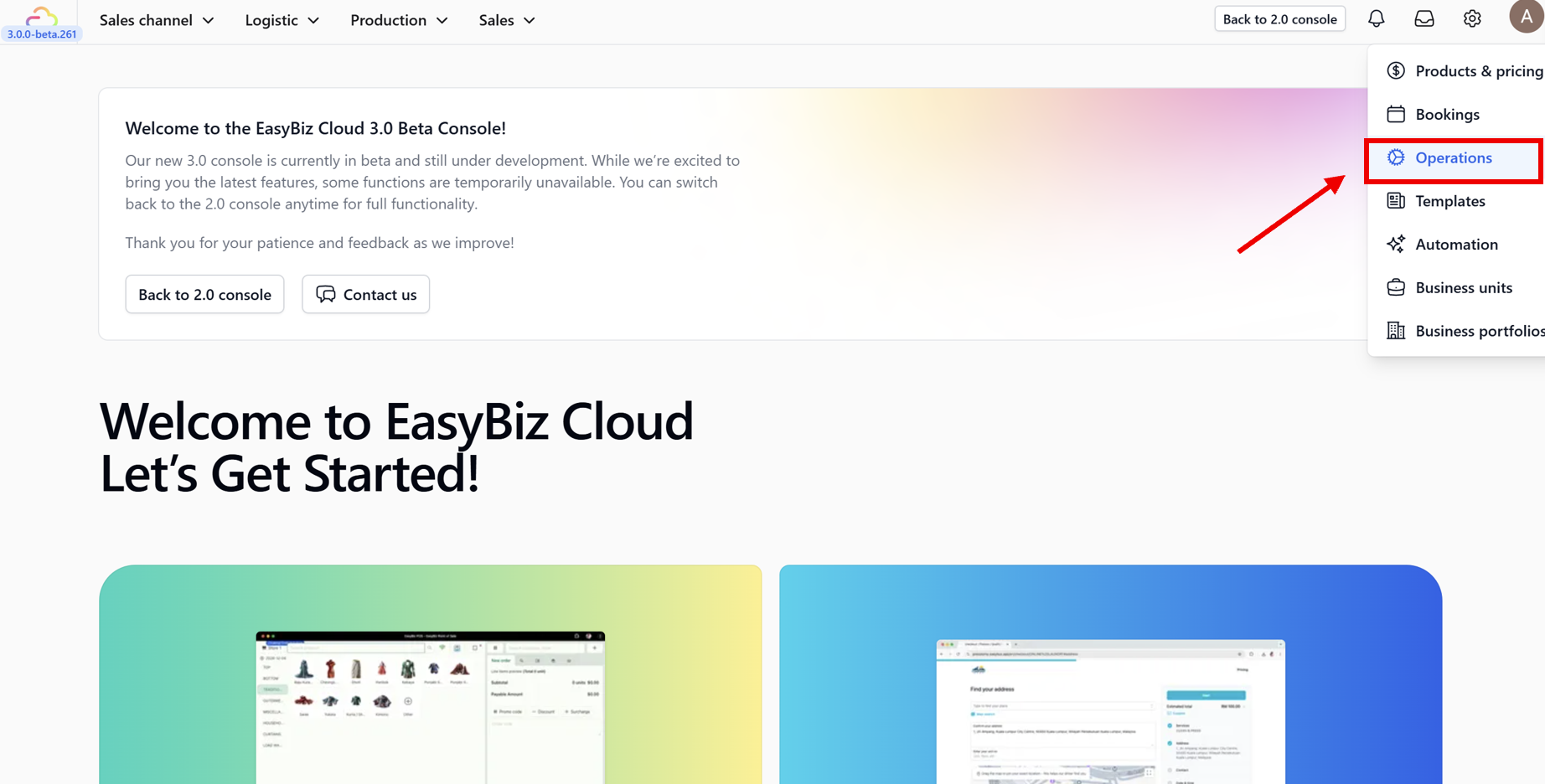
2. Next, from the side menu options, select the Operations section.
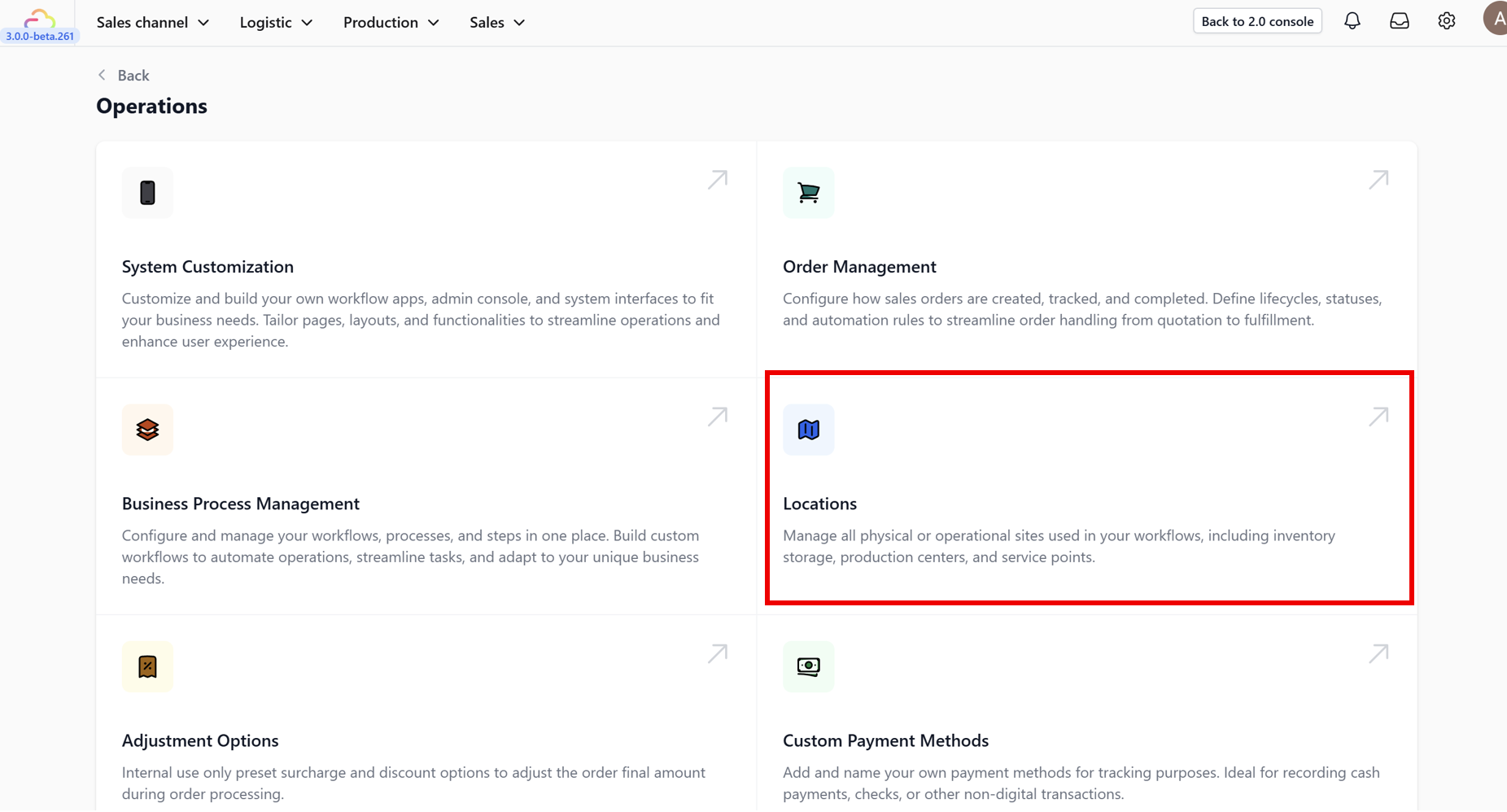
3. Within the Operations dashboard, find and click on the Locations feature card.
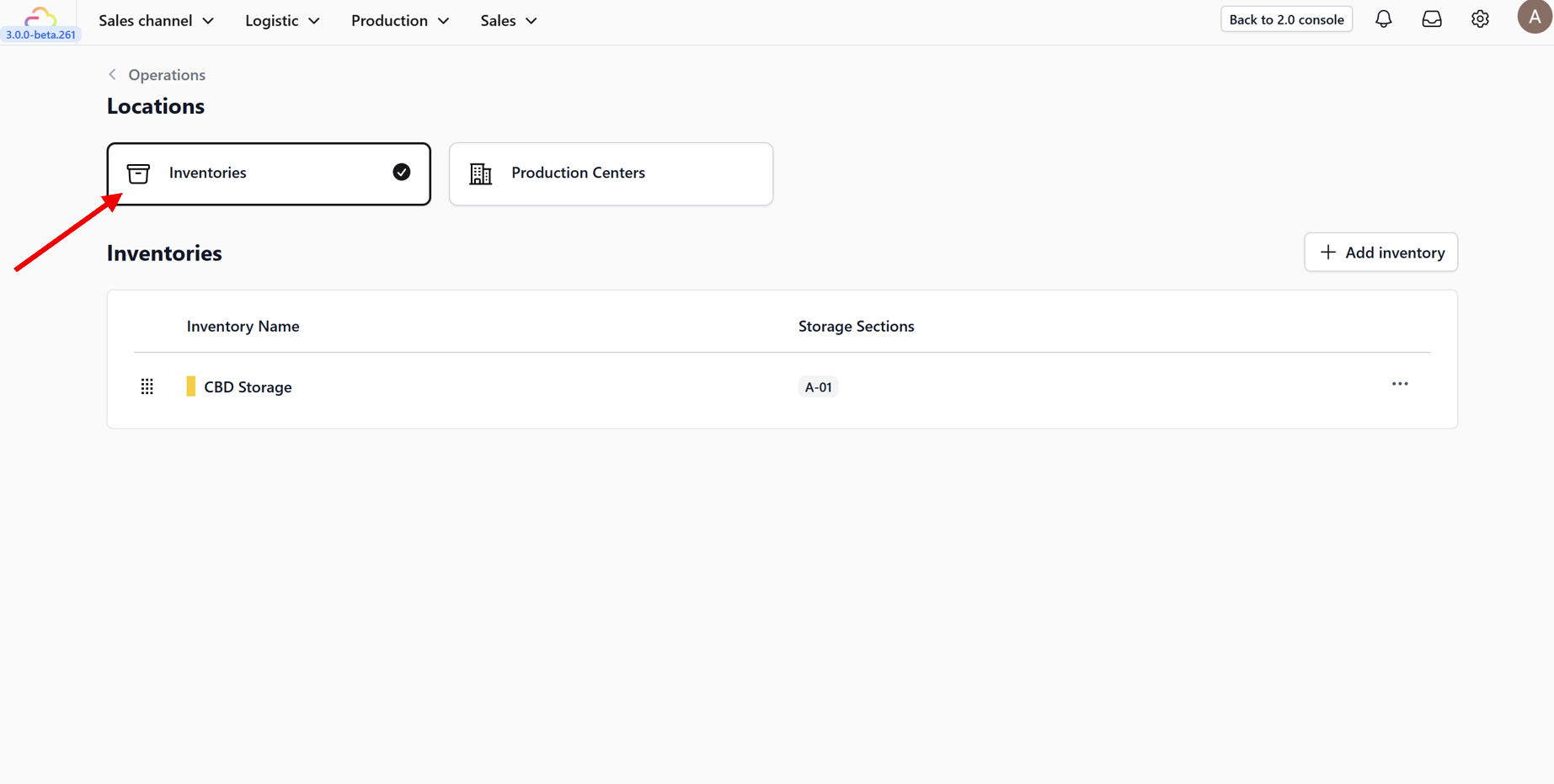
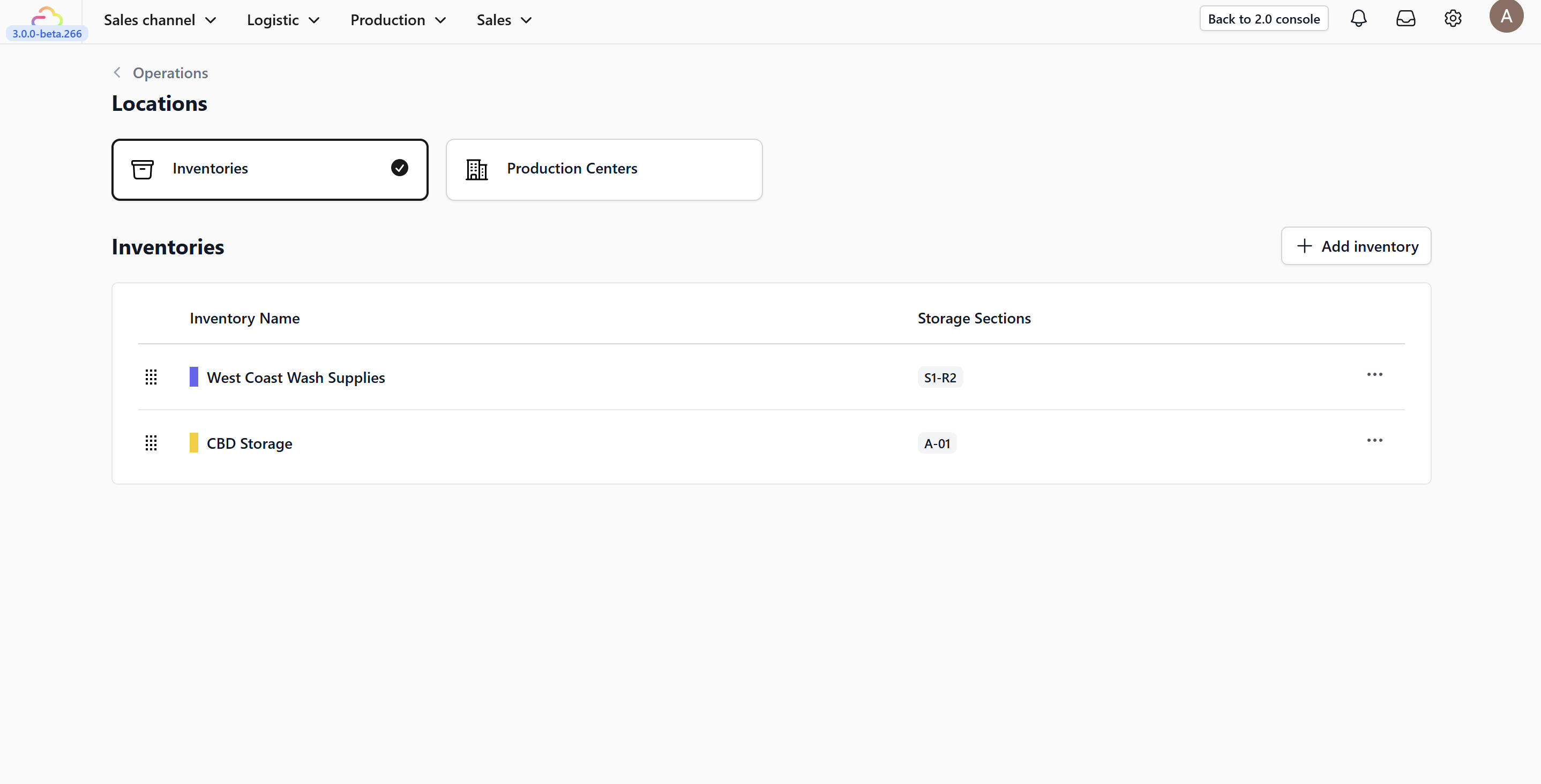
4. You will now see your inventories displayed within the location view.
Give feedback
Up next
Managing InventoriesGet full control of your inventory with clear locations, smart SKU types, and instant scan-in/scan-out tracking—so you always know what’s where, in real time.
Read more