
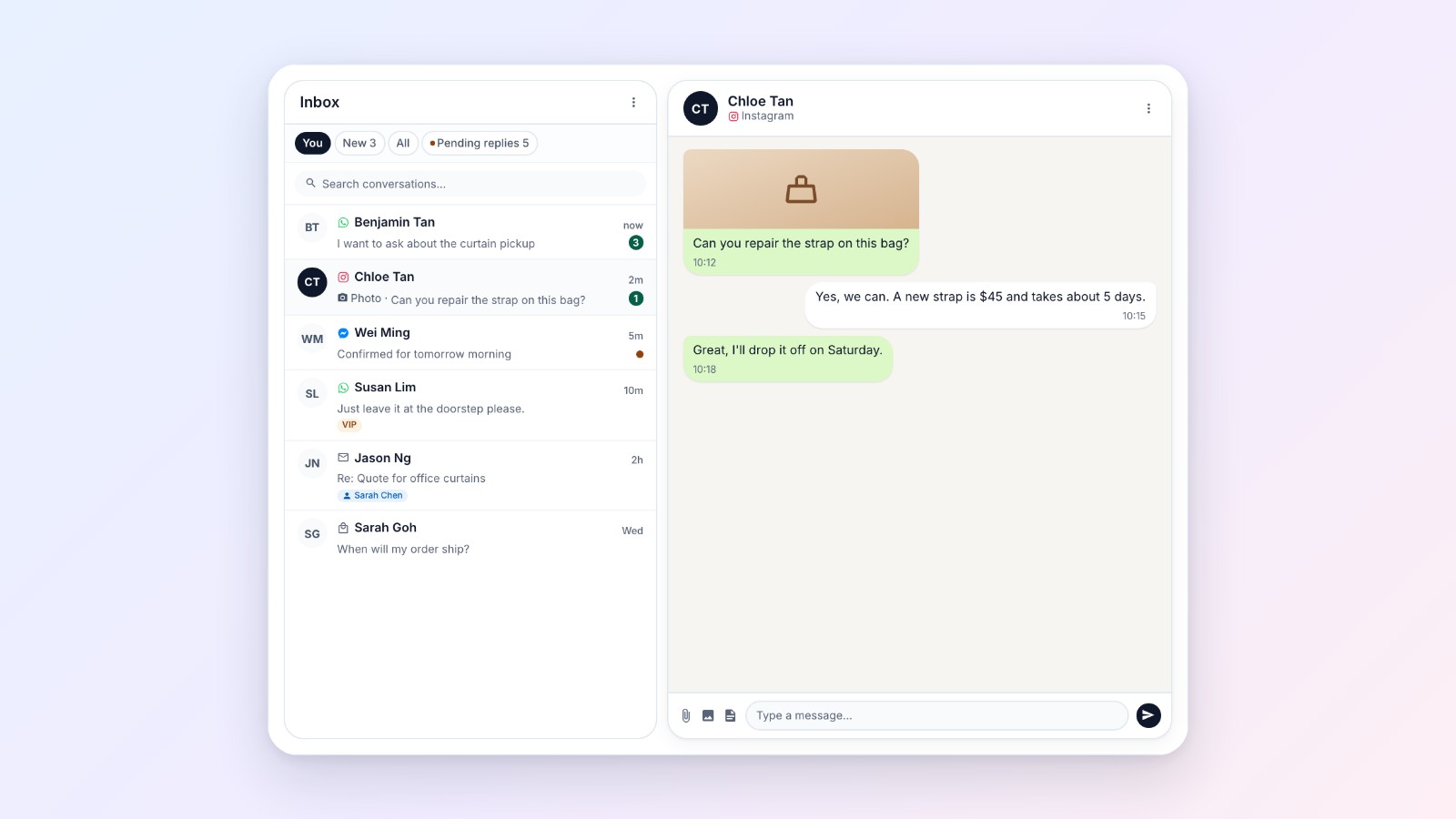
Your customers don't all write to you on WhatsApp. Some message your Facebook Page, some send an Instagram DM, some email, and some write from TikTok Shop. Now all of those messages come into the same EasyBiz Inbox as your WhatsApp chats and the live chat on your Online Store and Mobile App. Your team answers every customer from one shared list, and each reply goes back to the app the customer wrote from.
Every channel in one list
Each chat in the Inbox carries a small icon in its app's colour, so your staff see at a glance where a customer wrote from. Customers don't install or change anything. They keep writing to you the way they always do, and get your reply there.
- WhatsApp: chats on your WhatsApp Business numbers, as before.
- Facebook Messenger and Instagram (new): messages to your Facebook Page, and to the Instagram business account linked to it. Log in with Facebook once and pick your Page. See Connect Facebook Messenger and Instagram to your Inbox.
- Email (new): emails to your shop's address. Forward your mailbox to EasyBiz once. Customers get your replies by email with your shop's name on them, and the photos and PDFs they attach show in the chat. See Connect your email to your Inbox.
- TikTok Shop (new): messages from your TikTok Shop buyers. Set up your shop's own TikTok Shop app once and, after TikTok approves chat for it, buyer messages arrive in the Inbox. See Connect TikTok Shop chat to your Inbox.
- Live chat: the chat button on your Online Store and Mobile App. Signed-in customers write to you there, and your reply shows in the same chat, with no message fee. Switch it on once in your Online Store editor, under Contact widget. See Setting up the contact widget and live chat.
Connect each channel once
Go to Settings › Integrations and connect the channels you use. Live chat has nothing to connect: switch it on in your Online Store editor. You do it once for the whole business, and every teammate who can open the Inbox sees the chats. Staff answer with their own EasyBiz login, so you don't share your Facebook, Instagram or mailbox password with anyone.
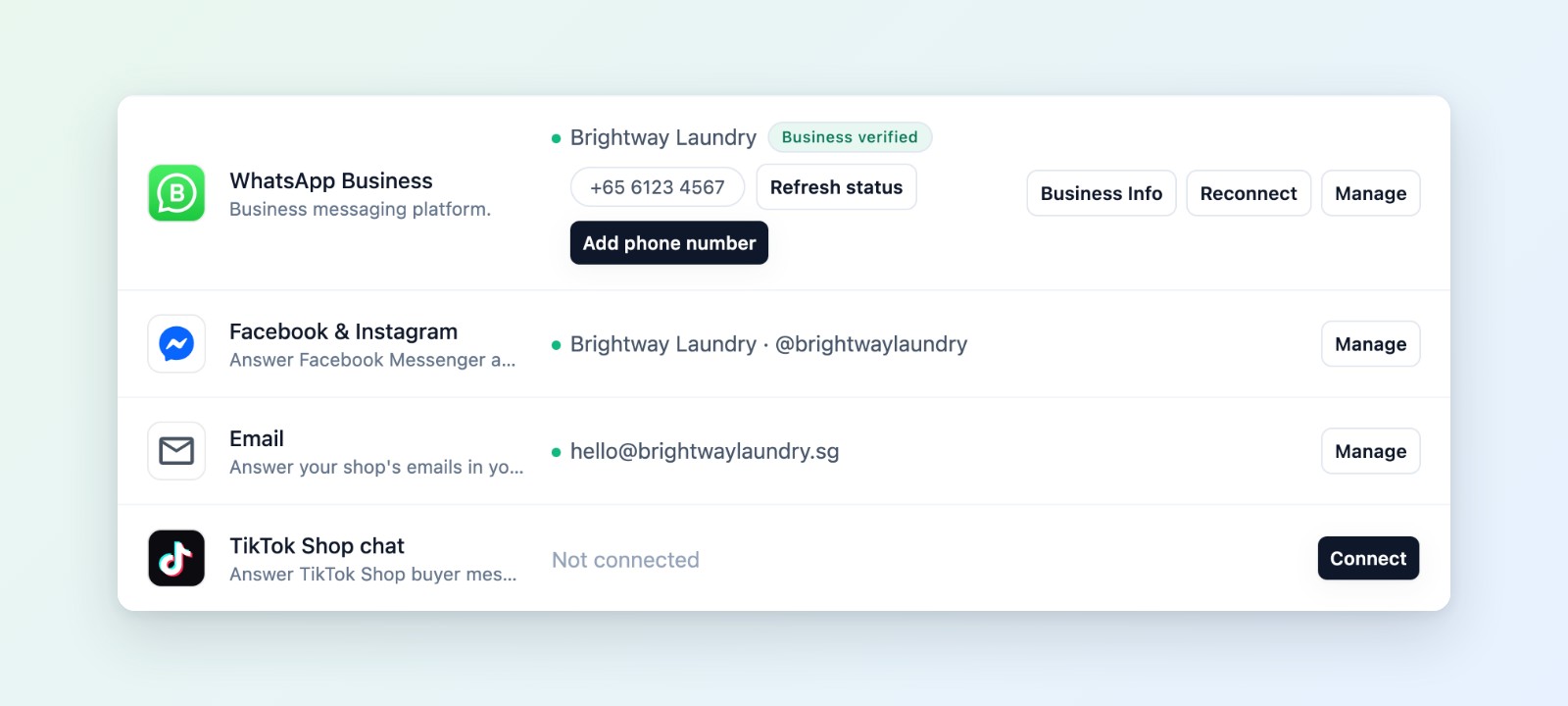
Connect WhatsApp, Facebook & Instagram, Email and TikTok Shop chat once in Settings › Integrations.
One inbox your whole team shares
Three tabs sort the chats, the same way for every channel:
- New: chats nobody has picked up yet, with a count, so no customer is missed.
- You: the chats you are handling. A chat moves here once you pick it up or reply, so two people don't answer the same customer.
- All: every chat in your shop, open or closed, and which chats each teammate is handling.
When customers are waiting for your answer, an orange Pending replies button shows how many, so staff answer those first. Search finds any customer by name or phone number.
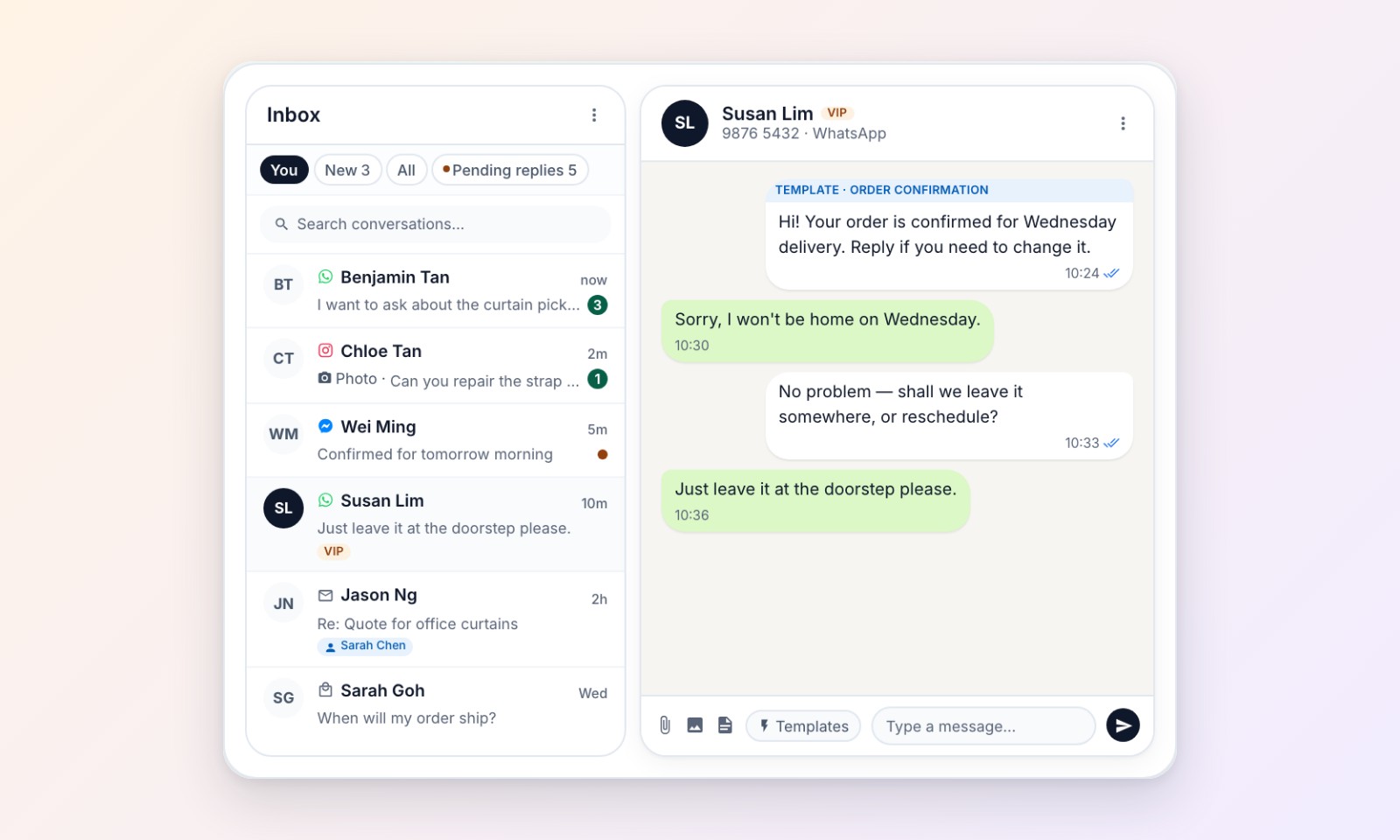
Every chat in one list, each marked with the app it came from.
Find your way around the Inbox shows the tabs, search and labels in detail.
Included with CRM
The Inbox comes with CRM. Everyone with a Full seat and CRM switched on can use it, the account owner included. Connecting Messenger, Instagram, email and TikTok Shop costs nothing extra.