## Before You Start
- Read [Introduction to Loyalty & Rewards](/docs/introduction-to-loyalty-and-rewards) first, to see how membership works with the other tools on one order.
- To give the discount on only some services, set up your service options first. See [Setting Up Service Options](/docs/setting-up-service-options).
- To sell plans online, your Online Store needs an online payment method, such as card or PayNow. See [Taking Payments on Your Online Store](/docs/payments-on-your-online-store).
---
## What is a membership plan?
A membership plan is a plan customers pay for once, such as a yearly Gold membership. While it runs, every eligible order gets a percent off by itself, at your counter and online. Your staff never key in the discount.
A plan with no fee is never sold. Your staff add it to a customer at no charge, for example for your own staff or a VIP.
Until you create a plan, nobody gets a member discount. Membership is included in your EasyBiz subscription at no extra charge.
---
## Where it works
- **POS:** staff sell and renew plans from the **Membership** button at checkout. When they pick a member, the discount comes off by itself.
- **Console:** you create plans in Settings. Staff add, renew, end and refund memberships from the customer's contact, and orders created in the Console get the discount too.
- **Online Store:** customers join, pay and renew on the **Membership** page, and their discount comes off when they book.
- **Mobile App:** the same as your Online Store.
- **WhatsApp mini-app:** customers can't join or see their membership there.
Only your staff can add a plan with no fee, end a membership, move a member to another plan or refund a fee.
---
## Create a plan
1. Click the ⚙️ Settings icon in the top-right corner.
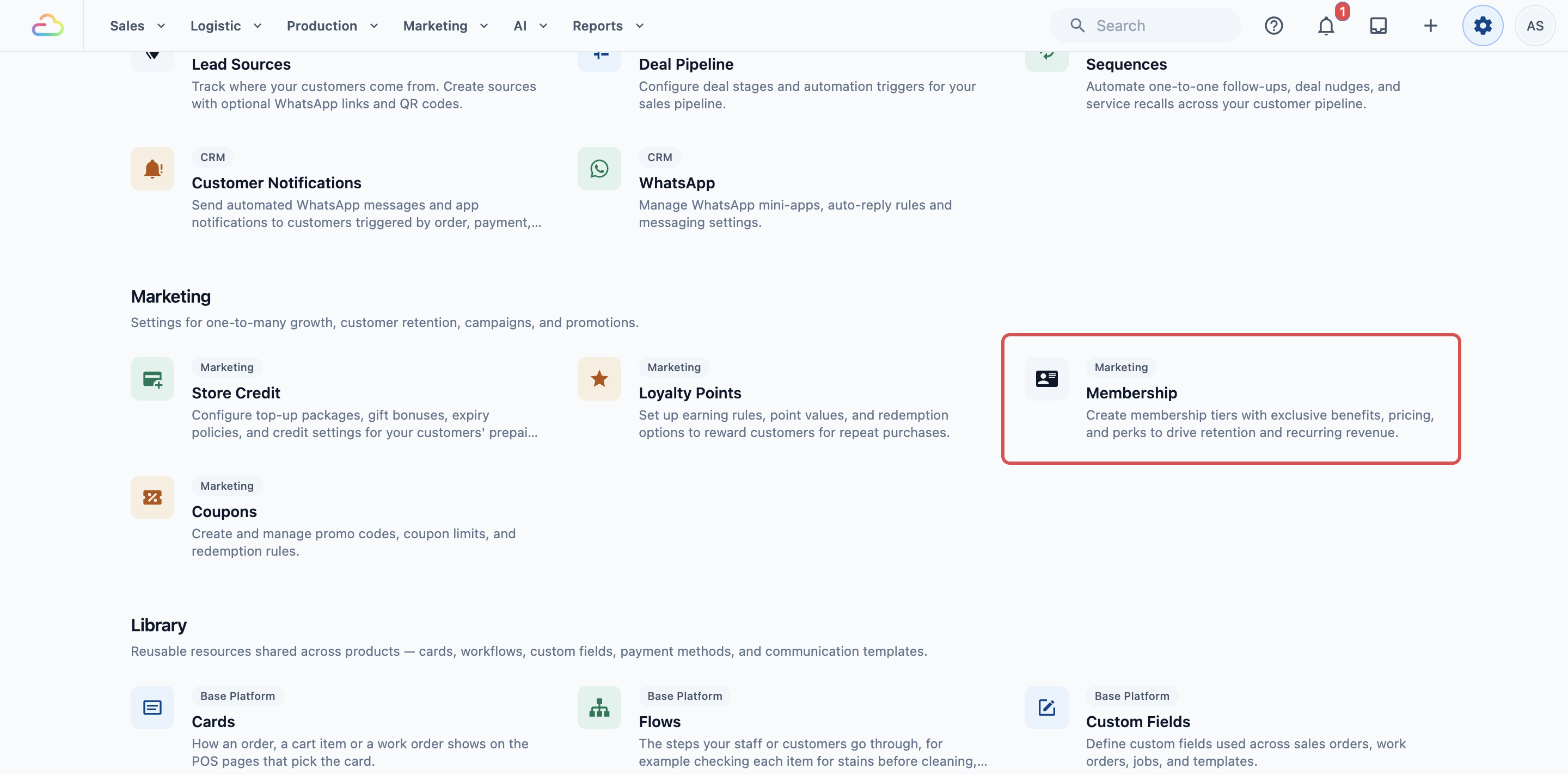
2. Under the **Marketing** section, click Membership.
3. Click Add Plan.
4. Fill in the fields below.
5. Click Add Plan at the bottom of the form. When you edit a plan later, the button says Save.
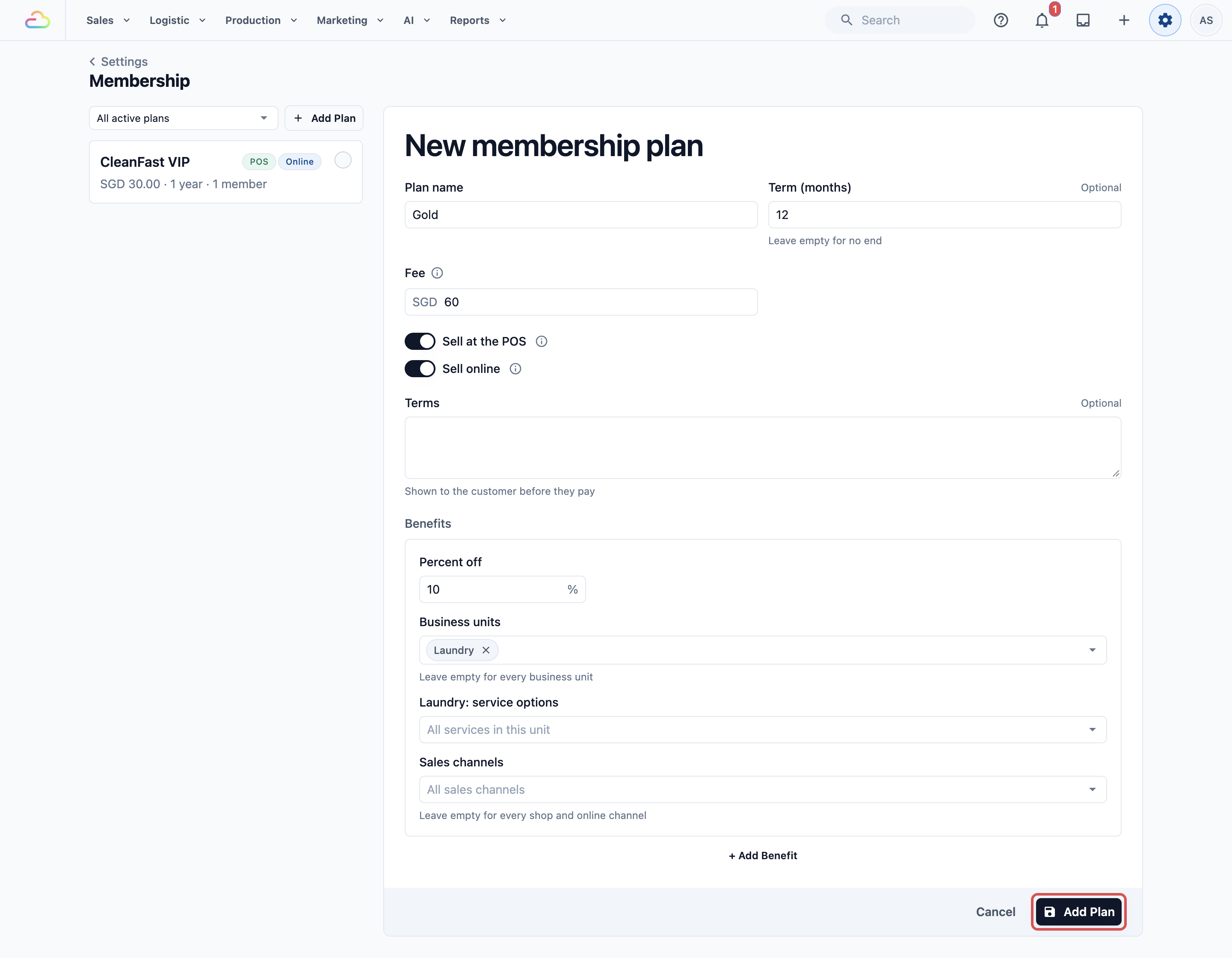
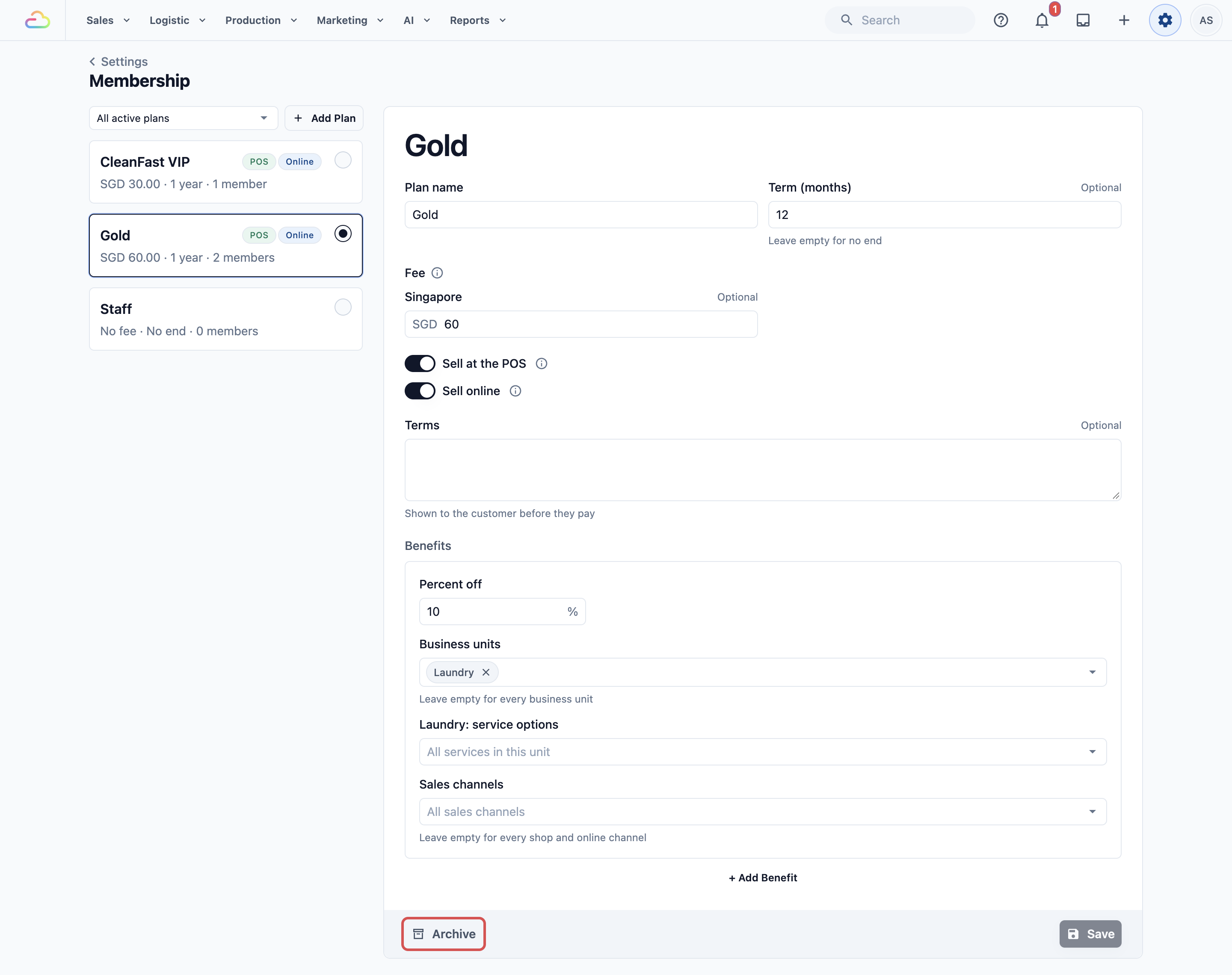
- **Plan name**
What customers and staff see, for example Gold.
- **Term (months)**
How long one term lasts, for example 12. Each payment adds one term. Leave it empty for a membership with no end date.
- **Fee**
What one term costs, for example SGD 60. If you sell in more than one country, there is one box per currency. Leave a currency empty to not sell the plan there, or every box empty for a plan staff add at no charge.
- **Sell at the POS**
Staff can sell the plan from the Membership button at POS checkout.
- **Sell online**
Customers can join and pay on your Online Store and Mobile App.
Both switches start off, and you can turn them on only once the plan has a fee.
- **Terms**
Optional conditions shown to the customer before they pay. This field appears once the plan has a fee.
The plan list on the left shows each plan's fee, term, where it is sold (**POS**, **Online**) and how many members it has.
---
## Choose what members get
Under **Benefits**, each benefit is a percent off and where it applies.
- **Percent off**
For example 10%, up to 100%.
- **Business units**
A business unit is a line of service in your shop, such as Laundry or Bag Repair. Leave it empty for every unit.
- **[Business unit]: service options**
Appears once you choose a unit. Choose some services to discount only those. Other lines in the order are charged in full.
- **Sales channels**
A sales channel is a place where orders come in, such as your Tampines shop, your Jurong shop or your Online Store. Leave it empty for every channel.
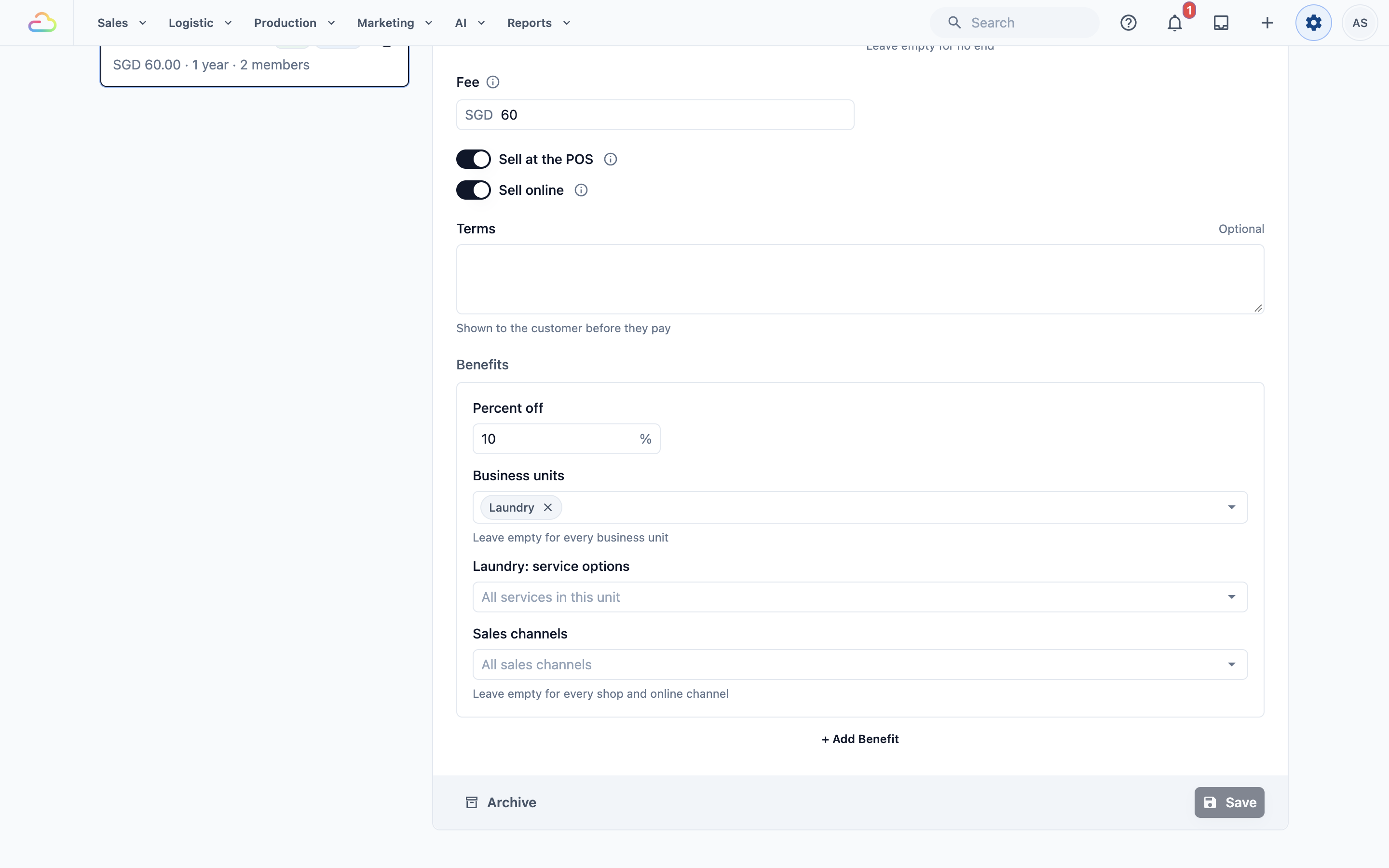
To add another benefit, for example 5% off Bag Repair, click + Add Benefit. When more than one benefit fits an order, the member gets the one that takes the most off. Benefits never add up.
Your Online Store is its own sales channel. If you limit a benefit to some sales channels, include your store's channel, or members won't get the discount when they book online.
---
## Sell memberships at the POS
First, turn on Membership for each POS app that sells plans:
1. Click the ⚙️ Settings icon in the top-right corner.
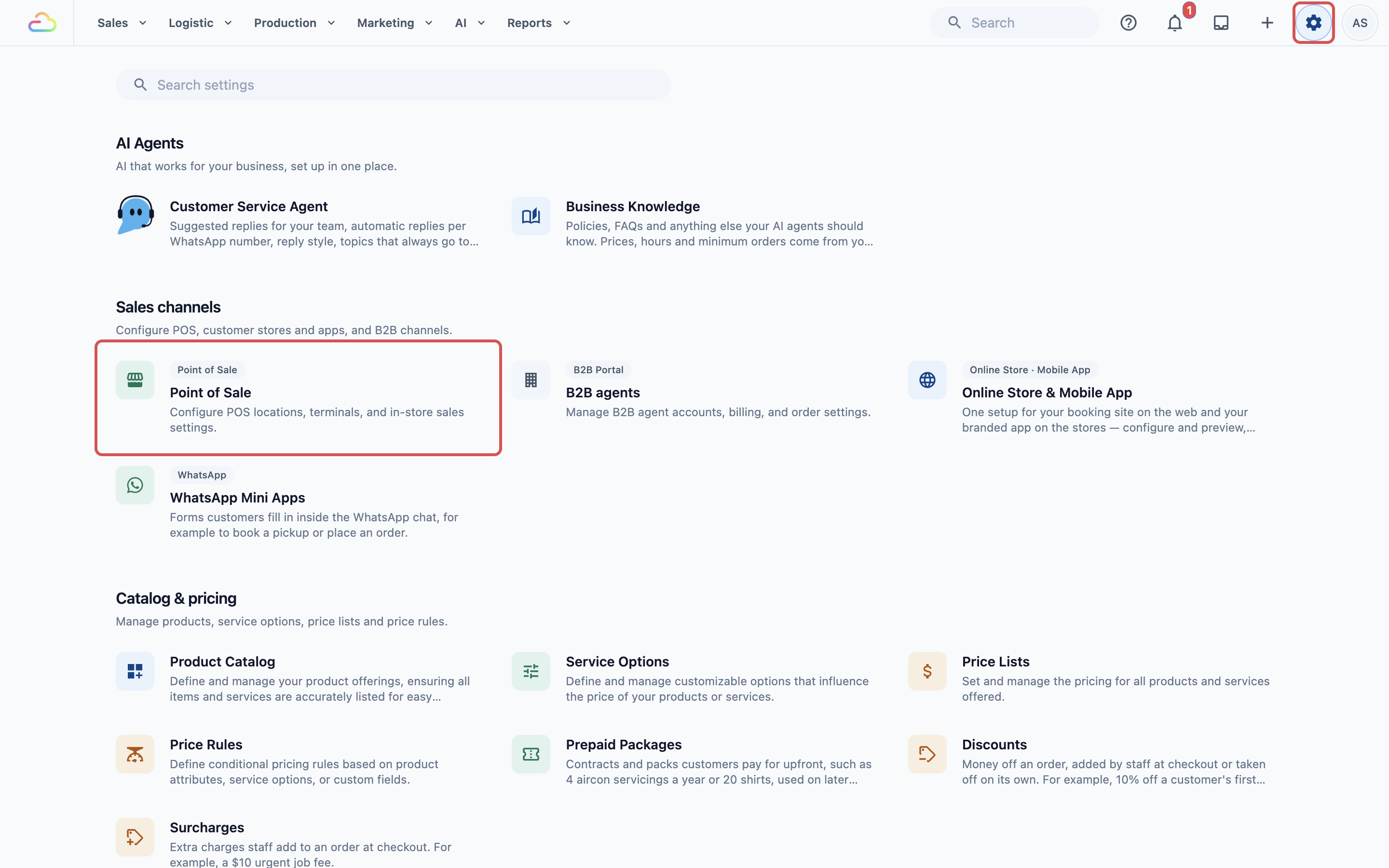
2. Under the **Sales Channels** section, click Point of Sale.
3. Under **POS Apps**, click Edit next to the app.
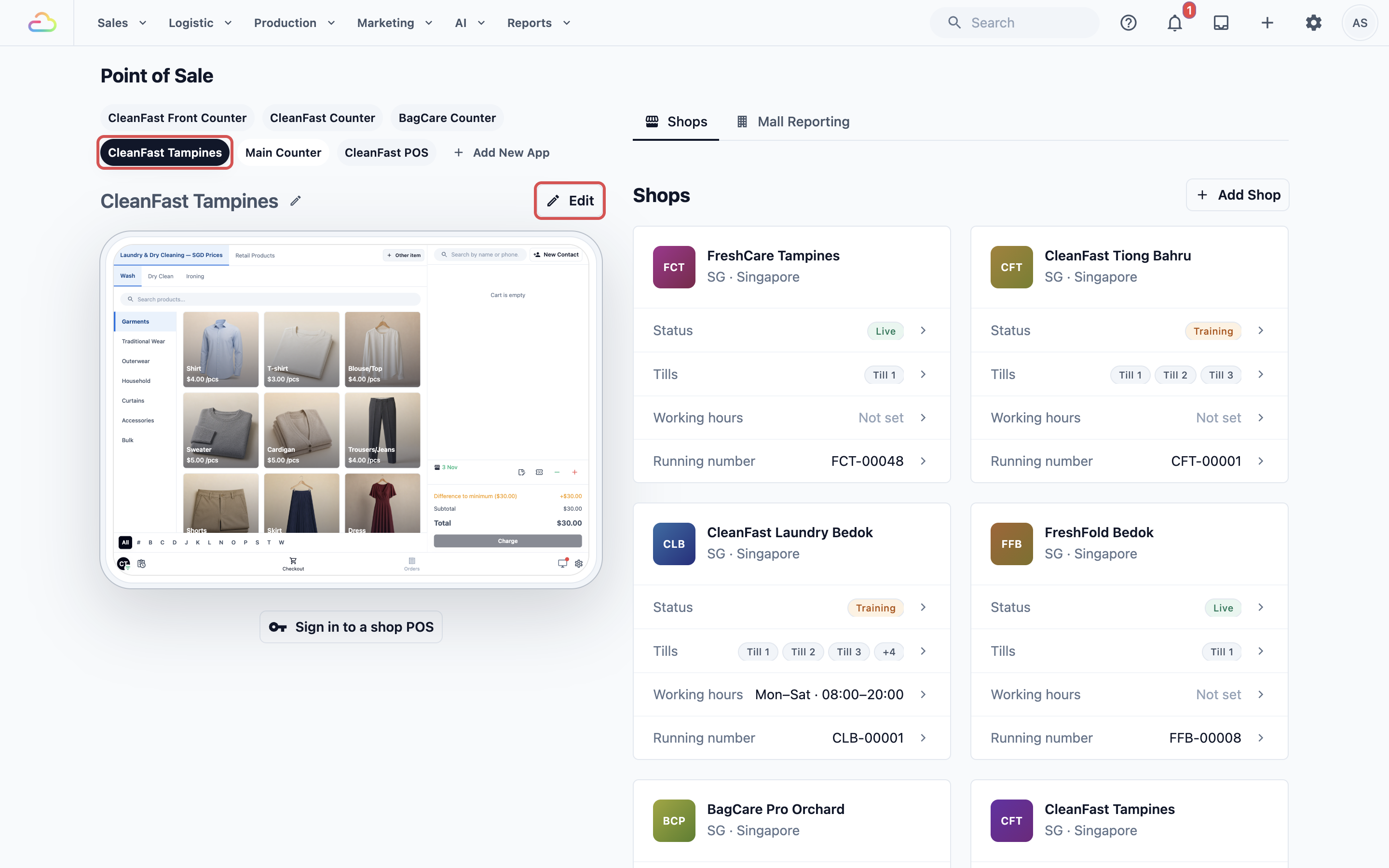
4. Under **Features**, click Membership.
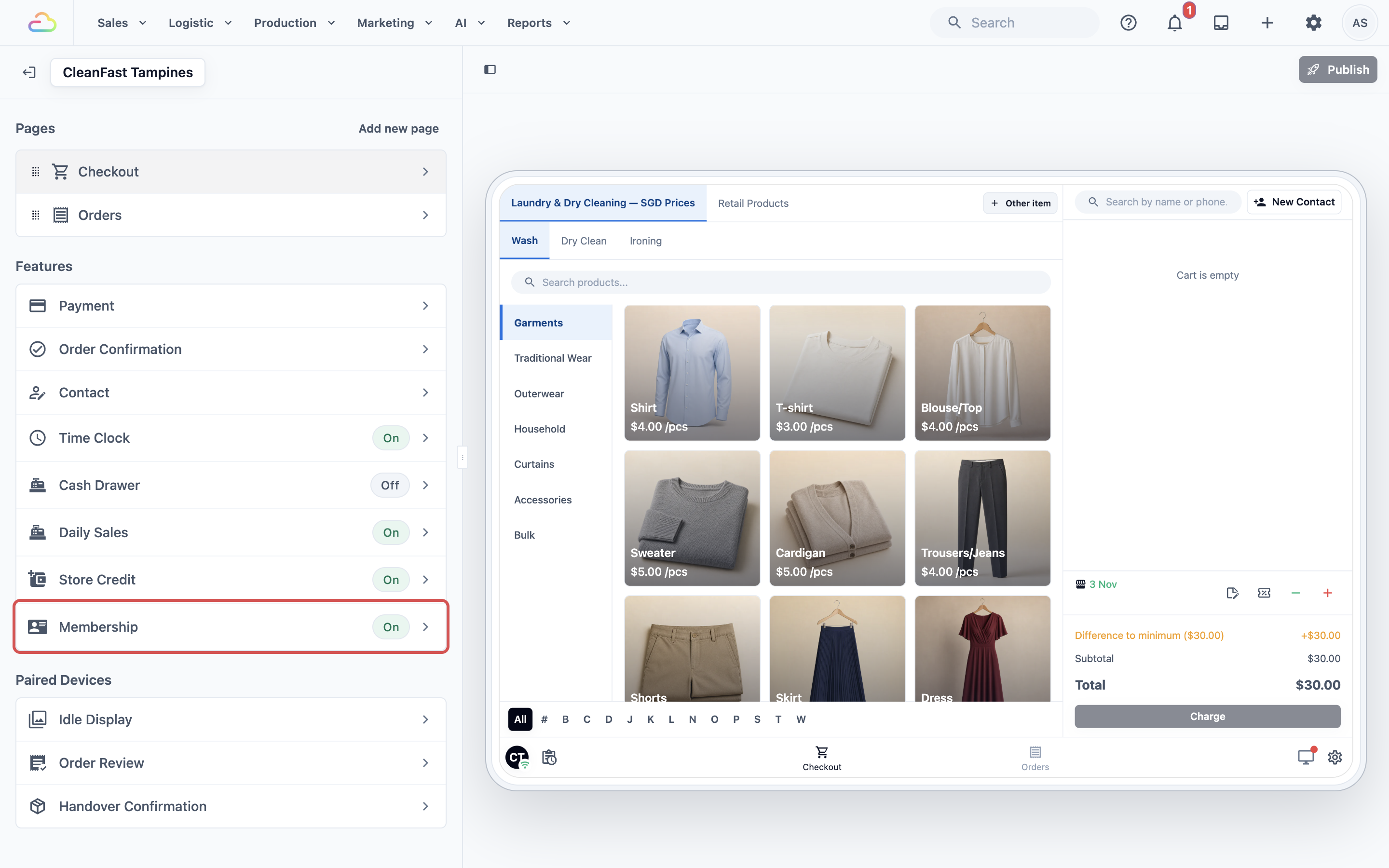
5. Turn on **Enabled**, then click Publish.
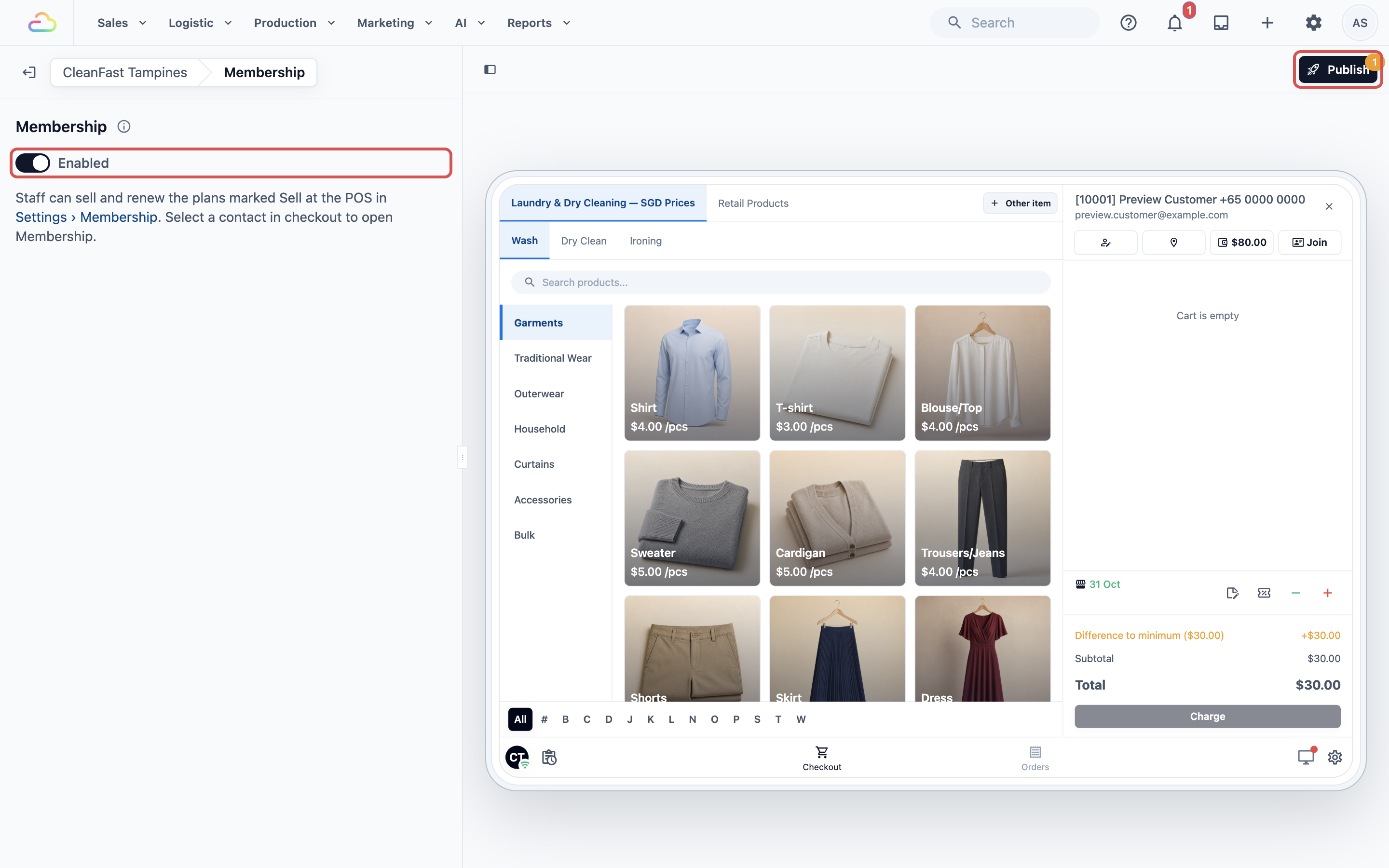
Then, to sell or renew a plan:
1. At checkout, pick the customer in the cart.
2. Tap the **Membership** button beside the customer. It says **Join**, or the plan name for a member.
3. Under **Membership options**, tap the plan. Plans with **Sell at the POS** on and a fee in your currency are listed.
4. Check whether it is a **New membership from today** or a **Renewal of the current membership**, the end date and the **Total**.
5. Tap Payment and take the payment.
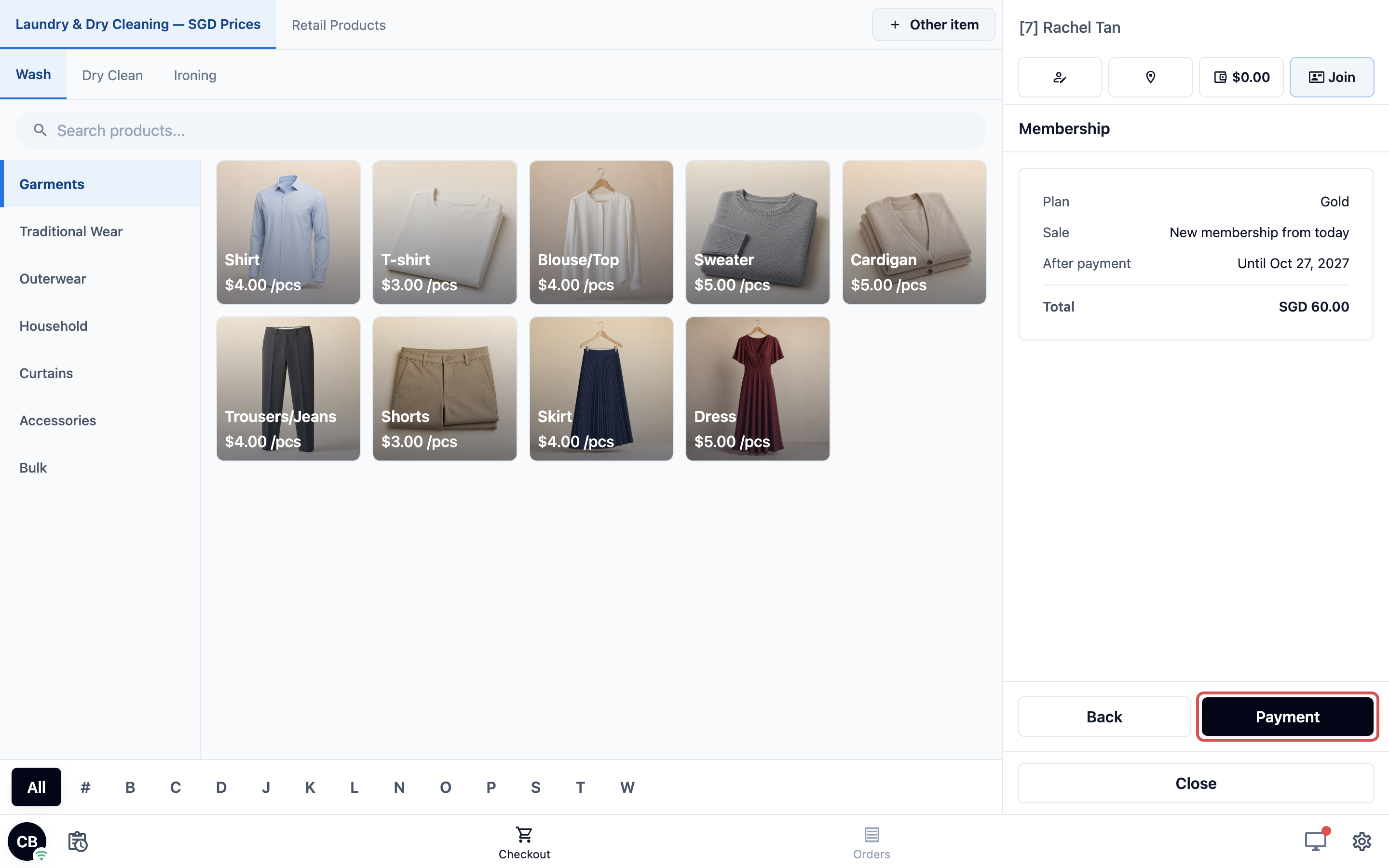
The customer is a member from the day they pay. In their payments, the fee shows as "Membership: Gold".
---
## Manage a member in the Console
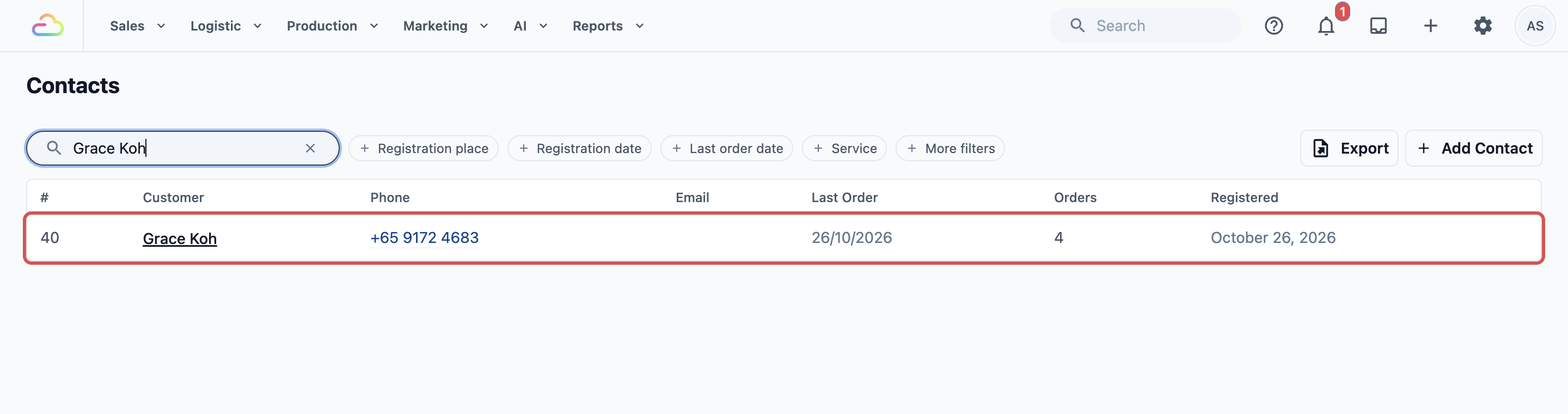
1. Open the customer's contact.
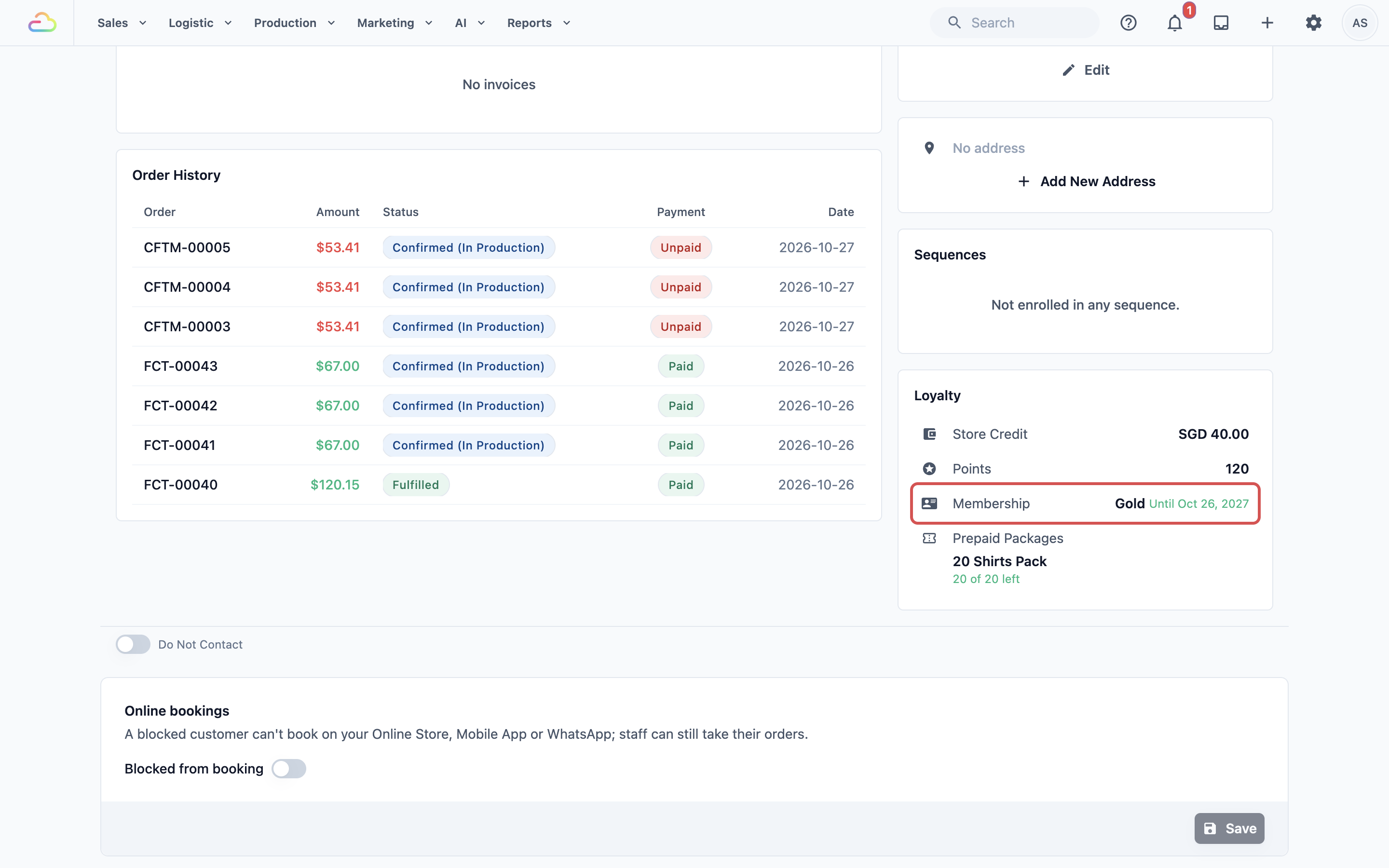
2. In the **Loyalty** section, click **Membership**.
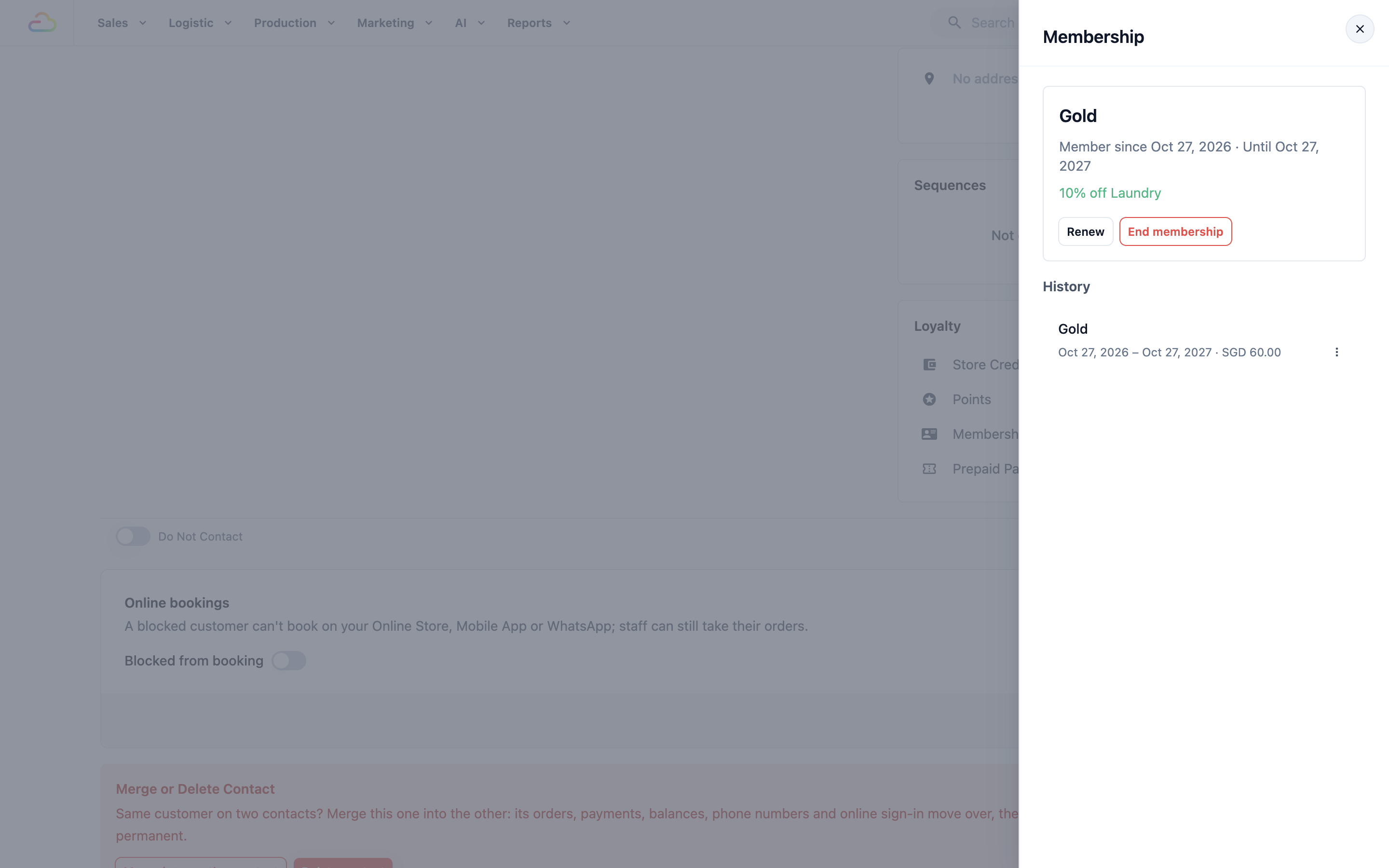
There you can:
- Add membership: a plan with a fee opens a sale with a payment, as on the POS. A plan with no fee is added straight away.
- Renew: adds one term after the current end date, at any time.
- End membership: the discount stops now. The fee isn't refunded.
- **History**: every membership the customer has had, with each term and its fee. To refund the latest fee, click ⋯ on it, then Refund.
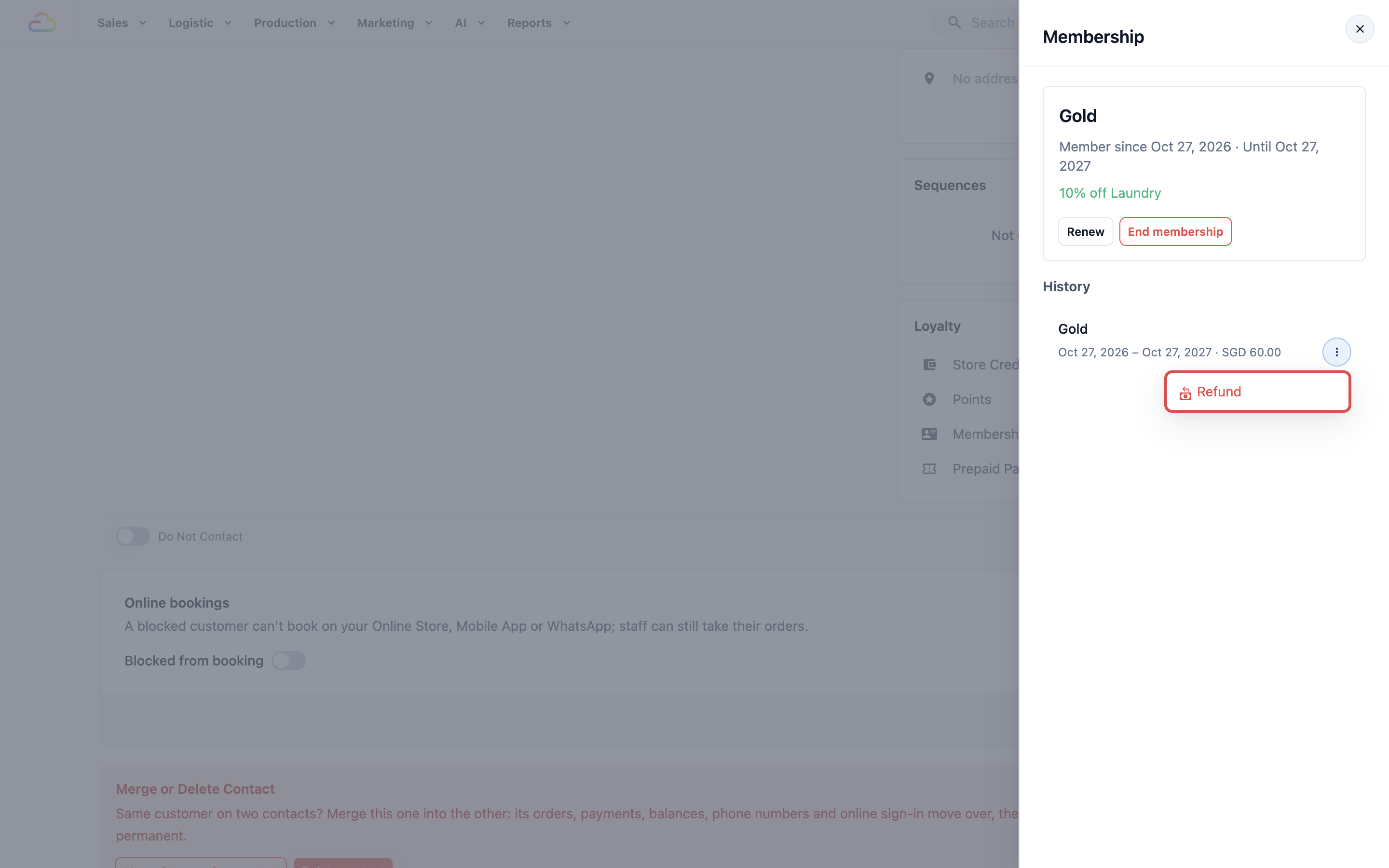
A full refund ends the membership. If the fee paid for a renewal that hasn't started yet, only that term is taken back. A partial refund leaves it running.
---
## Sell memberships online
1. In the plan, turn on **Sell online** and click Save.
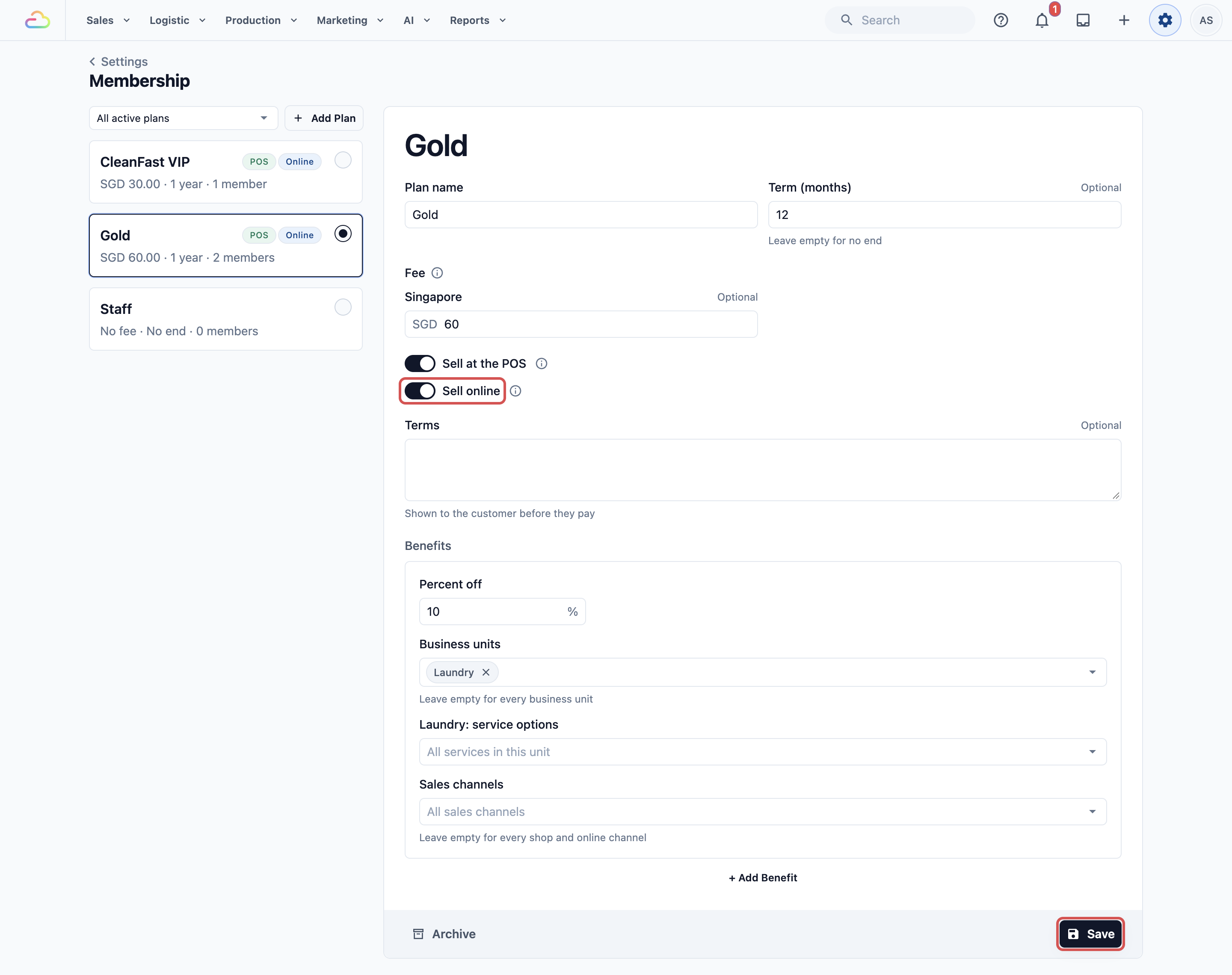
2. Click the ⚙️ Settings icon, then under **Sales Channels**, click Online Store & Mobile App.
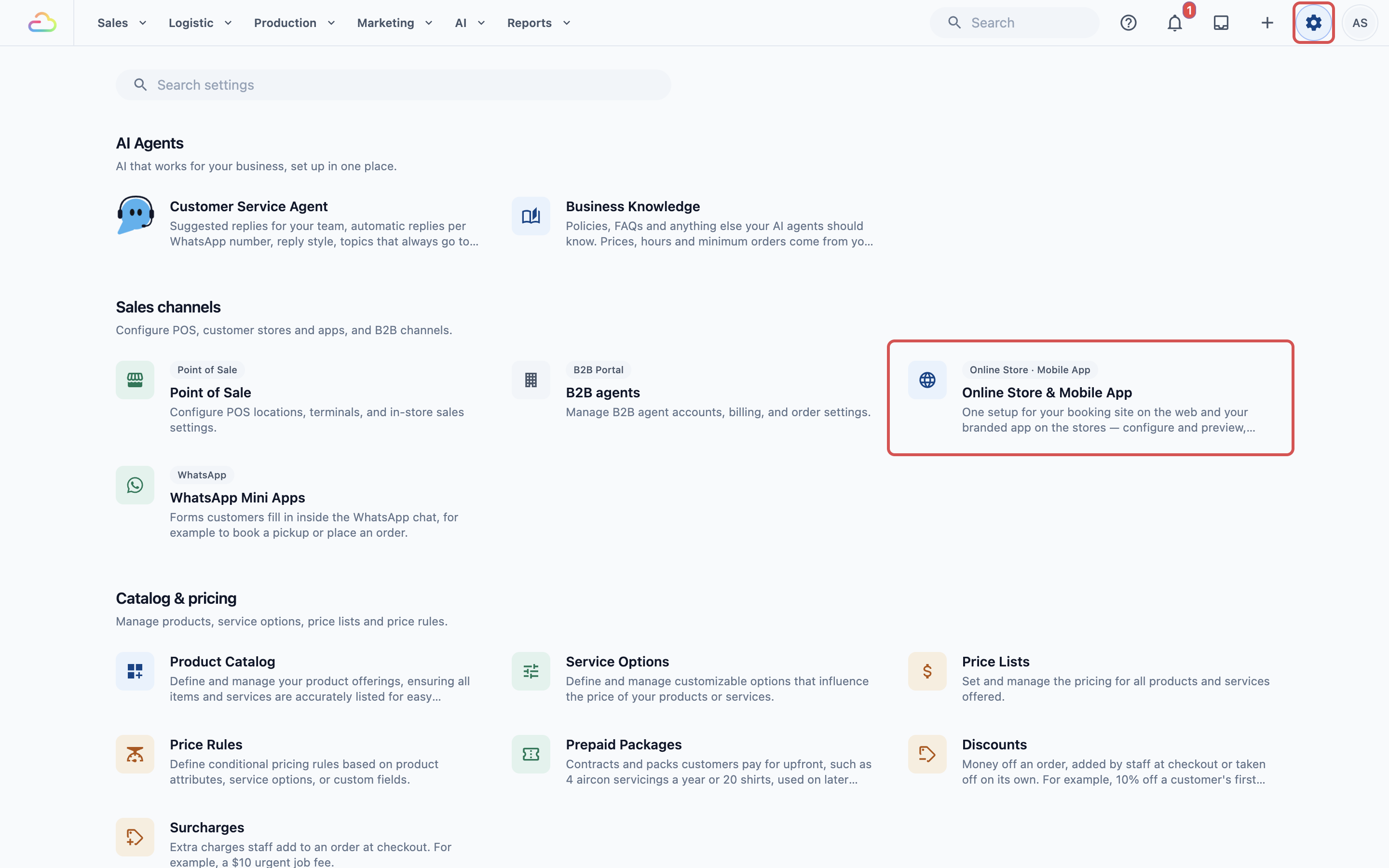
3. On the store card, click Edit Online Store.
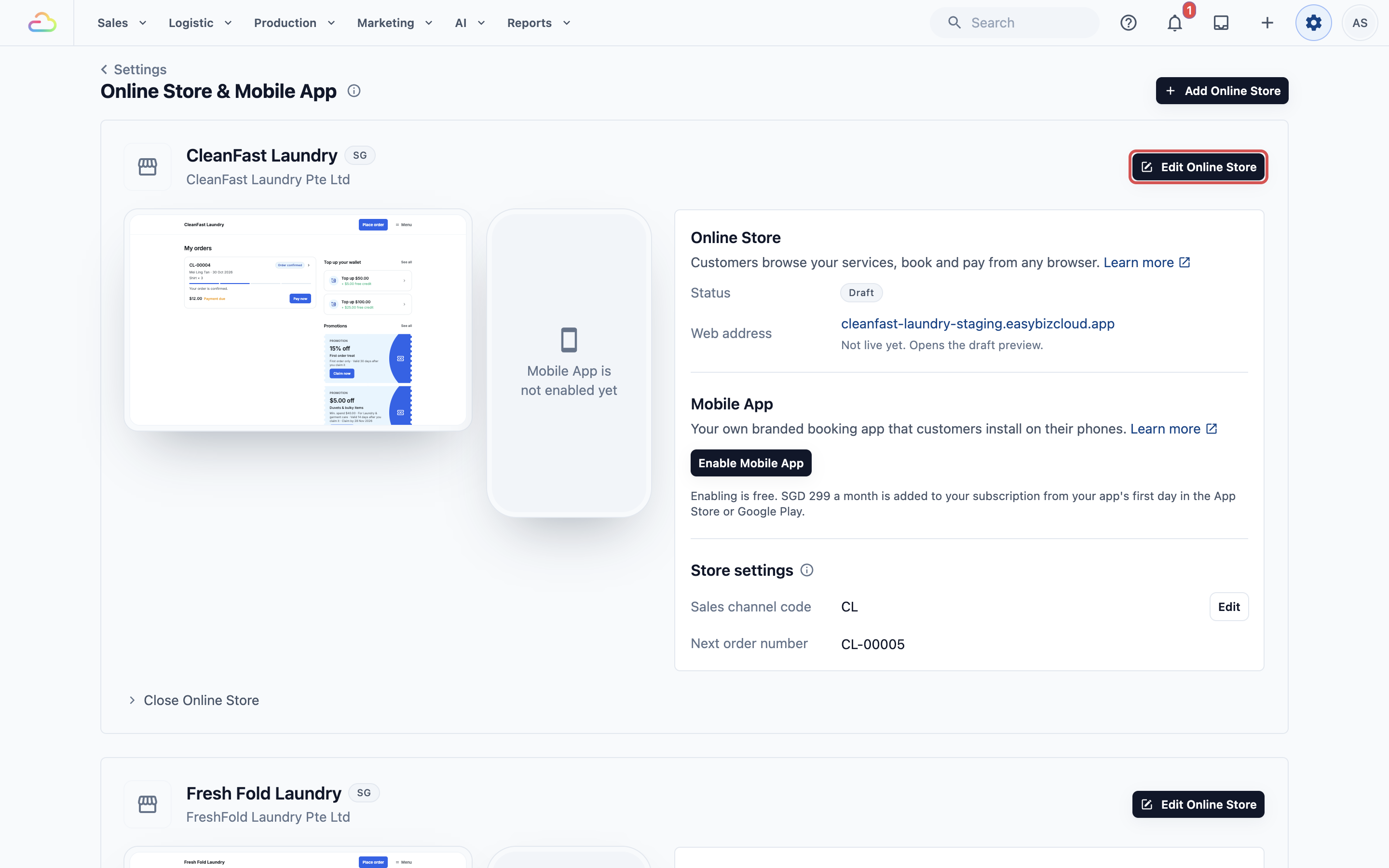
4. Under **Pages**, click Membership and turn on **Sell memberships**.
5. Optional: click the Orders page, then under **Cards**, click Add card and choose **Membership**. It invites customers who aren't members to join.
6. Preview your store, then click Publish. See [Edit, Preview and Publish Your Online Store](/docs/edit-preview-and-publish-your-online-store).
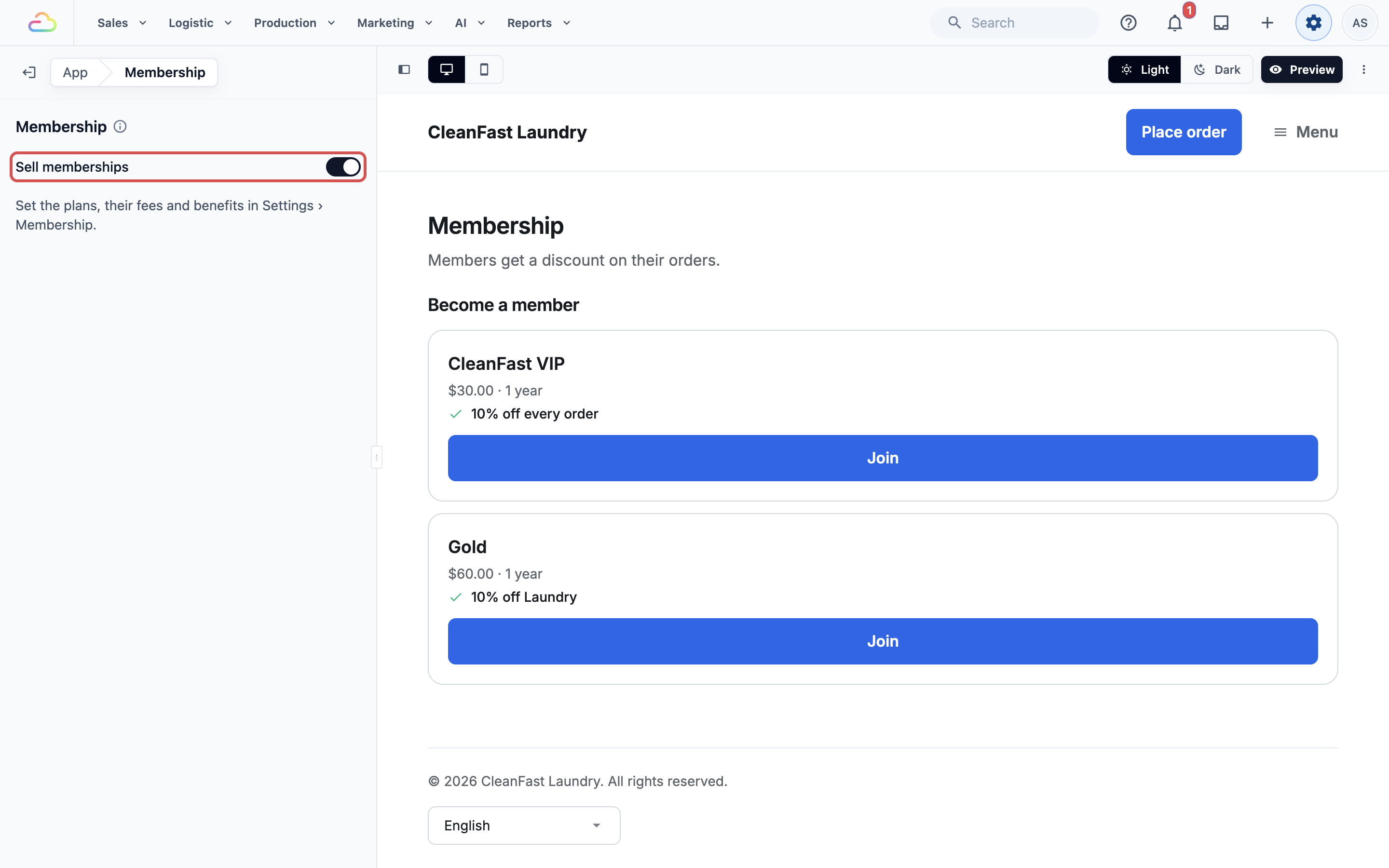
Customers pay with your store's online methods or a saved card. Store credit and custom payment methods can't pay for a membership. With no online method, the page says "You can join at the shop."
---
## What your customers see
1. Signed-in customers open **Membership** from your store's menu.
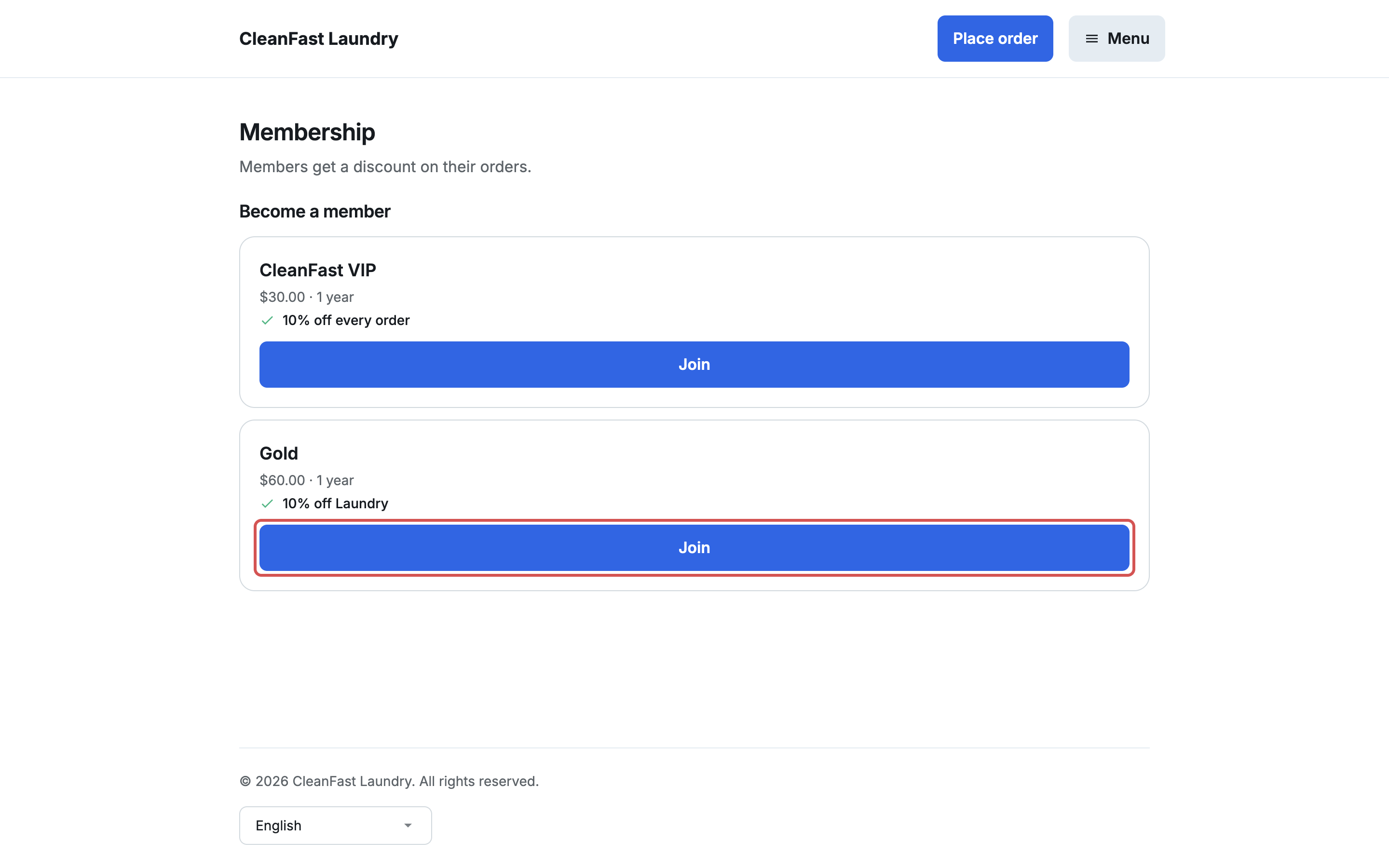
2. Under **Become a member**, each plan shows its fee, term, benefit (for example "10% off Laundry"), your terms and Join.
3. The payment page says when it starts, for example "Starts today, for 1 year".
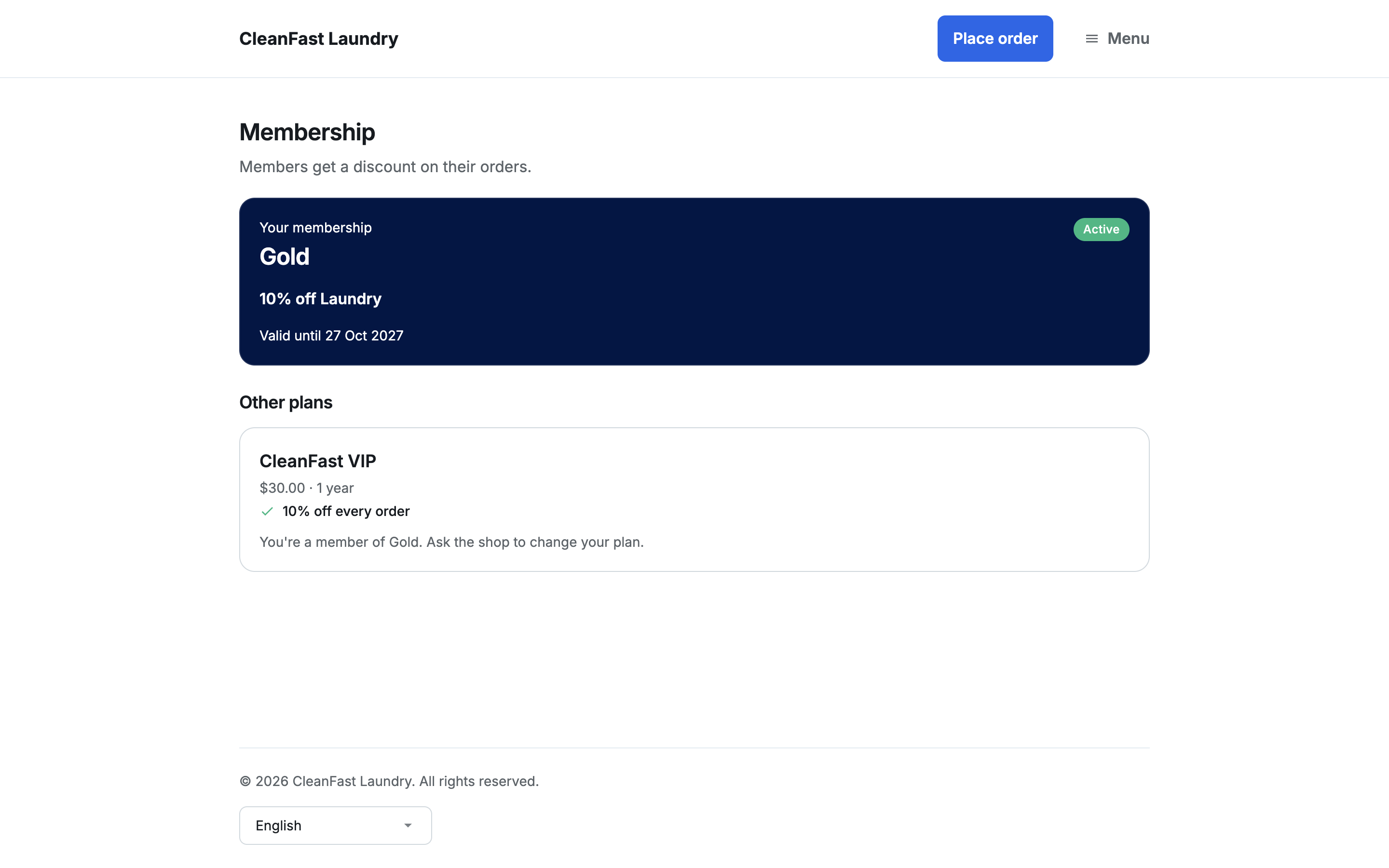
4. Once paid, they see **You're a member**, and the page shows their member card: the plan, **Active**, and "Valid until" the end date.
When they book, the summary shows "Gold member discount (10%)" and takes it off the total. For a booking priced after pickup, it says the discount comes off the final bill.
---
## Renewing
A membership never renews or charges by itself.
- **Online:** in the last 30 days, the card shows "Ends in 12 days" and a button like "Renew · SGD 60.00 for 1 year".
- **Early renewal loses nothing:** the new term starts after the current end date.
- **After it ends:** the card shows **Expired**. Paying then starts a new membership from that day.
- **Plan no longer sold online:** the card says "Ask the shop to renew."
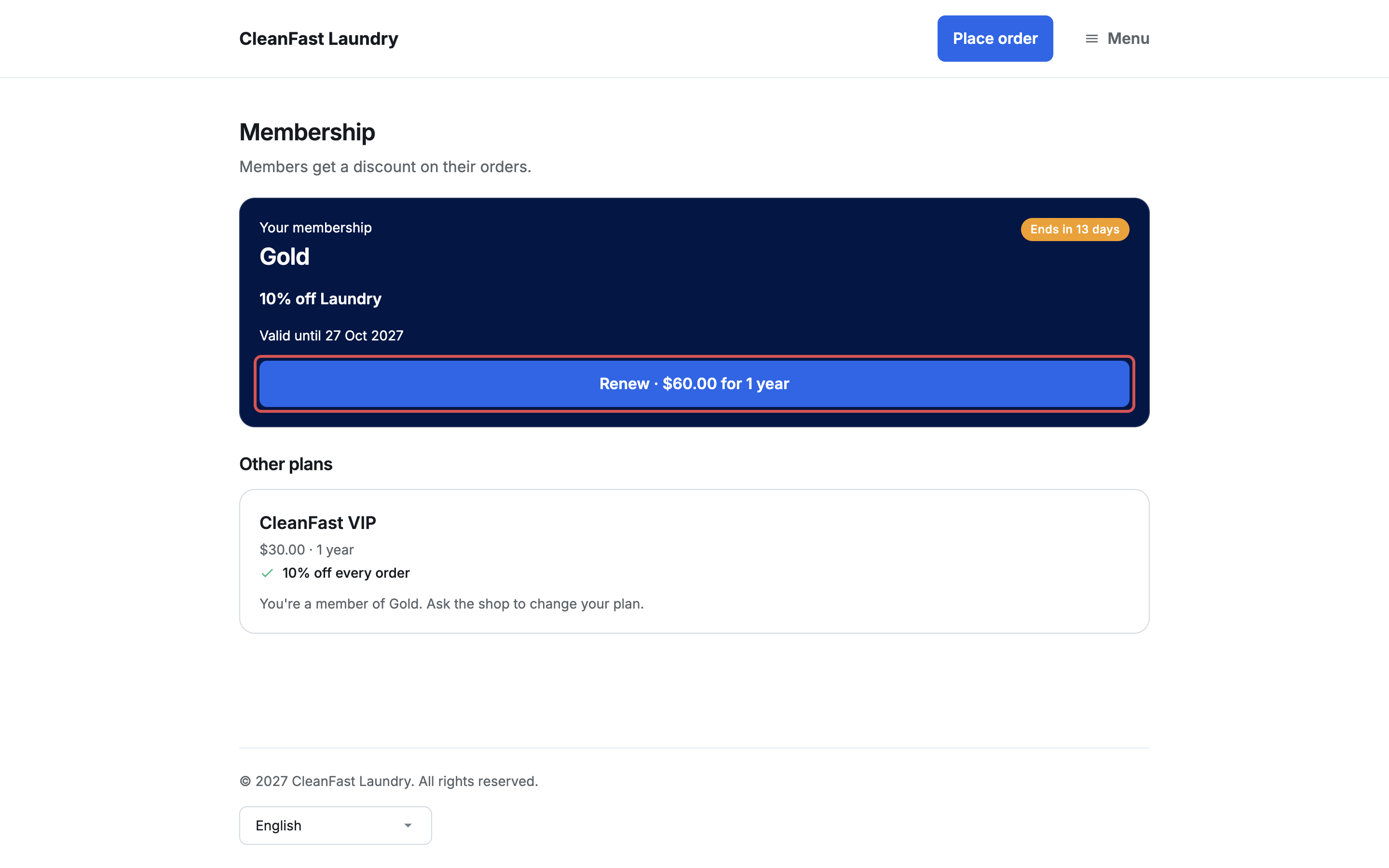
A customer holds one membership at a time. To switch plans, end the current one in the Console, then add the new one. Online, the customer sees "Ask the shop to change your plan."
---
## Things to know
- **Coupons:** a fixed amount coupon comes off on top of the member discount. A percentage coupon doesn't: the member gets whichever takes more off, and the unused coupon stays in their account. See [Create Your First Coupon](/docs/setting-up-coupons).
- **Automatic discounts** are set up separately. See [Introduction to Adjustment Options](/docs/introduction-to-adjustment-options).
- **Loyalty points** are earned on what the customer pays after the discount. See [Reward Customers with Loyalty Points](/docs/setting-up-your-loyalty-points-program).
- **Editing a plan** changes new sales and renewals. Current members keep the plan as they bought it until they renew.
---
## Archive or delete a plan
Open the plan. At the bottom of the form:
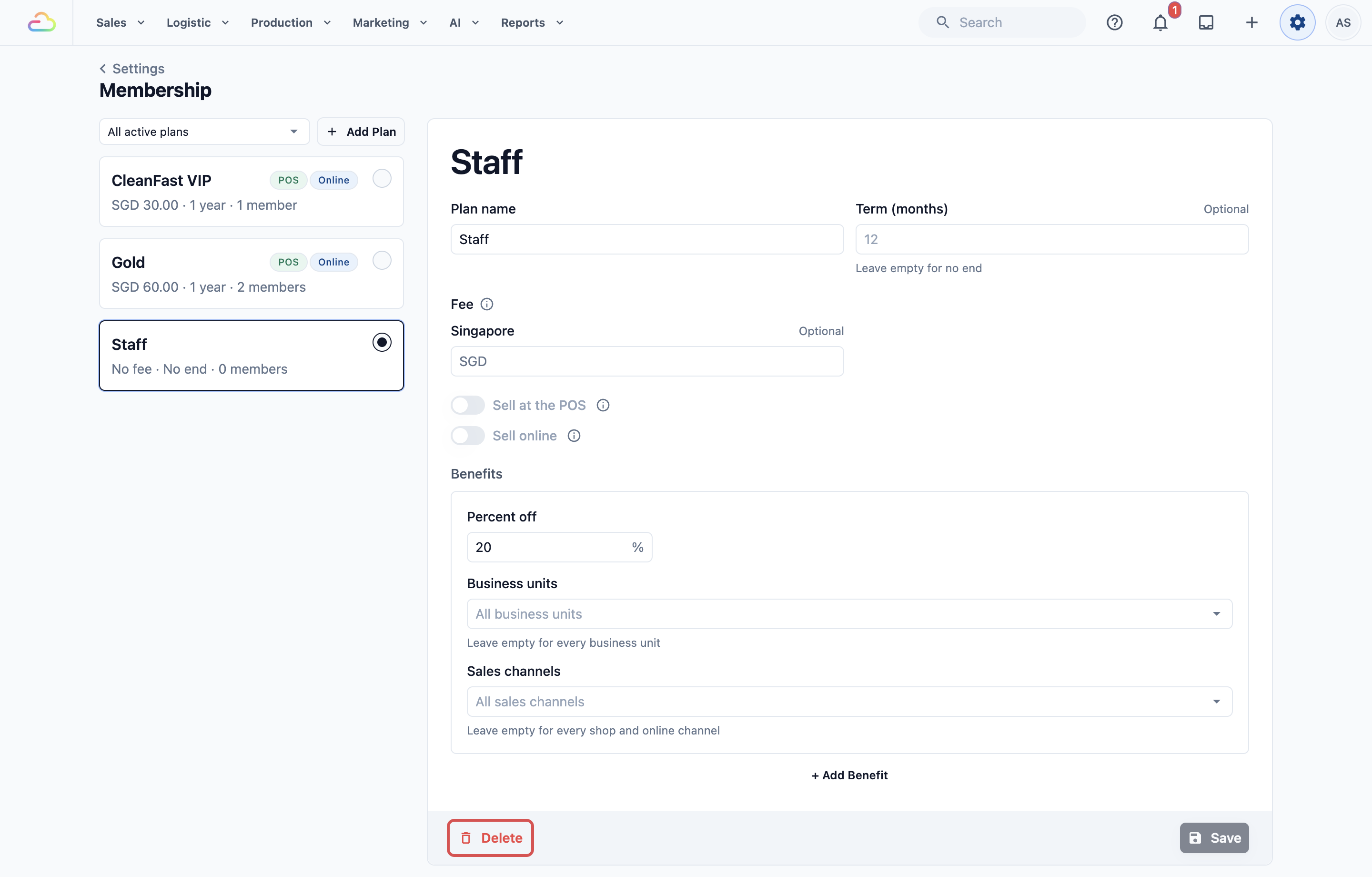
- Delete appears when no customer has ever had the plan. It can't be undone.
- Archive appears once customers have had it. It stops sales, and members keep it until it ends. Unarchive brings it back.
---
## Example setup
**CleanFast Laundry** creates 2 plans:
- **Gold:** 12 months, SGD 60, Sell at the POS and Sell online on, 10% off Laundry.
- **Staff:** no term, no fee, 20% off everything, added to team members in the Console.
A customer buys Gold at Tampines on 1 Nov 2026, valid until 1 Nov 2027. In Jurong the next week, staff pick them and SGD 4 comes off a SGD 40 laundry order. A bag repair is charged in full. Online, their next laundry booking shows "Gold member discount (10%)".
---
## FAQs
**Can a customer have 2 memberships?**
> No, one at a time. End the current one in the Console, then add the new plan.
**Does a membership auto-renew?**
> No. Customers renew online, or staff renew at the POS or in the Console. When it ends, the discount stops.
**Why doesn't a member get the discount online?**
> Check the benefit's **Sales channels** is empty or includes your store, and **Business units** includes what they book.
**I raised the percent off. Do current members get it?**
> From their next renewal. To give it sooner, renew them early at the counter.
**Can I refund a membership fee?**
> Yes, from **History** in the customer's Membership. Ending a membership alone refunds nothing.
**Do members get the discount on the old EasyBiz 2.0 POS?**
> If you moved from 2.0 and some counters still use its POS, memberships are kept in step with it, so yes. Manage plans only in the Console.
---
## What's Next
You have created a membership plan and started selling it at your counter and online. Next, sell packs customers pay for upfront, such as 20 shirts: continue to [Set Up Prepaid Packages for Contracts and Service Packs](/docs/set-up-prepaid-packages).